
Contact us
Contact us
Electrical Engineering, Modelling, Simulation

Why EMT Precision Matters For Recreating Electrical Events With Confidence

Key Takeaways

  • EMT precision is a timing problem first, so waveform checks must focus on early cycles and fast transients.
  • High detail modelling earns its cost only when it reproduces limits, logic states, and device interactions seen in recordings.
  • A small set of repeatable waveform checks will keep event recreation honest and reviewable.

Accurate event recreation lets you replay a disturbance and trust the cause you identify. Published estimates place the annual U.S. cost of power outages between $28 billion and $169 billion, so wrong findings cost real time and money. You can’t fix what you can’t explain. EMT precision turns waveforms into evidence.

EMT precision matters because disturbances live in timing, not averages. A replay that matches RMS values but misses the first cycles will point you at the wrong device or setting. High detail modelling adds effort, so it needs checks you can run and repeat. The goal stays simple: match the waveform parts your study will use.

EMT accuracy defines how closely simulations reproduce electrical events

EMT accuracy means your simulated voltage and current traces match measured waveforms on the same timeline. The match has to hold before the disturbance, during the first cycles, and through recovery. Phase, polarity, and sequence must line up, not just magnitude. If those checks fail, event recreation becomes unreliable.

A common case is replaying a feeder fault captured at a substation. You align pre fault loading, apply the fault at the recorded time, and compare the voltage dip depth against the recorder. You also check current peaks and their decay, since DC offset and saturation shape early cycles. The recovery shape matters too, such as a slow return linked to stalled motors.

Accuracy is a set of pass/fail checks tied to what you need to decide next. Protection studies care about the first cycles because pickup and trip logic live there. Control studies care about the next few hundred milliseconds where limiters and synchronizing logic settle. Treat accuracy as a checklist, and your disturbance reproduction stays repeatable. It also keeps debates focused on measurable gaps.

“EMT precision turns waveforms into evidence.”

Precise event recreation depends on capturing fast switching and transients

Precise event recreation depends on capturing the fast physics that shape the first milliseconds. EMT precision comes from modelling switching, conduction states, saturation, and line effects at a time step that can resolve them. Some inverter connected generator models run with time steps as low as 1–2 µs, which shows how quickly key dynamics move. Coarser steps will blur peaks and shift event timing.

Capacitor bank switching is a clear illustration. The recorder often shows a voltage spike and bus ringing, not a clean step. Matching that ringing needs correct capacitor and reactor values, realistic upstream impedance, and a switch model that represents the closing instant. Small timing error will move the peak enough to break the match.

Transformer energization, breaker pole timing, and cable energization also create short bursts that set initial conditions. A replay can look close after 200 ms, yet internal controller states will already be wrong. Treat the first milliseconds as a gate check. That habit prevents long, late-night tuning sessions.

High detail modelling reveals disturbance behavior hidden by averaged models

High detail modelling reveals behavior that averaged models hide when limits and nonlinearities dominate. EMT will show current clipping, phase jumps, harmonic injection, and brief control mode switches that are smoothed out in averaged representations. Those details decide if equipment rides through, trips, or recovers cleanly. If the disturbance reproduction needs that decision, you need EMT detail.

An inverter ride through event during a close in fault shows the difference fast. An averaged model can hold current proportional to voltage and recover smoothly once voltage returns. A detailed EMT model will show current limiting, mode switching, and a short oscillation as synchronizing logic re locks. That short window can explain either a second protection pickup or a negative-sequence current spike.

Detail also exposes interaction between devices. Two converters can look stable in isolation and still fight through a weak network, producing repeated limiter hits after clearing. With EMT detail, you can test fixes you can actually implement, such as adjusting a current limit ramp. Without it, you’ll tune a model to match a story, not the event.

Accurate EMT results improve fault analysis and protection coordination studies

Accurate EMT results improve fault analysis because protection responds to waveform features rather than just RMS values. Relays react to peaks, DC offset, harmonic content, and phase angle shifts. If the replay captures those features, you can test settings changes with confidence. If it does not, you will tune protection to a waveform that never occurred.

A feeder relay that mis operated during a temporary fault and reclose is a practical example. The recorder shows fault current, then transformer inrush after reclose, plus a voltage sag that lasted long enough to trip an undervoltage element. An EMT recreation can separate those contributors at the same bus, including converter current limits that deepen the sag for a few cycles. Once timing is clear, you can adjust delays, pickups, or blocking logic in line with the record.

Coordination also depends on consistency across cases. If the model matches one fault record but fails on a second event elsewhere, topology or equivalents are wrong. EMT makes that gap obvious because it won’t hide timing errors behind averages. That clarity speeds up root cause work. It also reduces risky “trial and error” tuning.

Event replay quality shapes confidence in post incident engineering findings

Replay quality shapes what you will believe after an incident, because familiar looking waveforms feel convincing. A plausible but wrong replay will steer you toward the wrong cause and corrective action. A disciplined replay forces hard questions early, such as breaker status, event time stamps, and controller revision. That discipline turns event recreation into a reliable engineering tool.

A plant trip during a voltage dip shows why. Measured voltage returns, yet the plant stays offline and the operator log shows a latch. A low detail model can’t latch because internal state logic is missing, so the replay suggests the plant should have stayed online. A precise EMT replay that includes latch and reset conditions will reproduce the lockout and show the threshold crossing that triggered it.

The confidence bar should match the consequence of the finding. If the outcome warrants a retrofit, a settings change, or a compliance filing, the replay must stand up to review. Clear assumptions and repeatable waveform checks make that possible. Strong replay quality shortens debate and keeps focus on fixes.

“EMT makes that gap obvious because it won’t hide timing errors behind averages.”

Engineers should prioritize EMT detail based on disturbance study objectives

Better results come from prioritizing EMT detail around the disturbance you need to explain. Start with the signals that must match, then keep explicit models for the devices that shape those signals. Reduce everything else only when the reduction preserves transient response at your observation points. This focus controls model size and keeps run time under control.

A breaker operation at one bus needs detailed switching and nearby network impedance, not full detail everywhere. A corridor interaction between two converter plants needs detailed controls at both ends and enough network detail to preserve coupling. Teams using SPS SOFTWARE often formalize this workflow: define waveform checks, add detail until checks pass, then stop. That habit keeps modelling effort traceable, and it makes peer review simpler.

Study objectiveWaveform checks to passDetail that usually matters
Relay pickup timingEarly cycles current and voltageSaturation and DC offset
Converter ride throughCurrent limit and recoveryControl mode switching
Switching surgePeak voltage and ringingSwitch and line detail
Fault locationDip depth and phase shiftTopology and impedance
Lockout replayThreshold crossingsLogic and timers

Common modelling shortcuts that reduce event recreation fidelity

Event recreation fails most often because small shortcuts stack up until timing no longer matches the record. The plots can still look smooth, so the error hides until pickup or latch behavior shows up in the field and not in the simulation. You avoid most failures by treating each shortcut as a hypothesis with a check. If the check fails, the shortcut goes.

Five shortcuts cause repeat problems in disturbance reproduction:

  • Using a time step too large for switching or saturation
  • Replacing controls with fixed current sources or gains
  • Omitting transformer saturation, inrush, or frequency effects
  • Ignoring event timing details such as pole scatter and delays
  • Forcing initial conditions that don’t match pre fault flows

Each shortcut breaks a different part of the replay, and the fix is clear once you see the mismatch. A too large time step will shift peaks and pickup times. Missing logic will erase latches and resets that operators see in logs. Teams that keep non negotiable waveform checks will stay honest over time. SPS SOFTWARE fits naturally when you need transparent, editable models you can inspect as carefully as you inspect the recordings.

Electrical Engineering, Modelling, Simulation

5 Steps To Build Inverter Control Models

Key Takeaways

  • Timing, limits, and signal definitions will decide if tuning results carry to hardware.
  • PWM modelling depth should match loop bandwidth, with delays treated as first-class dynamics.
  • Inner and outer loop separation plus worst-case stability checks will prevent late-stage surprises.

A good inverter control model will predict stability before hardware runs. You will tune faster because control stability margins stay visible. You will catch phase loss and windup early. That matters more than matching switching ripple.

Most problems start when the model is too ideal. PWM modelling that ignores update delay will overstate phase margin. Inner loop control that skips sensor filtering will overstate bandwidth. Outer loop control that assumes a fixed grid or load will break as conditions shift.

What engineers need from an inverter control model before tuning begins

Lock down what the controller sees and when it sees it before you touch a gain. Put sample time, carrier rate, delay, and measurement filtering into the model. Define every signal with units, scaling, and sign. Add limits and saturations that will exist in hardware.

A three-phase inverter switching at 10 kHz with a 50 µs step is a good test bed. Duty updates once per step, so model a one-step delay from compute to PWM output. Add the same 2 kHz current filter and sensor scaling you plan to ship. Sweep DC link from 700 V to 900 V and vary grid inductance from 0.5 mH to 2 mH.

Timing and limits decide where crossover can sit without ringing. Hidden delay steals phase and turns a safe gain into oscillation. Missing saturation hides integrator windup and makes transients look gentle. A lean model with visible assumptions will beat a detailed model with hidden ones.

“Hidden delay steals phase and turns a safe gain into oscillation.”

5 steps to build inverter control models

Follow the build order you will implement. Lock targets and limits first, then choose a PWM abstraction, then close inner and outer loops. Check stability across operating points at the end. This order stops us from tuning around modeling errors.

Define control objectives and operating limits earlyClear numeric targets and hard limits prevent tuning gains that look stable in simulation but fail once saturation, faults, or range changes appear.
Select a PWM representation that matches control bandwidthThe PWM model must preserve timing and gain effects that shape phase margin, or control stability results will be misleading even if waveforms look clean.
Build the inner current loop with clear plant assumptionsA current loop stays predictable only when the electrical plant, sensing delay, and filtering are explicit and consistent throughout the model.
Add the outer voltage or power loop with proper separationOuter loops remain stable when their bandwidth is intentionally slower than the current loop, reducing interaction and hidden instability.
Check control stability across operating points and delaysStability must be verified at worst-case voltage, impedance, and delay conditions, not only at nominal operating points.

1. Define control objectives and operating limits early

Write objectives as numbers you can test, not as intentions. Pick the regulated variable, settling time, peak deviation limit, and steady-state error. Define the operating range for DC voltage, grid or load impedance, and any derating rules. Put current, voltage, and duty limits into the model as saturations and clamps. A 5 kW inverter might target 2 ms current settling while capping phase current at 12 A peak and clamping duty if DC drops under 720 V. Add what the controller does at the limit, such as freezing the integrator, back-calculating, or rate-limiting the reference. Write one pass-fail check per objective so tests stay consistent. Clear targets stop you from tuning a waveform that looks clean but violates limits on hardware.

2. Select a PWM representation that matches control bandwidth

Choose a PWM representation that preserves the delay and gain your controller will see. An averaged modulator fits loop design when crossover stays well below the carrier, but it still needs a duty update delay. A sampled-data modulator matters when bandwidth approaches one tenth of switching, since sample-and-hold lag steals phase. A switching model is for ripple, harmonics, deadtime effects, and filter resonance checks. A 1 kHz current loop with a 10 kHz carrier will tune reliably on an averaged model that includes one control-step delay and the correct modulator gain. Keep a second, switching-level model in SPS SOFTWARE if you want to verify ripple without rewriting the controller. Choose the simplest model that preserves stability margins, then add detail only where results disagree.

3. Build the inner current loop with clear plant assumptions

Inner loop control starts with a plant you can explain in one line. Model the filter you have, then keep the same sign convention and reference frame everywhere. Put sensing delay and filtering inside the feedback path, not as a plotting detail. With an L filter of 2 mH and 0.15 Ω resistance, the plant is close to 1/(Ls + R) before discretization. Discretize at a 50 µs step, then tune PI gains for a crossover near 1 kHz with margin left for delay. If you use an LCL filter, keep crossover well below the resonance peak. Treat any extra filter pole as lost phase you must budget. Add anti-windup early so a current clamp does not turn recovery into a slow drift.

4. Add the outer voltage or power loop with proper separation

Outer loop control will stay stable only when it is slower than the current loop. Pick the outer objective up front, because DC-link voltage control and AC voltage control see different plants. Treat the outer plant as uncertain, since grid strength and load type will vary. Keep the outer bandwidth at least 5x to 10x lower than the current loop so interactions stay small. A DC-link loop at 20 Hz to 50 Hz feeding a 1 kHz current loop will handle load steps cleanly. A grid-forming voltage loop around 100 Hz will still sit below the current loop, but it will require clean voltage sensing. Add rate limits and windup protection so the outer loop does not keep pushing when the inner loop is saturated.

“Choose the simplest model that preserves stability margins, then add detail only where results disagree.”

5. Check control stability across operating points and delays

Check control stability with the full loop, not an ideal diagram. Keep sampling, PWM delay, sensing filters, and saturations inside the loop model when you assess margins. Evaluate worst cases, including minimum DC voltage, maximum power, and a weak-grid impedance point. One stress test doubles grid inductance so an LCL resonance shifts toward crossover. Another test steps current reference into the limit so you see windup and limit cycling. Use loop gain plots to catch phase loss, then confirm with a time-domain step that includes clamps. Aim for margins you can live with after discretization, such as 45° phase margin and 6 dB gain margin. Keep a short regression set so small edits do not silently shrink margins across cases.

Applying these steps to avoid unstable or misleading control results

Unstable results usually trace back to hidden timing or hidden limits. A controller tuned with zero delay will look stable and then ring once a one-step update appears. A controller tuned without saturations will look linear and then stick during faults. Tight models keep these traps visible.

Picture a loop tuned on an averaged plant at 1 kHz crossover. Add a 2 kHz sensor filter and a 50 µs compute delay and phase margin drops. Fix the timing mismatch first, then adjust gains with the same tests each time. Keep three repeatable checks, a current step, a DC sag, and an impedance sweep.

Write assumptions where everyone can see them, then keep them under version control with the model. That habit makes tuning transferable across students, researchers, and product teams. SPS SOFTWARE helps when you need component equations and controller timing exposed so reviews stay concrete. Consistent execution will keep loops calm across operating points.

Electrical Engineering, Simulation

7 Ways To Improve Relay Coordination Studies

Key Takeaways

  • Lock device data and fault levels before coordination tuning starts.
  • Write the primary and backup intents per zone so protection timing remains consistent.
  • Rerun curves and scenarios after each network or setting change to prevent drift.

Relay coordination clears faults fast. Healthy loads stay on. Inputs must be right for time current curves. Clear intent keeps timing steady. Most errors come from stale device data. Copied settings add risk. Curve checks tie results to actual trips. Notes keep settings defensible.

What defines an effective relay coordination study

An effective relay coordination study shows that the correct device trips first in the states you run. Device data and fault levels are verified. Time current curves show the needed separation. Notes explain why pickup and delays exist.

Use a long radial feeder with a midline recloser for testing. End-of-line faults sit near pickup and expose crossings. Coordination that holds at one fault point will fail later. A setting with no reason will force a repeat study.

7 ways to improve relay coordination studies

Lock inputs first. Use curves as checks. Keep each item single. Work in order.

Start with verified system data and consistent short circuit assumptionsRelay coordination fails when device data or fault levels are wrong, so validating inputs first prevents false confidence in curve spacing.
Define protection objectives before touching time current curvesClear primary and backup intent gives protection timing a purpose and prevents random or copied settings.
Establish clear coordination margins across all protection zonesConsistent time margins account for breaker operation, tolerances, and delays so backup devices still wait when they should.
Use time current curves to expose grading conflicts earlyPlotting curves across the full fault range reveals miscoordination that numerical checks alone will miss.
Tune protection timing from the load outward, not relay by relaySetting downstream devices first reduces rework and keeps upstream coordination stable as adjustments are made.
Validate coordination across normal, contingency, and fault casesTesting multiple operating states ensures coordination holds when the system configuration changes.
Reconfirm coordination after setting changes or network modificationsAny system or setting change can disrupt coordination, so rechecking curves helps prevent gradual protection drift.

1. Start with verified system data and consistent short circuit assumptions

Verified inputs are the fastest path to relay coordination. Confirm CT and PT ratios, breaker types, fuse links, xfmr impedances, grounding, and any motor or inverter fault contribution you include. A feeder relay set from a drawing that still shows an old CT ratio will coordinate on screen and trip late on site. Check xfmr tap position and source strength so short circuit levels match what the yard will see. Keep one fault basis for the tuning run so every time current curve uses the same fault levels. Track a source and date for each device record so updates don’t become guesswork. Rerun remote-end faults on long feeders after every model update, because weak faults always expose curve crossings first.

2. Define protection objectives before touching time current curves

Protection timing only makes sense after you state the protection objective. Write which device must act first for each zone and fault type, and what backup action you accept if the primary fails. A fuse-saving feeder will use a fast reclose shot, while a cable feeder will avoid reclosing and accept slower backup. If arc-flash limits matter, note the maximum acceptable clearing time at each bus before tuning. Those choices set pickup, delay, and instantaneous reach. An upstream relay should wait for downstream devices to report line faults, but act quickly for bus faults. Without it, settings get copied and schemes drift quietly later. Keep the objective note beside the time-current curves so “faster” requests don’t compromise selectivity.

“Without it, settings get copied and schemes drift quietly later.”

3. Establish clear coordination margins across all protection zones

Coordination margins turn “curves don’t touch” into “backup still waits in service.” Build in room for breaker opening time, fuse-clearing spread, relay tolerances, CT saturation, and any logic delay you add. Don’t forget breaker failure timers, since they add delay to backup clearing even when curves look clean. A lateral fuse with wide melt and clear scatter needs more spacing than a digital relay with tight timing. A recloser fast shot can erase margin if it lands in the same current range as the fuse. Pick one margin rule and apply it across all zones so you don’t end up with one-off exceptions. More margin reduces nuisance trips, but slows backup clearing and raises fault energy when the primary fails.

4. Use time current curves to expose grading conflicts early

Time-current curves are most valuable when used to identify grading conflicts early. Overlay each primary device with its backup and scan the full current range, including minimum fault current near the end of the feeder. A xfmr fault can land between pickup and instantaneous and hide a crossing unless you plot that case. Curve crossings near pickup are common on long feeders and high-impedance faults, so don’t stop at high-current points. Instantaneous elements set too low can jump ahead of downstream devices during close-in faults. Mark the currents where coordination must hold so your review stays consistent. When a conflict appears, fix the cause first, such as pickup, delay, or instantaneous reach, before you spread changes everywhere.

5. Tune protection timing from the load outward, not relay by relay

The cleanest tuning flow runs from the load outward. Set laterals and branch devices first, then set the midline recloser or sectionalizer, then set the feeder relay, and finish with upstream backup. A radial feeder often needs lateral fuses to clear single-phase faults while the main recloser clears temporary faults on the trunk. Starting upstream first forces you to revisit every downstream curve after each tweak. Downstream pickup must ride through load pickup and xfmr energization, or nuisance trips will dominate your tuning time. Cold load pickup after an outage can also look like a fault, so check it first before you tighten pickup too. After downstream settings stabilize, upstream edits become small, and the coordination picture remains readable.

6. Validate coordination across normal, contingency, and fault cases

A study that only checks the normal one-line will miss the states that break coordination. Test feeder ties open and closed, a xfmr out of service, minimum and maximum source strength, and generation connected and disconnected. A tie closure can reduce the fault current seen by a downstream device and push it into a slower part of its curve. A generator can reverse current and trip a non-directional element for an upstream fault. Run one weak-fault case and one close-in case so you see both pickup timing and instantaneous reach. Keep the scenario set short but strict, and rerun it after every tuning change. SPS SOFTWARE helps when you need physics-based network behavior and editable protection logic in the same workspace.

7. Reconfirm coordination after setting changes or network modifications

Coordination will drift after every change, even when relay settings stay the same. A new cable, a feeder extension, grounding changes, added capacitance, or a different breaker model will shift fault levels and clearing times. A feeder extension often drops minimum fault current, so end-of-line faults sit closer to pickup and expose curve crossings. A quick setting tweak to stop a nuisance trip can remove spacing you relied on for backup. Keep the previous setting file and curve set so you can roll back if a field test reveals a new problem. Treat updates like controlled changes and record the reason, affected devices, and fault cases rerun. Replot the time current curves after each modification so you can see what moved

Applying these methods to new studies and existing protection schemes

Applying these methods works best when you treat relay coordination as a controlled engineering process rather than a one-time calculation. New studies benefit from a clean sequence where data validation, protection intent, margins, and tuning order are fixed before any curves are adjusted. That structure prevents early choices from forcing compromises later and keeps coordination defensible during reviews.

Existing schemes require more discipline because history works against you. Legacy settings often reflect past outages, rushed fixes, or copied logic from similar feeders. Start by rebuilding the coordination logic using current system data rather than trusting inherited curves. Plot fresh time current curves and compare them against actual operating scenarios, not just the conditions assumed when the settings were first applied.

“That habit keeps reviews short.”

Documentation matters as much as settings. Each pickup, delay, and instantaneous choice should tie back to a protection objective and a verified fault case. When system changes occur, that record makes it clear what must be rechecked and what can remain untouched. Teams using SPS SOFTWARE often keep models, assumptions, and curves linked, which shortens reassessment cycles and reduces debate during approvals.

Over time, disciplined execution shapes outcomes. Coordination schemes that remain stable do so because engineers repeatedly apply the same checks, not because the system stays simple.

Electrical Engineering, Power Systems, University

9 Introductory models for teaching power engineering

Key takeaways

  • Introductory models that are concrete, visual, and grounded in physics help students connect equations to behaviour and build early trust in their own intuition.
  • A small, reusable set of introductory models supports core teaching goals across voltage and current basics, transients, three-phase systems, converters, machines, feeders, and protection.
  • Carefully structured beginner exercises that focus on one concept at a time help students build modelling confidence while giving instructors clear visibility into where learners struggle.
  • Classroom examples and teaching templates that grow from simple circuits to more complex systems create continuity across courses, labs, and early research or project work.
  • SPS SOFTWARE provides an education-ready simulation platform that supports introductory models, beginner exercises, and classroom examples within open, physics-based system modelling workflows.

The first teaching models you choose in power engineering can either confuse students or make everything finally click. Early circuits, sources, and machines set the tone for how students picture voltage, current, and power. When those introductory models are concrete, visual, and grounded in physics, learners start to trust their intuition. When they are abstract or overloaded, learners often memorize formulas without really grasping why the system behaves as it does.

Educators and lab leads carry a quiet pressure here, because there is rarely enough time or lab budget to cover everything. You want simple models that still feel authentic to modern grids, converters, and protection schemes. You also need starter models that scale into research projects, hardware-in-the-loop (HIL) experiments, and industry-focused assignments. Choosing a clear set of introductory models gives students that bridge, so they can move from basic exercises to confident system-level reasoning.

How introductory models support early power engineering learning goals

Introductory models act as scaffolding for the mental picture students build of electrical power systems. Instead of starting from large, opaque networks, learners can focus on a few components and see how each equation maps to an observable behaviour. This approach supports learning goals such as interpreting phasor relationships, reading waveforms, and connecting steady-state calculations with time-domain responses. When students see clear cause and effect between parameter changes and simulation output, they start to link theory from lectures with the physical intuition they will need as practising engineers.

Good starter models also reduce cognitive overload, because students can hold the entire system in their head while still encountering realistic details. For example, a basic rectifier or feeder can include harmonics, voltage drop, or saturation effects without burying learners under dozens of parameters. This balance matters for outcomes that stress modelling skills, communication, and engineering judgement as much as pure analysis. When early lab models follow a smooth progression from single-phase circuits to converters and machines, students stay engaged and are more willing to experiment with new configurations on their own.

9 introductory models for teaching power engineering fundamentals

Introductory models for power engineering should feel simple to draw and still be honest to the physics. Each model can spotlight one or two core ideas such as transients, phasors, switching, or protection logic, instead of trying to cover an entire course outline at once. When you treat these configurations as reusable teaching templates, students recognise patterns and gain confidence reusing topologies with new parameters or control strategies. The models described here also work well as classroom examples inside simulation tools, so students can start from a clear base and then extend it step by step.

1. Single-phase resistive load to introduce voltage and current basics

A single-phase source feeding a resistive load is often the first model where students see voltage, current, and power relate cleanly. With a simple sinusoidal source and a resistor, learners can confirm Ohm’s law, inspect phase alignment, and connect phasor diagrams to time-domain waveforms. They can also compute instantaneous power and average power, then verify those values against simulation measurements. This kind of introductory model shows students that equations from lectures are not abstract; they describe exactly what appears on the scope.

From a teaching standpoint, this configuration supports many beginner exercises without much extra setup. Students can vary the resistance, change the source amplitude or frequency, and compare measured values to hand calculations. You can ask them to compute current and power for several operating points, then check results directly in the simulation tool. As they repeat these steps, learners become comfortable wiring sources, loads, and measurement blocks, which makes more complex circuits feel far less intimidating later.

2. Resistor–capacitor and resistor–inductor circuits for building confidence with transient response

Resistor–capacitor (RC) and resistor–inductor (RL) circuits give students a safe place to practise transient concepts before they meet large power systems. A simple step in voltage or current produces the exponential charging or decaying behaviour they have seen in differential equations. Students can measure time constants, compare analytical solutions with simulation plots, and see how component values affect transient duration. This experience makes “transient response” feel like a concrete pattern instead of a purely mathematical topic.

In the simulation tool, you can ask learners to sweep resistance or capacitance and record how the time constant changes. They can apply different types of inputs, such as steps, ramps, or pulse trains, and document how the waveforms respond. RC and RL circuits are also a gentle introduction to numerical issues like step size and simulation time, since poorly chosen settings can distort the expected response. Once students trust their understanding of these basic transients, they approach switching converters and machine models with much more confidence.

3. Three-phase balanced source feeding a simple load model

A three-phase balanced source with a simple load is often the first time students see how their single-phase intuition extends to practical power systems. With a balanced three-phase voltage source feeding a resistive or impedance load, they can inspect line-to-line and phase voltages, currents, and power. This model reinforces symmetry, phasor relationships, and the way power remains constant over time in a balanced situation. Learners also see how single-line diagrams relate to full three-phase representations in the simulation.

For exercises, you can ask students to compare star and delta connections for both loads and sources. They can calculate expected line currents and powers, then verify those values against simulation results across several loading conditions. The same model can be gently extended by introducing a small imbalance or harmonics, allowing advanced groups to ask richer questions without starting from a new file. Using this configuration early helps students read three-phase plots comfortably, which pays off later for machines, converters, and feeders.

4. Ideal transformer model for studying flux, turns ratio, and scaling

An ideal transformer model helps students understand how voltage and current scale between windings and why that matters for system design. With a simplified representation that ignores losses and magnetizing current at first, learners can focus on the turns ratio and basic flux relationships. They can apply a single-phase source, connect different loads on the secondary side, and check how the reflected impedance looks from the primary. This direct connection between algebraic ratios and simulation measurements supports a strong conceptual foundation.

In teaching exercises, you might start with unloaded and fully loaded cases, then introduce partial loading and short-circuit conditions. Students can compute expected primary current from the secondary load and compare it with simulation values for several turns ratios. The model also supports discussion of per-unit quantities and how transformers help manage voltage levels across networks. Once learners grasp the ideal case, you can add realistic effects such as copper loss or magnetizing branches, showing how those refinements change behaviour without discarding the core idea.

“Beginner exercises are often where students decide whether power engineering feels approachable or intimidating.”

5. Diode bridge rectifier model for teaching converter fundamentals

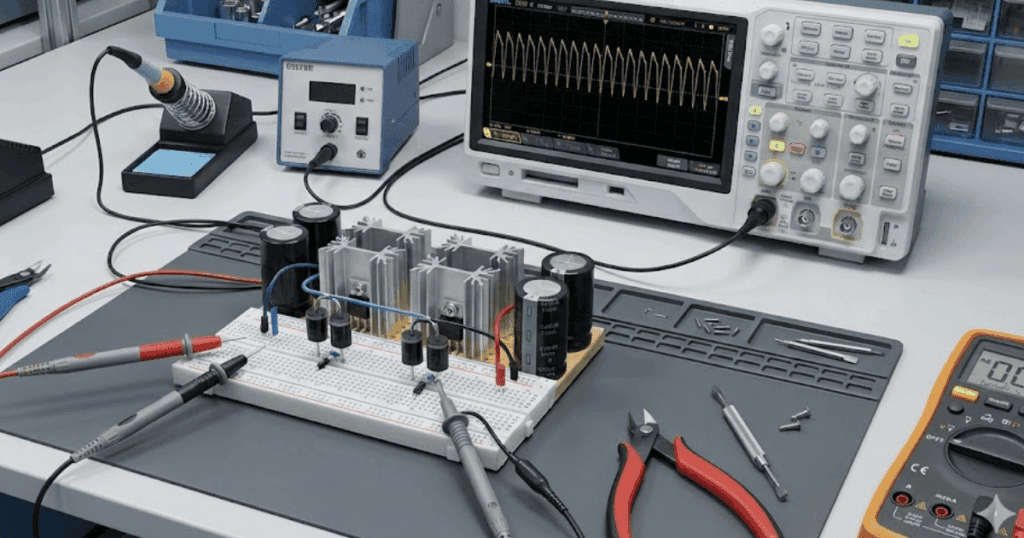
A single-phase diode bridge rectifier introduces students to power electronics, non-linear conduction, and the link between alternating current (AC) and direct current (DC). With a simple transformer or source feeding a full-bridge diode arrangement and a resistive or resistive–capacitive load, learners can see how the output voltage waveform looks and how ripple appears. They can distinguish between average, root-mean-square (RMS), and peak values, then relate those values to component ratings. This model also prepares students for discussions about harmonics and power quality.

As a beginner exercise, you can ask students to vary the load, add a smoothing capacitor, and observe how ripple and current waveforms change. They can compute theoretical average DC voltage for a given AC input and compare it with simulated values under different loading conditions. The rectifier configuration also invites questions about diode conduction intervals, reverse-recovery assumptions, and the impact of transformer leakage inductance if you later introduce non-ideal elements. Because this model shows both the electrical and waveform consequences of switching, it forms a natural bridge to more advanced converters.

6. Direct current buck converter with open control for waveform reasoning

A direct current (DC) buck converter with open-loop control lets students relate duty cycle, inductor current, and output voltage in a very visual way. Starting with a DC source, a controlled switch, a diode, an inductor, and a capacitor, learners can see how the converter steps voltage down based on switching patterns. They can apply a basic pulse-width modulation (PWM) signal with a fixed duty cycle and compare theoretical average output voltage with simulation results. This teaches the connection between ideal duty-cycle formulas and the ripple they actually observe.

For structured exercises, you might ask students to vary duty cycle and switching frequency while keeping the load constant, then record how current and voltage ripple respond. They can also explore continuous and discontinuous conduction modes by changing inductance or load, documenting what happens to the inductor current waveform. These experiments help learners practise probing multiple nodes, configuring measurement blocks, and annotating plots with key operating points. When students later encounter closed-loop control or more complex converter topologies, they already understand the waveform stories underneath.

7. Synchronous generator model with simplified mechanical input

A synchronous generator model with a simplified mechanical input introduces the link between mechanical and electrical power. Students can set a mechanical torque or speed input and see how it affects terminal voltage, current, and power for different loading conditions. They start to understand concepts such as power angle, frequency, and the relationship between excitation and output. This model also opens the door to discussions about stability, but in a context that still feels manageable for early learners.

Teaching exercises can begin with a generator connected to a simple infinite bus or a defined three-phase load. Students can vary mechanical torque and monitor electrical power and frequency response, noting how the system reacts when loading changes quickly. They can also compare constant-voltage and constant-power scenarios, relating simulation behaviour to operating points they have studied in lectures. Once they are comfortable, you can introduce basic control elements for voltage regulation, making a clear link between physical machines and higher-level control design.

8. Simple feeder model for exploring voltage drop and power flow

A simple radial feeder model helps students see how power flows along a line and why voltage drops under load. With a source at one end, a line represented by series impedance, and one or more lumped loads, learners can visualize voltage magnitude and angle at each bus. They discover how both resistance and reactance influence voltage profiles and current levels. This gives substance to concepts like power factor, line loading, and thermal limits that might otherwise feel abstract.

Exercises can invite students to vary load levels along the feeder, compare lightly loaded and heavily loaded cases, and compute expected voltage drops from basic formulas. They can also try adding distributed generation at a downstream node to see how it affects local voltages and upstream flows. The same model can support both steady-state and time-domain studies by switching between phasor-based and electromagnetic transient representations. As students grow more comfortable, you can extend the feeder with additional branches, taps, or basic protection devices, while still keeping the underlying structure recognisable.

9. Overcurrent protection relay logic to introduce coordination concepts

An overcurrent protection relay model introduces learners to protection concepts and the logic that guards equipment. With a simple feeder and two or three protective devices, students can see how pickup currents and time–current curves affect tripping behaviour. They start to understand the tradeoff between sensitivity and security, and why coordination across multiple devices matters. This model turns protection settings from numbers on a sheet into behaviours they can watch in the time traces.

In guided work, students can simulate faults at different locations and observe which device trips first under various settings. They can adjust pickup values and time dial settings, then verify coordination by plotting trip times as a function of fault current. You can also stage scenarios where miscoordination causes unnecessary outages, prompting students to correct settings and justify their choices. Through this process, protection stops being an afterthought and becomes a clear part of how they think about system design.

Summary of introductory models

#ModelTeaching focusTypical beginner exercise
1Single-phase resistive loadVoltage, current, power basicsSweep resistance and compare calculated and measured power
2Resistor–capacitor and resistor–inductor circuitsTransient response and time constantsChange component values and measure time constants
3Three-phase balanced source with simple loadPhasors, three-phase symmetry, power calculationsCompare star and delta connections for loads and sources
4Ideal transformerTurns ratio, impedance reflection, scalingAnalyse unloaded, loaded, and short-circuit cases
5Diode bridge rectifierAC to DC conversion, ripple, harmonicsAdd smoothing capacitor and study ripple versus load
6Direct current buck converter with open controlSwitching, duty cycle, ripple, conduction modesVary duty cycle and frequency while tracking output voltage and inductor current
7Synchronous generator with simplified mechanical inputMechanical–electrical power link, basic stabilityStep mechanical torque and observe electrical power and frequency
8Simple feederVoltage drop, power flow, impact of loadingChange load distribution and examine voltage profiles along the line
9Overcurrent protection relay logicCoordination concepts, protection behaviourAdjust relay settings and verify correct tripping sequence under different fault cases

A core set of starter configurations gives students a gentle climb from basic voltage–current relationships to converters, machines, feeders, and protection logic. Each configuration can be reused across multiple weeks by adjusting only a few parameters or measurement targets, which helps students focus on physics instead of tool settings. Because the same templates connect naturally to later projects and internships, learners also see why introductory work with simple models deserves careful attention and practice. When you structure your lab programme around clear introductory models, the teaching team gains a predictable rhythm that supports both early confidence and long-term mastery.

“When those introductory models are concrete, visual, and grounded in physics, learners start to trust their intuition.”

How beginner exercises help students build modelling confidence

Beginner exercises are often where students decide whether power engineering feels approachable or intimidating. Short, focused tasks let learners practise the modelling moves they will repeat throughout their studies, such as wiring blocks, configuring sources, and setting measurement probes. When you pitch these tasks at the right level, students stay curious instead of worrying about every possible mistake. Carefully designed beginner exercises also give teaching assistants and lab instructors a common reference, so feedback remains consistent across sections and semesters.

  • Clear scope per task: A single exercise asks students to focus on one concept, such as steady-state power or transient behaviour, instead of mixing several new topics at once. This helps learners feel a sense of completion and reduces frustration when they review their results later.
  • Repetition with slight variation: Students repeat a familiar topology, such as a single-phase source feeding a new load, while changing only one parameter range or measurement focus. This pattern strengthens muscle memory in the simulation tool and prepares them to extend introductory models without fear.
  • Immediate visual feedback: Tasks encourage students to inspect waveforms, phasors, or numeric logs right after running a case, instead of just checking an answer key. Students start to read plots as narratives about system behaviour, which is a key modelling skill.
  • Built-in scaffolding for reports: Each exercise hints at simple plots, tables, or comparisons students can reuse in later lab reports and design projects. This makes documentation feel less like an extra chore and more like a natural extension of the simulation work.
  • Space for exploration marks: Grading schemes reward students who test an extra operating point or save an alternate solution file, even if the rubric only formally asks for one case. This invites experimentation and lets instructors showcase creative attempts during review sessions.
  • Alignment with assessment goals: Exercises are mapped directly to course outcomes such as power-factor correction, short-circuit analysis, or converter efficiency, so both staff and students know why each task matters. Clear alignment reduces confusion about grading and strengthens the link between introductory work and later exams or capstone projects.

When these patterns show up consistently throughout a course, students start to recognise that modelling is a learnable craft instead of a mysterious talent. They develop habits such as saving labelled versions of each model, annotating waveforms, and checking units, which carry into internships and early career roles. Educators gain a clearer view of where students struggle, since each beginner exercise maps tightly to one or two skills instead of many at once. Over time, this steady structure produces cohorts of learners who feel comfortable opening new models, modifying parameters, and trusting the simulation results they obtain.

How SPS SOFTWARE supports clear teaching templates and classroom examples

SPS SOFTWARE gives educators and lab managers a consistent simulation platform for introducing, refining, and reusing teaching templates. The platform builds on a Simulink native workflow for modelling electrical power systems and power electronics, so it fits naturally into existing MATLAB and Simulink based curricula where students already complete control and signal-processing assignments. Users can draw on libraries that cover machines, converters, grids, loads, protections, and controls, which makes it straightforward to instantiate each of the introductory models described earlier without resorting to opaque black-box blocks. Because SPS SOFTWARE retains continuity with legacy SimPowerSystems projects while aligning with current MATLAB releases, institutions avoid dual toolchains and can modernise teaching material without starting from a blank slate. 

For academic staff, another strength lies in the open, physics-based component models, which students can inspect, modify, and relate to equations from lectures instead of treating them as hidden code. SPS SOFTWARE materials include example models, tutorials, and technical references that support course design, thesis supervision, and self-guided learning, so departments can standardise on a shared set of classroom examples across several courses. When educators feel confident that their simulation platform will track ongoing MATLAB and Simulink updates, they can focus more energy on improving pedagogy, assessment quality, and lab safety rather than chasing version conflicts. These factors help SPS SOFTWARE stand as a trusted modelling companion for institutions that care about clarity, reproducibility, and long-term credibility in power engineering education.

Electrical Engineering, University

Guide to Building a Modern Electrical Engineering Lab Curriculum

Key Takeaways

  • Link simulation in education with structured bench time to build prediction skills, safe practices, and clear reporting.
  • Focus a power systems lab on measurable competencies, portable models, and repeatable assessments aligned to electrical engineering education.
  • Use a unified workflow across models, HIL, and hardware to compare traces, manage latency, and standardize artefacts.
  • Select platforms that support power systems lab growth with CPU and FPGA options, flexible I/O, FMI or FMU, and training resources.
  • Treat feedback and outcomes as evidence, using scripts, logs, and rubrics to guide continuous improvement across terms.

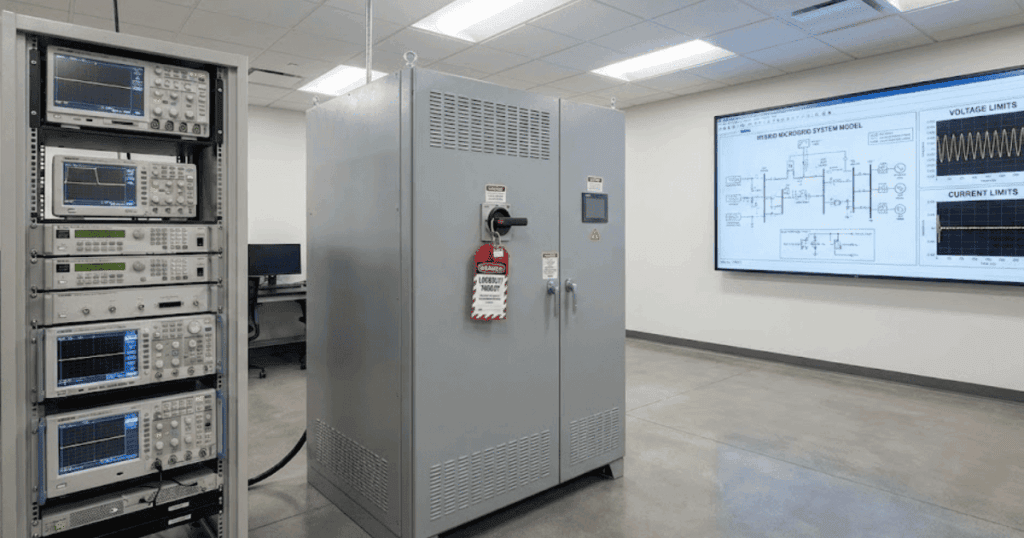
Students learn best when labs mirror how modern grids and power electronics are built and tested. Clear outcomes, practical constraints, and iterative experiments give learners confidence before they touch high-energy rigs. Simulation, measurement, and control need to fit like puzzle pieces so that each session moves from idea to proof. You can shape that path with a plan that links course objectives to concrete lab time, model fidelity, and safe hardware access.

Faculty, lab managers, and technical leads ask for more than new equipment. They want reliable setups, repeatable exercises, and assessment data that shows where students grow. A modern lab balances software modeling, Hardware-in-the-loop (HIL), and hands-on wiring without stretching budgets. You can get there with practical steps, clear examples, and checklists that reduce rework and scale well across semesters.

Why modernizing your electrical engineering curriculum matters

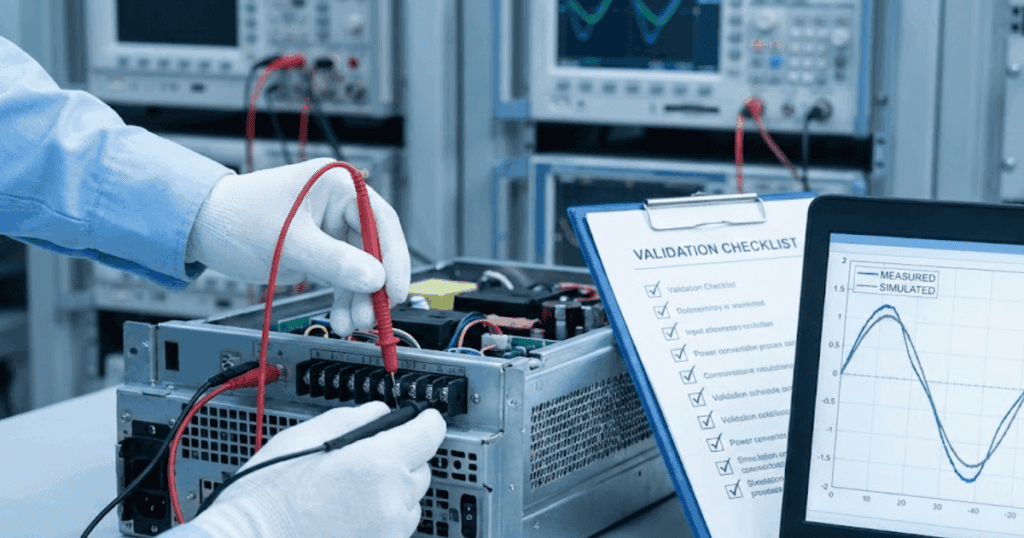
Graduates now face systems that are software-defined, power-dense, and connected to advanced grids. Programs that treat labs as side notes miss critical skills like model validation, controller tuning, and test repeatability. Modern electrical engineering education centers on learning loops that go from design to verification, then back to refinement. Students build confidence when they can predict a response in simulation, reproduce it on hardware, and explain variances.

Safety, scheduling, and equipment availability also shape outcomes more than any single textbook. Faculty need options when classes are large, parts are back-ordered, or two teams need the same inverter rack. Mixing virtual experiments with structured bench time reduces idle minutes and builds professional habits around planning, logging, and peer review. Curricula that adopt these patterns deliver graduates who can contribute on day one in labs focused on renewable grids, electric drives, and power conversion.

Key competencies your lab curriculum should develop

Start with outcomes that match capstone projects, internships, and lab assistant roles. Each competency should map to specific experiments, models, and measurements that are feasible within your facilities. Coverage must span the signal chain from sensing and actuation to control and protection. This scope also respects safety limits while giving students repeated practice with prediction, testing, and reflection.

  • System modelling and verification: Students should translate specifications into plant and controller models, then compare predicted and measured responses. They learn to track assumptions, units, and tolerances throughout the model lifecycle.
  • Control design and tuning: Learners design regulators, tune gains, and validate stability margins across operating points. They justify choices using plots, time-domain checks, and frequency-domain reasoning.
  • Power electronics and conversion: Teams analyze switching behavior, thermal limits, and filter design for typical converters. They relate device parameters to efficiency, ripple, and electromagnetic interference.
  • Protection, fault studies, and standards: Students examine protection settings, fault clearing, and device coordination under constrained scenarios. They connect test outcomes to applicable codes and lab safety practices.
  • Hardware interfacing and protocols: Learners configure input and output (I/O), sensors, and communication links to close the loop with controllers. They practice wiring, calibration, and timing checks before energizing equipment.
  • Software craftsmanship for engineers: Students write clear scripts, follow version control, and build small test benches for repeatable runs. They package models and data so another team can reproduce results.
  • Data analysis, reporting, and reasoning: Learners process logs, compute key metrics, and argue conclusions with evidence. They present insights concisely with figures, tables, and a short discussion of limitations.

“Students learn best when labs mirror how modern grids and power electronics are built and tested.”

Competency-to-outcome map

CompetencyLab outcomes students should demonstrateAssessment signals
System modelling and verificationBuild and validate plant models against measured step responsesPrediction error within a stated band, versioned model files
Control design and tuningTune regulators that meet rise time and overshoot targetsGain rationale, stability margins, closed-loop plots
Power electronics and conversionSize filters and components for a target ripple and efficiencyCalculations match measured ripple, thermal headroom shown
Protection and fault studiesSelect settings that isolate faults with minimal service lossCoordination plots, event logs, and post-fault analysis
Hardware interfacing and protocolsCommission sensors and I/O chains with verified timingCalibration sheets, latency measurements, wiring diagrams
Software craftsmanshipAutomate runs and data export with documented scriptsReproducible logs, readable code, and commit history
Data analysis and reportingProduce concise reports tied to objectives and evidenceClear figures, traceable data, and limitation notes

Clear competencies help you sequence labs, set expectations, and allocate scarce bench time effectively. Students see how skills stack from week to week, then carry those habits into the capstone and research. Faculty gain rubrics that tie marks to observable behavior and artifacts. Lab managers get a path to maintain quality across semesters and new cohorts.

How simulation complements hands-on learning

Simulation in education offers more than a fallback for limited bench time. It gives students a safe place to test assumptions, isolate variables, and check boundary cases that would take hours on hardware. Models also help faculty stage complexity, starting with low-order blocks and growing to detailed representations. A thoughtful plan links virtual runs, Hardware-in-the-loop (HIL) sessions, and measured reports so that each reinforces the next.

Bridging theory and lab readiness

Learners often meet equations before they meet instruments, and the gap can slow progress. Simulation closes that gap by turning equations into predictions that feel concrete. When a student adjusts a transfer function or a switching duty cycle and sees a waveform shift, the math becomes a tool they own. That sense of control carries into the lab when they meet the same behaviour on a scope.

Structured pre-lab models also foster careful reading of requirements. Students define inputs, limits, and sampling choices, then state expectations in plain language. The habit of predicting before measuring changes how teams use bench time. They arrive ready to test a claim, not to hunt for a starting point.

Scaling complexity without extra hardware

Faculty can present a base case, then extend it with components that would be expensive or unavailable in the lab. A microgrid model can add distributed generation, energy storage, and load profiles without purchasing new rigs. Students learn to run parametric sweeps and examine sensitivities across realistic ranges. These insights guide which cases deserve physical tests later.

This approach also helps students understand interactions. They can observe controller coupling, saturation effects, or converter limits without risking parts. Teams document the boundary between expected and out-of-bounds behaviour, which is a vital professional skill. Hardware sessions then focus on representative cases where the stakes are highest.

Shortening the feedback loop

Quick iteration builds momentum. Students can run dozens of trials, log metrics, and check against success criteria in minutes. Short cycles encourage better questions and leaner designs, which improves use of lab slots. The process also reduces anxiety because progress is visible, tracked, and shared.

Faculty benefit from consistent artefacts. Scripts, configuration files, and data logs make review efficient and fair. Automated checks highlight common issues and free instructors to coach higher-level reasoning. That time shift raises the value of each lab hour.

Improving safety for high-energy topics

Some topics require energy levels that justify a careful approach. Simulation lets learners explore fault energy, protection timing, and unstable modes without risk. They see consequences, think through mitigations, and plan safe test steps. The exercise builds the habit of pausing to evaluate hazards before touching equipment.

A safer plan results when teams can preview challenges. They set current limits, verify interlocks, and confirm sequencing against a checklist. Bench sessions then follow a script that reduces surprises. Students learn that safety is a technical skill, not an afterthought.

Preparing students for industry workflows

Modern teams treat models and data as first-class project assets. Students who commit changes, write short test scripts, and tag results learn practices that transfer to internships. They also learn to discuss model limits, assumptions, and calibration in clear terms. Those habits matter as much as formulas.

Communication improves when results are traceable. A well-labelled plot and a link to a script save time and avoid disputes. Faculty can ask sharper questions because evidence is easy to find. Students see how to support decisions with proof, not opinion.

Balanced use of models and benches teaches accurate prediction, careful measurement, and clear reporting. Students practise a repeatable process that splits complexity into steps, ties each step to evidence, and shows where to improve. Faculty keep lab time focused on the parts that truly require power hardware, test stands, and protective gear. This structure builds capacity without adding new rooms, while still raising the quality of hands-on work.

“The goal is a single learning thread that starts with a prediction, passes through controlled tests, and ends in a short report.”

Designing experiments for a power systems lab

A power systems lab needs experiments that connect component behaviour to system effects. Start with clear learning goals, known input ranges, and expected responses that are easy to compare with models. Each activity should state required equipment, pre-lab modelling tasks, and safety notes that match your campus rules. This approach keeps teams progressing at similar speeds while giving space for stronger students to extend the task.

  • Three-phase fault analysis and protection coordination: Students model and then test single-line-to-ground and three-phase faults with current-limited sources. They compare device curves, relay timing, and clearing sequences to validate settings.
  • Inverter grid support under events: Teams implement voltage and frequency support modes, then evaluate recovery and stability. They examine how control choices affect power quality and compliance targets.
  • Microgrid power sharing with droop control: Students tune droop coefficients and observe active and reactive sharing across sources. They measure the tradeoff between stiffness, stability margins, and bus regulation.
  • Synchronous generator excitation and governor dynamics: Learners identify parameters, then test step responses for excitation and speed control. They relate overshoot, settling, and damping to equipment settings and constraints.
  • Harmonics, filters, and power quality: Students model harmonics for typical converters, then size and test filters. They capture total harmonic distortion, thermal effects, and compliance against lab thresholds.
  • State estimation with Phasor Measurement Unit (PMU) data: Teams fuse time-synchronized measurements with a simplified network model. They examine estimator residuals, bad data detection, and the impact of sensor placement.
  • Energy storage control for ride-through: Students implement charge and discharge limits, then test transient events. They assess performance metrics like response time, state-of-charge tracking, and thermal headroom.

Experiments that align with modern grid challenges keep students engaged and build practical confidence. Clear links between pre-lab predictions and measured traces strengthen scientific reasoning. Your safety plan, tool availability, and assessment rubrics turn these activities into repeatable systems that scale. The phrase power systems lab should signal to students that this is a place for careful planning, structured tests, and strong teamwork.

Selecting tools and platforms to scale real-time simulation

Choosing platforms starts with performance and fidelity, then moves quickly to portability and total cost. Real-time targets should support central processing unit (CPU) and, where appropriate, field-programmable gate array (FPGA) execution so you can match solver requirements to timing needs. Interfaces for input and output (I/O) must be flexible enough to connect to student-built rigs and commercial controllers. Reliability, maintainability, and a clear upgrade path matter as much as benchmarks.

Ease of use influences adoption. Support for MATLAB and Simulink, Functional Mock-up Interface (FMI) and Functional Mock-up Unit (FMU), Python, and C gives students and faculty flexible ways to work. Licensing models should scale for undergraduate labs, project studios, and research teams without friction. Documentation, examples, and training resources reduce lead time for new instructors and teaching assistants.

Selection factorWhy it mattersWhat to look forExample indicator
Real-time performanceMeets fixed-step deadlines with marginDeterministic scheduler, CPU plus FPGA optionsStable execution at target timestep with logged latency
Model portabilityReuse across courses and teamsFMI/FMU import, Simulink workflow, Python APIsSame model runs on desktop and target with minor changes
I/O breadthConnects to student rigs and controllersAnalogue, digital, encoder, serial, and Ethernet optionsQuick reconfiguration per experiment without rewiring chassis
HIL readinessSupports controller tests and rig protectionI/O fault insertion, safety interlocks, watchdogsSafe stop and reset procedures verified in lab scripts
ScalabilityGrows from one bench to manyMulti-user licensing, networked targets, cloud optionsMultiple groups run identical setups during peak weeks
Usability and trainingLowers onboarding timeTutorials, examples, and role-based guidesNew teaching assistants productive within one week
Support and updatesKeeps labs current and secureVersioned releases, clear deprecation policiesPredictable upgrade windows between terms

Integrating simulation and hardware testing in one lab

Integrated labs let students move from models to measurements without changing tools or habits. The goal is a single learning thread that starts with a prediction, passes through controlled tests, and ends in a short report. Teams gain confidence when results match within a stated tolerance and discrepancies have clear causes. Faculty gain efficiency because artefacts are consistent, review is faster, and safety steps are embedded.

Choosing test points that bridge models and rigs

Plan measurement locations that appear in both the model and the bench setup. Voltage across a filter, current through an inductor, or controller internal states are typical choices that map well across both contexts. Students then compare predicted waveforms and logged data on a like-for-like basis. The comparison improves reasoning because evidence lines up clearly.

Test point selection also reduces setup time. Probes, wiring, and data capture tools can be standardised once the points are fixed. Students learn to document locations, sensor types, and calibration steps in a shared template. The habit improves repeatability across sections and semesters.

Synchronizing timing and latency across tools

Time alignment matters when you compare traces. Sampling rates, trigger logic, and timestamps must be coordinated so that overlays make sense. Students learn to compute and budget latency in the loop, which sets expectations for controller performance. These skills carry into projects that require tighter timing.

A small time shift can hide a control issue, so the lab should include a simple alignment exercise. Learners measure delays in the I/O chain and verify them against model assumptions. They document the path from sensor to controller to actuator with measured numbers. Those numbers then appear in reports as part of the evidence trail.

Version control and configuration management for labs

Models, scripts, and configuration files change often during a term. Version control gives teams a shared history, a way to propose changes, and a record that supports grading and feedback. Students practise small commits, descriptive messages, and tagged releases for checkpoints. Faculty can review diffs to understand decisions without lengthy meetings.

Configuration management also streamlines setup. Shared templates for solvers, I/O mappings, and logging prevent subtle errors. Teaching assistants can reset a bench to a known state fast and verify settings against a checklist. Downtime drops because recovery steps are clear and repeatable.

Hardware-in-the-loop (HIL) workflows for power electronics and drives

HIL lets teams test controllers against a simulated plant before connecting to energy sources. Students validate control logic, test abnormal cases, and refine gains with low risk. They then progress to hardware with a signed-off checklist that includes limits, interlocks, and pass conditions. The path builds judgment and reduces mishaps.

Faculty can structure the handoff from model-in-the-loop to HIL to bench using the same artefacts. Scripts, plots, and pass criteria stay constant, which keeps the focus on learning rather than setup. Students experience a professional workflow that maps to internships and research projects. Confidence grows because each step confirms the last.

Safety planning and reset procedures

A consistent safety plan is a teaching tool. Students review risk sources, confirm protective settings, and rehearse shutdown actions before energizing equipment. They also learn to log incidents and near misses in a simple format that respects privacy. The process frames safety as a skill to practise and improve.

Reset procedures matter when many teams share the same rigs. Clear steps to return a bench to a known state save time and prevent frustrating faults. Labels, interlock tests, and quick self-checks reduce surprises for the next group. The habit promotes respect for shared facilities and better results.

A unified approach links models, HIL, and bench tests without extra overhead. Students move through a consistent cycle that rewards prediction, evidence, and reflection. Faculty see stronger reports, fewer equipment issues, and safer labs. The lab becomes a place where good habits form, and those habits persist.

Evaluating student outcomes and curriculum feedback

Assessment should show growth, not just grades. A strong system makes expectations clear, provides timely feedback, and drives improvements to labs and teaching. Evidence comes from scripts, plots, measured data, and short writeups, all tied to objectives. The process should be repeatable across cohorts and stable across staffing changes.

  • Outcome-aligned rubrics: Use rubrics that mirror competencies such as modelling, control tuning, and data reasoning. Share exemplars so students can calibrate their efforts early.
  • Portfolio of artefacts: Ask students to submit a compact set of files that prove claims. Include model snapshots, logs, and one-page summaries with clear links.
  • Bench performance checks: Assess simple pass conditions on hardware such as timing margins or ripple limits. Keep checks objective, logged, and repeatable.
  • Peer review and reflection: Short, structured peer comments help teams learn to explain choices and accept feedback. Individual reflections surface insights and next steps.
  • Usage and reliability metrics: Track bench uptime, reset frequency, and time to first successful run. Patterns point to bottlenecks that merit fixes or redesigned instructions.
  • External input where feasible: Invite technical leads or lab managers from partner programs to review capstone artifacts. Their comments help refine rubrics and expectations.

A feedback loop that uses clear evidence helps students and instructors improve together. Small gains each term compound into a programme that feels stable, supportive, and rigorous. The lab becomes a reliable place to practise technical judgement. Graduates leave with habits that make them productive from the first week on a new team.

Simulation modernizes curricula by moving prediction and evidence to the centre of every lab. Students test ideas quickly, document results, and arrive at the bench with a plan instead of guesswork. Faculty spread limited hardware across more learners while reserving benches for the cases that matter. The approach also builds professional habits around version control, scripting, and traceable results.

A modern power systems lab pairs accurate models with safe, well-instrumented benches. Experiments are staged, predictable, and tied to competencies such as protection, converter control, and system stability. Hardware is used where energy, timing, or measurement depth adds value, and simulation handles the rest. Assessment relies on evidence that any reviewer can repeat and verify.

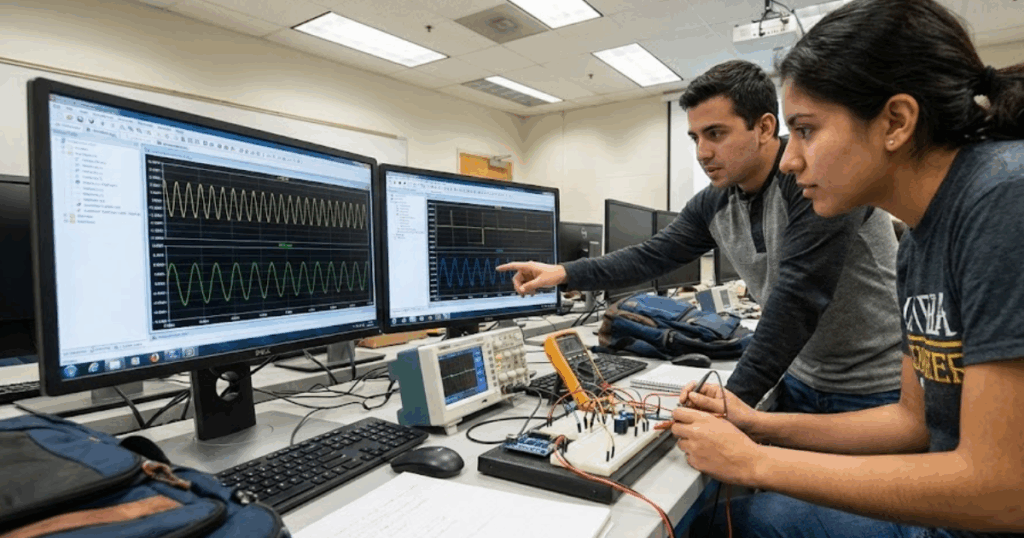
Two or three students per bench usually keeps everyone engaged while leaving enough space for safe wiring. One student drives the instrument, one watches the model or script, and one records data and timing. Teams rotate roles across runs to keep skills balanced and assessment fair. Larger groups can still work, but time per person drops, and safety supervision becomes harder.

Comfort with complex numbers, differential equations, and basic linear algebra helps learners reason about models and stability. Coding skills in MATLAB or Python reduce friction during pre-lab work and data analysis. Familiarity with version control makes collaboration smoother and reduces lost work. Short primers at the start of term can close gaps without delaying lab progress.

Start with a pilot in one lab section, measure setup time, and refine instructions. Keep legacy rigs running while new benches prove their reliability and safety procedures. Share artifacts across courses so models, scripts, and rubrics stay consistent and reusable. Expand once the pilot shows clear gains in throughput, quality of reports, and student confidence.

1 2

Get started with SPS Software

Contact us
Privacy Settings
We use cookies to enhance your experience while using our website. If you are using our Services via a browser you can restrict, block or remove cookies through your web browser settings. We also use content and scripts from third parties that may use tracking technologies. You can selectively provide your consent below to allow such third party embeds. For complete information about the cookies we use, data we collect and how we process them, please check our Privacy Policy
Youtube
Consent to display content from - Youtube
Vimeo
Consent to display content from - Vimeo
Google Maps
Consent to display content from - Google
Spotify
Consent to display content from - Spotify
Sound Cloud
Consent to display content from - Sound
Cart Overview