
Contact us
Contact us
Modelling, Simulation, Student, University

6 Ways To Bring Modern Modelling Into The Classroom

Key Takeaways

  • Digital labs work best when each run has a fixed check and a required explanation.
  • Inspectable models and scaled exercises build consistent habits for testing and debugging.
  • Templates and validation test cases keep modelling activities teachable across class sizes.

Modern modelling will make your labs teach understanding, not button clicks. Digital labs let students change parameters and explain waveforms. You’ll grade exercises with checks, not guesswork. Lab reports will improve.

Engineering teaching uses models on paper, so simulation models fit. The update treats a model like an instrument to verify and stress. Teaching support needs an update because students learn faster with one workflow. That shift modernizes modelling labs without turning class time into tool training.

Why modern modelling belongs in engineering teaching today

Modern modelling belongs in engineering teaching because it links theory to visible behaviour. Students will see how parameters, controls, and disturbances alter voltages and currents. That clarity will reduce copying and raise the quality of explanations. Labs get easier to repeat across semesters.

A useful lab pattern starts with a claim, then asks students to prove it with the model. A fault study can require a predicted first-cycle current, a simulated result, and a short explanation of the gap. Students can pinpoint the cause by checking source impedance and measurement points. That habit builds skepticism and engineering judgment.

6 ways to bring modern modelling into the classroom

These six changes modernize modelling activities without adding weekly hours. Each item ties an exercise to visible response and a check. Pick two items next lab cycle, then expand once grading feels stable. Stronger explanations will show up fast.

“A useful lab pattern starts with a claim, then asks students to prove it with the model.”

Replace static lab manuals with interactive digital lab workflowsStudents learn more when labs require them to test changes, capture results, and explain outcomes instead of following fixed instructions.
Use open, inspectable models to teach system behavior step by stepAllowing students to see inside models helps them trace cause and effect and build debugging skills rather than guessing.
Design modelling activities that connect equations to system responseLinking calculations to simulated waveforms teaches students to validate theory and question mismatches instead of accepting plots at face value.
Scale student exercises from simple blocks to full system studiesGradually expanding a single model across labs builds confidence and reinforces how small subsystems combine into larger systems.
Blend offline simulation with controller and system validation tasksTreating models as test benches trains students to think in test cases and limits, not just nominal operation.
Support instructors with reusable templates and assessment-ready modelsStandardized templates reduce grading effort and keep modelling labs consistent across sections and semesters.

1. Replace static lab manuals with interactive digital lab workflows
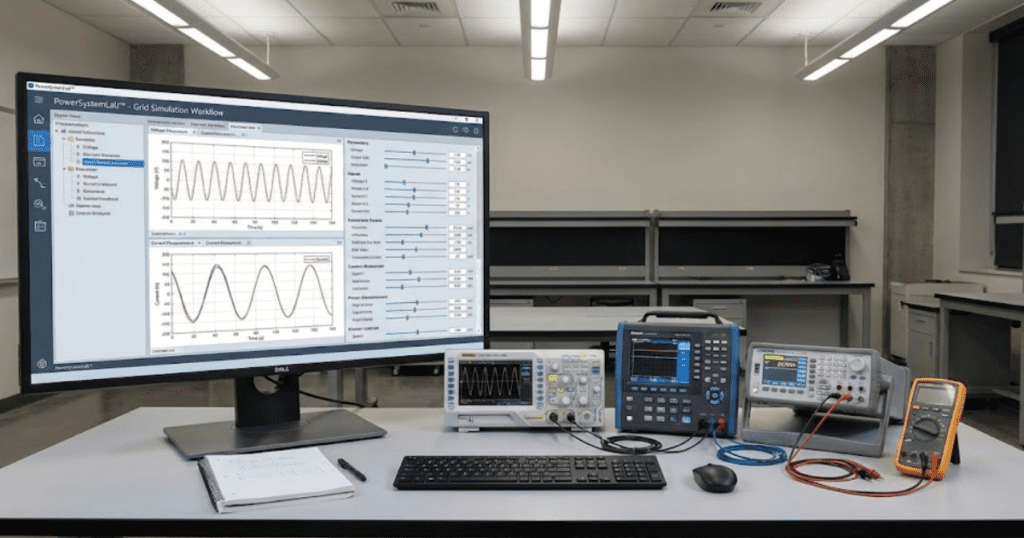
Static manuals push copy steps, while a digital lab workflow forces evidence at each stage. A simple structure works well: run a baseline, change one variable, then explain the delta using plots and values. A workflow can live as a versioned model folder with a checklist and a results file. Students will submit the model plus labeled plots with units and captions, not screenshots.

A motor start lab can ask three runs: rated voltage, 90% voltage, and higher inertia. The checklist can require the same axes, the same time window, and one metric such as peak current. Setup time is the tradeoff because file naming and storage must be consistent. That effort pays back when grading speeds up and disputes drop.

2. Use open, inspectable models to teach system behavior step by step

Students learn faster when they can open a model, see assumptions, and trace cause to effect. Inspectable models teach debugging because students can follow signals and states instead of guessing during lab time. A good lab starts with a small readable model and adds one feature per step. Each step should include one check that proves nothing else changed.

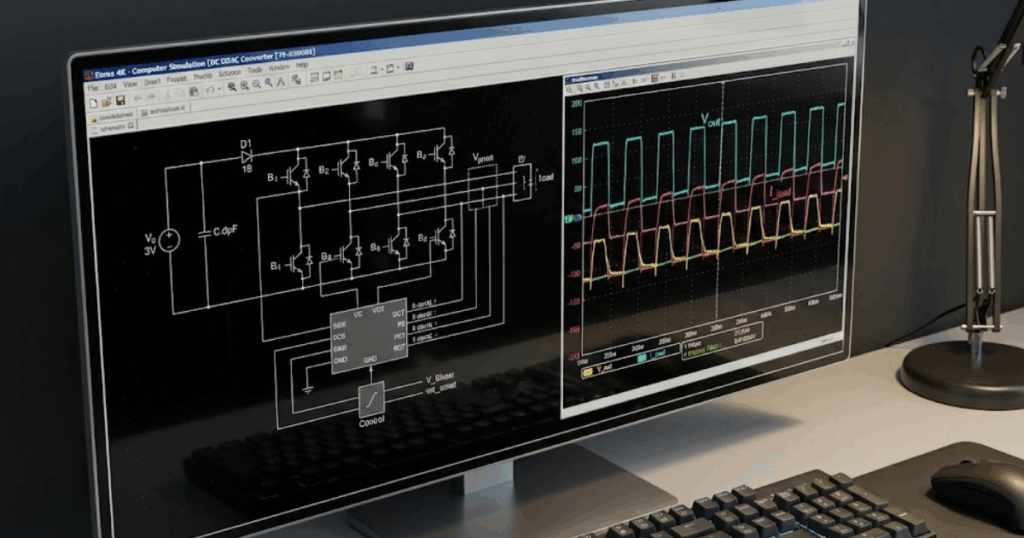
A converter lab can begin with an averaged switch, then add a switching bridge, then add a filter, and finally add control. Each step can require a power balance check or a ripple measurement. SPS SOFTWARE works well when students inspect structure and parameters instead of treating blocks as magic. Cognitive load is the constraint, so optional detail should stay hidden.

3. Design modelling activities that connect equations to system response

Modelling works best when students carry one equation from paper to plot, then explain the gap. The model becomes a test bench for assumptions about linearity, saturation, and time constants. Students will stop treating plots as truth and start asking what the model implies. That practice shows up later in design and fault finding.

An RL step response is a clean example: students compute the time constant, predict the 63% rise time, then measure it from the simulated waveform. A second run can add a sensor filter and ask for a revised calculation and plot. Scope control matters, so keep the math short and the measurement method explicit. Grading gets easier because the explanation matters more than a perfect value.

4. Scale student exercises from simple blocks to full system studies

Students build confidence when exercises scale in a planned sequence instead of big jumps. A scalable sequence reuses the same base model and grows it in layers, so students practice refactoring. Each lab should add one new concept and one new failure mode to diagnose. That structure also helps you pinpoint where a cohort gets stuck.

A protection sequence can start with a source and load, then add a line, then add a fault, and finally add relay logic. Measurements can stay constant, while each week adds one plot such as trip time or negative-sequence current. Planning is the tradeoff, because you’ll need the end state defined early. Students still struggle, but the struggle stays focused and teachable.

5. Blend offline simulation with controller and system validation tasks
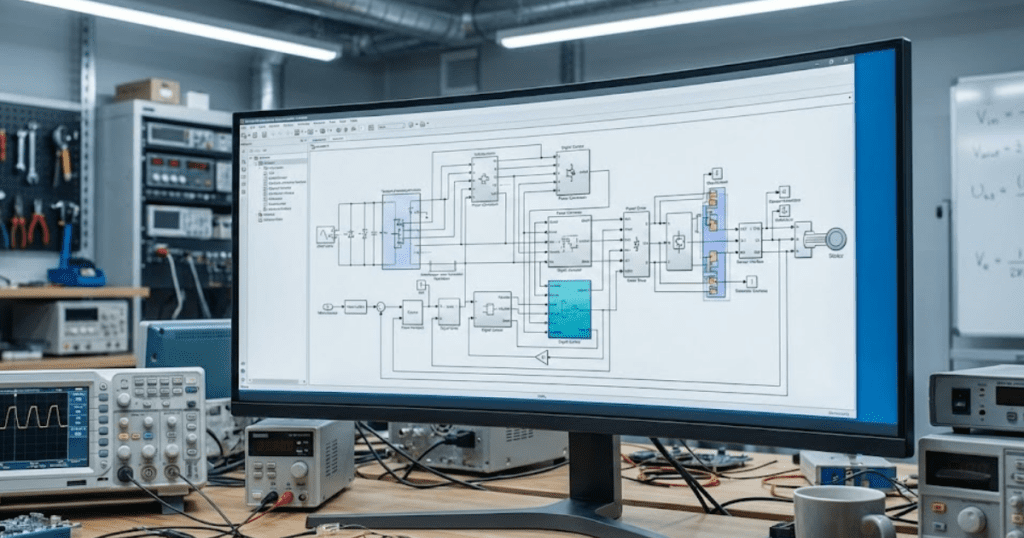
A modern lab treats the model as a place to validate control logic and system limits, not just to get waveforms. Students will think in test cases: nominal operation, disturbance, fault, and recovery. The controller can be simple, but timing and saturation need to be modeled. Students learn to ask what breaks first and why.

A grid-tied inverter exercise can ask students to tune a current controller, then test a voltage sag and a phase jump. A second pass can add measurement noise and a slower sampling rate, then require a justified retune. More variables are the tradeoff, so defaults must be fixed and changes must be limited. That discipline produces cleaner comparisons and better reasoning during grading week.

6. Support instructors with reusable templates and assessment-ready models

Teaching support keeps modelling labs teachable at scale. Templates make grading consistent, protect lab time, and help new instructors run the same lab with fewer surprises. Assessment-ready models also support integrity because student edits are visible and checkable. You’ll spend less time hunting files and more time reading explanations.

A template can include standard measurements, a plot generator, and a results page that pulls key metrics. A check script can flag missing labels, unit errors, and unsaved runs on submission. A starter model can keep the test bench fixed while students edit parameters and logic blocks in marked areas. Maintenance is the tradeoff, since templates need updates when objectives shift.

“Students will think in test cases: nominal operation, disturbance, fault, and recovery.”

Choosing the right mix of modelling activities for your course goals
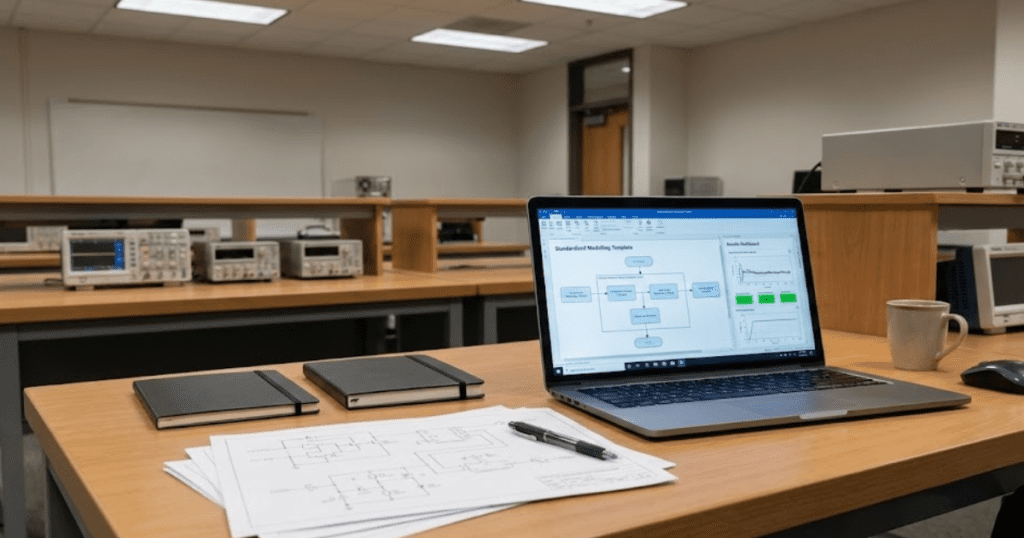
The right mix depends on what you want students to do without you nearby. Start with one outcome you can grade cleanly, such as explaining a waveform change using model evidence. Then pick the lab pattern that fits that outcome and keep everything else fixed for the first run. Students trust labs when the rules stay stable.

Class size and lab access matter. Large groups need templates and checks, while small groups can spend more time debugging. A one-page lab contract helps: allowed edits, required plots, one pass or fail check. A modelling platform only helps if your course rewards clarity and verification, and SPS SOFTWARE works best as the shared workspace that keeps labs consistent.
Electrical Engineering, Power Systems, University

9 Introductory models for teaching power engineering

Key takeaways

  • Introductory models that are concrete, visual, and grounded in physics help students connect equations to behaviour and build early trust in their own intuition.
  • A small, reusable set of introductory models supports core teaching goals across voltage and current basics, transients, three-phase systems, converters, machines, feeders, and protection.
  • Carefully structured beginner exercises that focus on one concept at a time help students build modelling confidence while giving instructors clear visibility into where learners struggle.
  • Classroom examples and teaching templates that grow from simple circuits to more complex systems create continuity across courses, labs, and early research or project work.
  • SPS SOFTWARE provides an education-ready simulation platform that supports introductory models, beginner exercises, and classroom examples within open, physics-based system modelling workflows.

The first teaching models you choose in power engineering can either confuse students or make everything finally click. Early circuits, sources, and machines set the tone for how students picture voltage, current, and power. When those introductory models are concrete, visual, and grounded in physics, learners start to trust their intuition. When they are abstract or overloaded, learners often memorize formulas without really grasping why the system behaves as it does.

Educators and lab leads carry a quiet pressure here, because there is rarely enough time or lab budget to cover everything. You want simple models that still feel authentic to modern grids, converters, and protection schemes. You also need starter models that scale into research projects, hardware-in-the-loop (HIL) experiments, and industry-focused assignments. Choosing a clear set of introductory models gives students that bridge, so they can move from basic exercises to confident system-level reasoning.

How introductory models support early power engineering learning goals

Introductory models act as scaffolding for the mental picture students build of electrical power systems. Instead of starting from large, opaque networks, learners can focus on a few components and see how each equation maps to an observable behaviour. This approach supports learning goals such as interpreting phasor relationships, reading waveforms, and connecting steady-state calculations with time-domain responses. When students see clear cause and effect between parameter changes and simulation output, they start to link theory from lectures with the physical intuition they will need as practising engineers.

Good starter models also reduce cognitive overload, because students can hold the entire system in their head while still encountering realistic details. For example, a basic rectifier or feeder can include harmonics, voltage drop, or saturation effects without burying learners under dozens of parameters. This balance matters for outcomes that stress modelling skills, communication, and engineering judgement as much as pure analysis. When early lab models follow a smooth progression from single-phase circuits to converters and machines, students stay engaged and are more willing to experiment with new configurations on their own.

9 introductory models for teaching power engineering fundamentals

Introductory models for power engineering should feel simple to draw and still be honest to the physics. Each model can spotlight one or two core ideas such as transients, phasors, switching, or protection logic, instead of trying to cover an entire course outline at once. When you treat these configurations as reusable teaching templates, students recognise patterns and gain confidence reusing topologies with new parameters or control strategies. The models described here also work well as classroom examples inside simulation tools, so students can start from a clear base and then extend it step by step.

1. Single-phase resistive load to introduce voltage and current basics

A single-phase source feeding a resistive load is often the first model where students see voltage, current, and power relate cleanly. With a simple sinusoidal source and a resistor, learners can confirm Ohm’s law, inspect phase alignment, and connect phasor diagrams to time-domain waveforms. They can also compute instantaneous power and average power, then verify those values against simulation measurements. This kind of introductory model shows students that equations from lectures are not abstract; they describe exactly what appears on the scope.

From a teaching standpoint, this configuration supports many beginner exercises without much extra setup. Students can vary the resistance, change the source amplitude or frequency, and compare measured values to hand calculations. You can ask them to compute current and power for several operating points, then check results directly in the simulation tool. As they repeat these steps, learners become comfortable wiring sources, loads, and measurement blocks, which makes more complex circuits feel far less intimidating later.

2. Resistor–capacitor and resistor–inductor circuits for building confidence with transient response

Resistor–capacitor (RC) and resistor–inductor (RL) circuits give students a safe place to practise transient concepts before they meet large power systems. A simple step in voltage or current produces the exponential charging or decaying behaviour they have seen in differential equations. Students can measure time constants, compare analytical solutions with simulation plots, and see how component values affect transient duration. This experience makes “transient response” feel like a concrete pattern instead of a purely mathematical topic.

In the simulation tool, you can ask learners to sweep resistance or capacitance and record how the time constant changes. They can apply different types of inputs, such as steps, ramps, or pulse trains, and document how the waveforms respond. RC and RL circuits are also a gentle introduction to numerical issues like step size and simulation time, since poorly chosen settings can distort the expected response. Once students trust their understanding of these basic transients, they approach switching converters and machine models with much more confidence.

3. Three-phase balanced source feeding a simple load model

A three-phase balanced source with a simple load is often the first time students see how their single-phase intuition extends to practical power systems. With a balanced three-phase voltage source feeding a resistive or impedance load, they can inspect line-to-line and phase voltages, currents, and power. This model reinforces symmetry, phasor relationships, and the way power remains constant over time in a balanced situation. Learners also see how single-line diagrams relate to full three-phase representations in the simulation.

For exercises, you can ask students to compare star and delta connections for both loads and sources. They can calculate expected line currents and powers, then verify those values against simulation results across several loading conditions. The same model can be gently extended by introducing a small imbalance or harmonics, allowing advanced groups to ask richer questions without starting from a new file. Using this configuration early helps students read three-phase plots comfortably, which pays off later for machines, converters, and feeders.

4. Ideal transformer model for studying flux, turns ratio, and scaling

An ideal transformer model helps students understand how voltage and current scale between windings and why that matters for system design. With a simplified representation that ignores losses and magnetizing current at first, learners can focus on the turns ratio and basic flux relationships. They can apply a single-phase source, connect different loads on the secondary side, and check how the reflected impedance looks from the primary. This direct connection between algebraic ratios and simulation measurements supports a strong conceptual foundation.

In teaching exercises, you might start with unloaded and fully loaded cases, then introduce partial loading and short-circuit conditions. Students can compute expected primary current from the secondary load and compare it with simulation values for several turns ratios. The model also supports discussion of per-unit quantities and how transformers help manage voltage levels across networks. Once learners grasp the ideal case, you can add realistic effects such as copper loss or magnetizing branches, showing how those refinements change behaviour without discarding the core idea.

“Beginner exercises are often where students decide whether power engineering feels approachable or intimidating.”

5. Diode bridge rectifier model for teaching converter fundamentals

A single-phase diode bridge rectifier introduces students to power electronics, non-linear conduction, and the link between alternating current (AC) and direct current (DC). With a simple transformer or source feeding a full-bridge diode arrangement and a resistive or resistive–capacitive load, learners can see how the output voltage waveform looks and how ripple appears. They can distinguish between average, root-mean-square (RMS), and peak values, then relate those values to component ratings. This model also prepares students for discussions about harmonics and power quality.

As a beginner exercise, you can ask students to vary the load, add a smoothing capacitor, and observe how ripple and current waveforms change. They can compute theoretical average DC voltage for a given AC input and compare it with simulated values under different loading conditions. The rectifier configuration also invites questions about diode conduction intervals, reverse-recovery assumptions, and the impact of transformer leakage inductance if you later introduce non-ideal elements. Because this model shows both the electrical and waveform consequences of switching, it forms a natural bridge to more advanced converters.

6. Direct current buck converter with open control for waveform reasoning

A direct current (DC) buck converter with open-loop control lets students relate duty cycle, inductor current, and output voltage in a very visual way. Starting with a DC source, a controlled switch, a diode, an inductor, and a capacitor, learners can see how the converter steps voltage down based on switching patterns. They can apply a basic pulse-width modulation (PWM) signal with a fixed duty cycle and compare theoretical average output voltage with simulation results. This teaches the connection between ideal duty-cycle formulas and the ripple they actually observe.

For structured exercises, you might ask students to vary duty cycle and switching frequency while keeping the load constant, then record how current and voltage ripple respond. They can also explore continuous and discontinuous conduction modes by changing inductance or load, documenting what happens to the inductor current waveform. These experiments help learners practise probing multiple nodes, configuring measurement blocks, and annotating plots with key operating points. When students later encounter closed-loop control or more complex converter topologies, they already understand the waveform stories underneath.

7. Synchronous generator model with simplified mechanical input

A synchronous generator model with a simplified mechanical input introduces the link between mechanical and electrical power. Students can set a mechanical torque or speed input and see how it affects terminal voltage, current, and power for different loading conditions. They start to understand concepts such as power angle, frequency, and the relationship between excitation and output. This model also opens the door to discussions about stability, but in a context that still feels manageable for early learners.

Teaching exercises can begin with a generator connected to a simple infinite bus or a defined three-phase load. Students can vary mechanical torque and monitor electrical power and frequency response, noting how the system reacts when loading changes quickly. They can also compare constant-voltage and constant-power scenarios, relating simulation behaviour to operating points they have studied in lectures. Once they are comfortable, you can introduce basic control elements for voltage regulation, making a clear link between physical machines and higher-level control design.

8. Simple feeder model for exploring voltage drop and power flow

A simple radial feeder model helps students see how power flows along a line and why voltage drops under load. With a source at one end, a line represented by series impedance, and one or more lumped loads, learners can visualize voltage magnitude and angle at each bus. They discover how both resistance and reactance influence voltage profiles and current levels. This gives substance to concepts like power factor, line loading, and thermal limits that might otherwise feel abstract.

Exercises can invite students to vary load levels along the feeder, compare lightly loaded and heavily loaded cases, and compute expected voltage drops from basic formulas. They can also try adding distributed generation at a downstream node to see how it affects local voltages and upstream flows. The same model can support both steady-state and time-domain studies by switching between phasor-based and electromagnetic transient representations. As students grow more comfortable, you can extend the feeder with additional branches, taps, or basic protection devices, while still keeping the underlying structure recognisable.

9. Overcurrent protection relay logic to introduce coordination concepts

An overcurrent protection relay model introduces learners to protection concepts and the logic that guards equipment. With a simple feeder and two or three protective devices, students can see how pickup currents and time–current curves affect tripping behaviour. They start to understand the tradeoff between sensitivity and security, and why coordination across multiple devices matters. This model turns protection settings from numbers on a sheet into behaviours they can watch in the time traces.

In guided work, students can simulate faults at different locations and observe which device trips first under various settings. They can adjust pickup values and time dial settings, then verify coordination by plotting trip times as a function of fault current. You can also stage scenarios where miscoordination causes unnecessary outages, prompting students to correct settings and justify their choices. Through this process, protection stops being an afterthought and becomes a clear part of how they think about system design.

Summary of introductory models

#ModelTeaching focusTypical beginner exercise
1Single-phase resistive loadVoltage, current, power basicsSweep resistance and compare calculated and measured power
2Resistor–capacitor and resistor–inductor circuitsTransient response and time constantsChange component values and measure time constants
3Three-phase balanced source with simple loadPhasors, three-phase symmetry, power calculationsCompare star and delta connections for loads and sources
4Ideal transformerTurns ratio, impedance reflection, scalingAnalyse unloaded, loaded, and short-circuit cases
5Diode bridge rectifierAC to DC conversion, ripple, harmonicsAdd smoothing capacitor and study ripple versus load
6Direct current buck converter with open controlSwitching, duty cycle, ripple, conduction modesVary duty cycle and frequency while tracking output voltage and inductor current
7Synchronous generator with simplified mechanical inputMechanical–electrical power link, basic stabilityStep mechanical torque and observe electrical power and frequency
8Simple feederVoltage drop, power flow, impact of loadingChange load distribution and examine voltage profiles along the line
9Overcurrent protection relay logicCoordination concepts, protection behaviourAdjust relay settings and verify correct tripping sequence under different fault cases

A core set of starter configurations gives students a gentle climb from basic voltage–current relationships to converters, machines, feeders, and protection logic. Each configuration can be reused across multiple weeks by adjusting only a few parameters or measurement targets, which helps students focus on physics instead of tool settings. Because the same templates connect naturally to later projects and internships, learners also see why introductory work with simple models deserves careful attention and practice. When you structure your lab programme around clear introductory models, the teaching team gains a predictable rhythm that supports both early confidence and long-term mastery.

“When those introductory models are concrete, visual, and grounded in physics, learners start to trust their intuition.”

How beginner exercises help students build modelling confidence

Beginner exercises are often where students decide whether power engineering feels approachable or intimidating. Short, focused tasks let learners practise the modelling moves they will repeat throughout their studies, such as wiring blocks, configuring sources, and setting measurement probes. When you pitch these tasks at the right level, students stay curious instead of worrying about every possible mistake. Carefully designed beginner exercises also give teaching assistants and lab instructors a common reference, so feedback remains consistent across sections and semesters.

  • Clear scope per task: A single exercise asks students to focus on one concept, such as steady-state power or transient behaviour, instead of mixing several new topics at once. This helps learners feel a sense of completion and reduces frustration when they review their results later.
  • Repetition with slight variation: Students repeat a familiar topology, such as a single-phase source feeding a new load, while changing only one parameter range or measurement focus. This pattern strengthens muscle memory in the simulation tool and prepares them to extend introductory models without fear.
  • Immediate visual feedback: Tasks encourage students to inspect waveforms, phasors, or numeric logs right after running a case, instead of just checking an answer key. Students start to read plots as narratives about system behaviour, which is a key modelling skill.
  • Built-in scaffolding for reports: Each exercise hints at simple plots, tables, or comparisons students can reuse in later lab reports and design projects. This makes documentation feel less like an extra chore and more like a natural extension of the simulation work.
  • Space for exploration marks: Grading schemes reward students who test an extra operating point or save an alternate solution file, even if the rubric only formally asks for one case. This invites experimentation and lets instructors showcase creative attempts during review sessions.
  • Alignment with assessment goals: Exercises are mapped directly to course outcomes such as power-factor correction, short-circuit analysis, or converter efficiency, so both staff and students know why each task matters. Clear alignment reduces confusion about grading and strengthens the link between introductory work and later exams or capstone projects.

When these patterns show up consistently throughout a course, students start to recognise that modelling is a learnable craft instead of a mysterious talent. They develop habits such as saving labelled versions of each model, annotating waveforms, and checking units, which carry into internships and early career roles. Educators gain a clearer view of where students struggle, since each beginner exercise maps tightly to one or two skills instead of many at once. Over time, this steady structure produces cohorts of learners who feel comfortable opening new models, modifying parameters, and trusting the simulation results they obtain.

How SPS SOFTWARE supports clear teaching templates and classroom examples

SPS SOFTWARE gives educators and lab managers a consistent simulation platform for introducing, refining, and reusing teaching templates. The platform builds on a Simulink native workflow for modelling electrical power systems and power electronics, so it fits naturally into existing MATLAB and Simulink based curricula where students already complete control and signal-processing assignments. Users can draw on libraries that cover machines, converters, grids, loads, protections, and controls, which makes it straightforward to instantiate each of the introductory models described earlier without resorting to opaque black-box blocks. Because SPS SOFTWARE retains continuity with legacy SimPowerSystems projects while aligning with current MATLAB releases, institutions avoid dual toolchains and can modernise teaching material without starting from a blank slate. 

For academic staff, another strength lies in the open, physics-based component models, which students can inspect, modify, and relate to equations from lectures instead of treating them as hidden code. SPS SOFTWARE materials include example models, tutorials, and technical references that support course design, thesis supervision, and self-guided learning, so departments can standardise on a shared set of classroom examples across several courses. When educators feel confident that their simulation platform will track ongoing MATLAB and Simulink updates, they can focus more energy on improving pedagogy, assessment quality, and lab safety rather than chasing version conflicts. These factors help SPS SOFTWARE stand as a trusted modelling companion for institutions that care about clarity, reproducibility, and long-term credibility in power engineering education.

University

8 must-know modelling skills for students

Key Takeaways

  • Strong modelling skills for students create a direct link between equations, simulation results, and hardware behaviour, which builds confidence in engineering judgement across courses and projects.
  • Engineering modelling basics should span simple circuits, converters, three phase systems, transients, and feedback control, so students can connect early learning fundamentals to more advanced power and grid topics.
  • Structured student simulation exercises, including prediction tasks, fault scenarios, and parameter sweeps, help students build repeatable habits instead of relying on trial and error or tool specific tricks.
  • Guided modelling work in feeders, small networks, and conversion stages prepares students to reason about system level questions that matter for utilities, research labs, and industrial projects.
  • A platform that supports transparent, physics based models and curriculum friendly workflows gives instructors and students a practical way to practise electrical and power system modelling at scale.

You remember the first time a circuit behaved exactly as your calculations predicted, and how satisfying that moment felt. That feeling is what strong modelling skills give you again and again in labs, projects, and exams. Instead of guessing how a system might respond, you see waveforms, currents, and voltages play out in front of you. Once that connection between equations and system behaviour clicks, every new course in electrical or power engineering starts to feel more manageable.

Many engineering students tell us they feel stuck between theory on the board and hardware on the bench. System modelling closes that gap, letting you test ideas, make mistakes safely, and understand why a design behaves the way it does. For lab instructors and teaching assistants, accessible models turn abstract learning fundamentals into repeatable experiences students can revisit at their own pace. Once you have a solid set of modelling habits, you not only pass courses more confidently, you also build judgement that carries into internships, research projects, and early career roles.

Why modelling skills help students build stronger engineering understanding

Modelling skills for students matter because they create a direct line between course equations and system behaviour on screen. When you adjust a component value and immediately see a change in current, voltage, or speed, the formula in your notes suddenly feels connected to something concrete. That feedback loop helps you notice patterns, such as how resistance shapes power loss or how inductance influences transients, instead of memorizing isolated formulas. Over time, this kind of visual and numerical experimentation trains your intuition, so you can estimate what a system will do before you even hit run on a simulation.

Engineering programmes that emphasise modelling give students more chances to ask productive questions like what happens if this fault lasts longer or how sensitive is this controller to parameter drift. That curiosity is easier to sustain when students can change parameters in seconds instead of reassembling hardware for every scenario. Simulation tools are now a standard expectation in power systems, power electronics, and control teaching, because they let students and researchers probe complex behaviour without expensive lab setups. As you repeat that cycle of predicting, simulating, and explaining results, your engineering understanding grows more connected, and you learn to trust both your calculations and your judgement.

8 modelling skills students need for confident system learning

Students often ask which modelling habits will give them the most confidence when courses become more complex. Engineering modelling basics should cover both simple circuits and system level behaviour, so you can connect first year theory to advanced topics later on. The skills in focus here relate to how you set up models, interpret results, and refine your thinking about electrical and power systems. Once you practise these patterns across different assignments and labs, you gain a toolkit that supports clearer reasoning, better documentation, and stronger project outcomes.

1. Building simple electrical circuits to understand core component behaviour

Simple circuit models are where you learn how voltage sources, resistors, capacitors, and inductors behave under basic conditions. Starting with direct current circuits keeps the focus on current paths, voltage drops, and how power flows through each element. As you build series, parallel, and mixed networks, you test Ohm’s law and Kirchhoff relationships instead of just trusting the textbook. Those early simulations also teach you how to set reference nodes, define measurement points, and check that units and magnitudes make sense before you move on.

Once you are comfortable with steady state behaviour, you can introduce sources that vary over time and observe how components respond to ramps, steps, and sinusoidal inputs. You see capacitors charge and discharge, inductors resist sudden changes, and energy shift between elements in ways that match your differential equations. Each of these small experiments helps you spot modelling mistakes quickly, such as misplaced grounds or unrealistic component values. This foundation makes later power electronics and power system models less intimidating, because the basic building blocks already feel familiar.

2. Creating switching converter models to study power electronics fundamentals

Switching converter models introduce you to duty cycles, ripple, and the relationship between switching patterns and averaged behaviour. When you set up a buck, boost, or buck boost converter, you learn how component sizing, switching frequency, and load conditions affect output quality. You also see how parasitic effects, such as non ideal diodes or resistance in inductors, shift performance away from ideal equations. These insights help you judge trade offs between efficiency, size, cost, and control complexity before committing to a hardware prototype.

Working with switching models also trains you to choose appropriate simulation steps, because too coarse a step hides important behaviour and too fine a step wastes time. You learn to view both time domain waveforms and averaged quantities, and to connect switching states to operating modes like continuous or discontinuous conduction. Assignments that ask you to meet a specification such as ripple limits or transient response targets encourage you to iterate between model structure and parameter values. As your confidence grows, you start to recognise recurring converter topologies, and you gain a stronger sense of which structures suit particular power levels or applications.

3. Modelling three-phase systems to understand balanced and unbalanced operation

Three phase modelling skills help you understand how balanced sources and loads create clean power delivery and how imbalances introduce complications. When you build models with phase shifted sources, you see how line and phase quantities relate, and why connections such as delta and wye matter. You can experiment with unbalanced loads, missing phases, or asymmetrical faults, and watch how voltages and currents shift in response. These studies connect naturally to phasor diagrams and symmetrical component theory, turning abstract constructions into measurable quantities on charts.

Three phase models also prepare you for topics like motor control, grid integration, and power quality, since many modern systems rely on multi phase structures. You gain practice setting up measurement blocks for active, reactive, and apparent power, and you see how distortions affect each quantity. This experience makes it easier to understand standards and guidelines related to voltage balance, harmonic limits, and protection thresholds. Students who invest time in these models usually feel more confident when they meet protection, drives, or grid studies later in their programme.

4. Setting up transient studies to follow system behaviour during changes

Transient studies teach you how systems respond to sudden events such as faults, switching actions, or step changes in load or reference signals. You learn to define initial conditions, simulation windows, and appropriate numerical tolerances, so that the results capture the key behaviour without numerical noise. These decisions matter because poor configuration can hide overshoots, oscillations, or instabilities that are important for safety and performance. Careful transient modelling also adds depth to your understanding of energy storage, damping, and resonance in both electrical and electromechanical systems.

Assignments built around transient response often ask you to compare several scenarios, such as faults at different locations or load steps of different magnitudes. That process helps you separate which features of the waveform are tied to model structure and which are tied to parameter values. You also gain practice marking key time points, such as fault clearing or controller saturation, which improves your ability to communicate findings to peers and instructors. Over time you become more comfortable designing tests that stress a system in a controlled way, rather than only checking behaviour in ideal operating points.

Strong modelling habits across these areas give you a way to connect lectures, labs, and projects into one coherent learning path.

5. Building control blocks to study feedback behaviour in engineering systems

Control block modelling lets you connect feedback concepts from lectures to actual system responses like overshoot, settling time, and steady state error. You start by building simple proportional, integral, and derivative controllers and observe how each term influences response quality. As you introduce features such as saturation, limits, and anti windup, you learn why controllers that look good on paper may behave poorly in practical settings. Working with block diagrams also strengthens your understanding of reference tracking, disturbance rejection, and the difference between open loop and closed loop behaviour.

Students who practise designing controllers for converters, machines, or small networks gain valuable experience tuning parameters with a clear goal in mind. You learn to balance fast response against noise sensitivity, and to consider how controller bandwidth interacts with plant dynamics. This modelling experience builds a bridge between pure control theory and implementation choices such as sampling rates and digital limits. That bridge becomes important later when you work with embedded targets, test benches, or real time simulations that must respect both numerical and physical constraints.

6. Creating inverter and rectifier models to practise power conversion principles

Inverter and rectifier models help you understand how alternating and direct current systems connect, and how switching patterns shape power quality. You can test different modulation strategies, filter designs, and load conditions, and watch how waveform shape and spectrum respond. Such studies make topics like total harmonic distortion, conduction intervals, and commutation effects far more concrete. They also highlight design choices that affect losses, thermal stress, and electromagnetic compatibility, which are hard to grasp from equations alone.

Working with these converters gives you insight into applications such as renewable interfaces, motor drives, and uninterruptible supplies. You learn to check not only steady state behaviour but also fault conditions, start up sequences, and shut down behaviour. Careful modelling of switching devices and protection elements helps you anticipate stresses that components would face in hardware. Those insights guide better design decisions later when you take on projects that involve higher power levels or stricter standards.

7. Simulating feeders and small networks to strengthen power system reasoning

Feeder and small network models give you practice thinking about how multiple sources, loads, and lines interact as one system. You can vary load placement, line impedance, and source characteristics to see how voltage profiles, fault levels, and losses change. These experiments clarify why concepts like short circuit strength, voltage regulation, and protection coordination matter for safety and reliability. They also help you link per unit calculations to actual equipment ratings, which is an important step for power engineers.

Network modelling encourages you to adopt a systematic approach to naming buses, managing base values, and organising measurements. You begin to recognise typical feeder structures, and you see how small changes in configuration can alter power flow or fault exposure. Students who practise these scenarios feel more prepared for topics like microgrids, distribution planning, and protection studies. That preparation pays off during capstone projects, where models must combine many elements that were once studied separately.

8. Running parameter sweeps to observe how system behaviour shifts with changes

Parameter sweeps teach you to think statistically about models, not just at a single operating point. When you vary values such as resistance, controller gains, or line lengths across a range, you see trends rather than isolated outcomes. This practice is important for understanding sensitivity, robustness, and margins, especially when models are meant to represent equipment that will face uncertainty. You also become more comfortable judging which parameters deserve fine resolution and which can be coarser without losing insight.

Assigning tasks that compare several sweep results encourages students to organise data, create charts, and explain patterns clearly in their reports. You learn to identify safe operating regions, constraint violations, and scenarios where a design no longer meets its specification. These skills transfer easily to research and design work, where you often must justify choices with evidence rather than intuition alone. Parameter sweeps therefore help you move from point based thinking to a structured view of system behaviour over a meaningful range of conditions.

Modelling skillPrimary concept focusTypical student outcome
1Building simple electrical circuitsBasic component behaviour, Ohm and Kirchhoff lawsClear links between equations and simple circuit response
2Creating switching converter modelsDuty cycle effects, ripple, switching behaviourAbility to judge trade offs in converter design and meet simple specifications
3Modelling three-phase systemsPhase relationships, balance and imbalanceStronger intuition for three phase quantities and power quality topics
4Setting up transient studiesFaults, steps, and dynamic responseBetter understanding of stability, overshoot, and critical timings
5Building control blocksFeedback, tuning, and practical limitsConfidence designing and adjusting controllers for different plants
6Creating inverter and rectifier modelsAC DC conversion, harmonics, filteringImproved insight into conversion topologies and waveform quality
7Simulating feeders and small networksSystem interactions, fault levels, voltage profilesStronger reasoning about distribution systems and planning questions
8Running parameter sweepsSensitivity, robustness, safe operating regionsAbility to make evidence based design choices from sets of simulations

Strong modelling habits across these areas give you a way to connect lectures, labs, and projects into one coherent learning path. Instead of treating each assignment as a new start, you reuse patterns for building, testing, and documenting models across courses. That continuity helps you spot gaps in your understanding early, so you can ask targeted questions and seek extra practice where it matters most. With this foundation in place, you approach more advanced topics such as microgrids, protection, or power electronics control with far more confidence and clarity.

Once that connection between equations and system behaviour clicks, every new course in electrical or power engineering starts to feel more manageable.

How students strengthen engineering modelling basics through guided exercises

Guided exercises are where engineering modelling basics move from theory to habit. When students work through structured tasks with clear goals, they practise setting up models, interpreting outputs, and reflecting on what they see. Well designed student simulation exercises also make expectations explicit, so you know which techniques to use and which assumptions are acceptable. As your instructors frame activities around learning fundamentals instead of isolated tricks, each exercise becomes another step in a larger modelling journey.

  • Progressive lab sequences: Instructors can design a series of models that build on the same base circuit or system across several sessions. Students adjust parameters, add new components, and extend the scope while reusing familiar structures. This approach reinforces good practices such as consistent naming, clean diagrams, and documented assumptions. Over time, the repetition makes model setup feel natural instead of stressful.
  • Prediction and check prompts: Before running a simulation, students write down an expected waveform shape, value range, or qualitative response. After the run, they compare results with their prediction and explain any differences. This method encourages active thinking instead of passive button pressing. It also trains students to link parameter changes with physical consequences in a clear, traceable way.
  • Fault and disturbance scenarios: Guided tasks that introduce faults or step changes help students see how extreme operating points test their models. Instructors can specify safe but challenging cases, such as short faults, load rejections, or sudden reference changes. Students learn to identify which parts of the model govern response and which measurements matter most. These experiences reduce anxiety later when they meet more advanced stability or protection topics.
  • Cross course mini projects: Short projects that span concepts from machines, power electronics, and control give students a chance to reuse skills in a new context. A simple example could involve modelling a converter feeding a motor with a basic speed controller. Students must coordinate assumptions between submodels, which mirrors how larger systems are assembled in practice. This coordination strengthens communication skills as well as technical understanding.
  • Peer review of models: Asking students to swap models and comment on clarity, documentation, and assumptions adds a valuable perspective. Each reviewer sees alternative ways to represent the same system, which broadens awareness of modelling choices. The original author receives feedback on naming, structure, and readability that can be hard to notice alone. This cycle builds habits that matter in group projects, research teams, and industrial settings.
  • Reflective simulation logs: After significant exercises, students can record a short summary of what they expected, what they observed, and what surprised them. These logs highlight links between concept understanding and modelling outcomes. Over several weeks, patterns emerge about which concepts still feel uncertain, giving instructors guidance on where to spend more teaching time. Students also gain a written record of their progress, which is helpful when revising for exams or preparing portfolios.

Guided exercises work best when they focus less on perfect answers and more on strengthening modelling habits. When feedback highlights how students set up models, justify choices, and interpret results, they build skills that transfer across courses and tools. A mix of structured tasks, prediction, review, and reflection keeps learning active and helps prevent simulation work from turning into routine button pressing. With that structure in place, students approach new software features, larger systems, and more open-ended projects with a sense of control rather than confusion.

How SPS SOFTWARE supports students practising electrical and power system modelling

SPS SOFTWARE is designed as a modelling companion for courses that span circuits, power electronics, machines, and power systems. Students can start with small lab style circuits, then progress to converters, control structures, and feeders without having to change how they think about building models. The libraries focus on transparent, physics based components, so you can inspect parameters, equations, and measurement options instead of feeling blocked by black box behaviour. That clarity helps instructors align coursework with software workflows, reducing time spent on tool friction and leaving more space for engineering discussion. For students, this means less energy spent figuring out how to wire a diagram and more focus placed on what the system is teaching you.

Backed by OPAL-RT experience in electrical simulation, SPS SOFTWARE fits naturally into teaching labs that need reliable models for repeated use across semesters. Instructors can share template models, guided examples, and assessment configurations, while students adapt these foundations for projects, research starts, or honours work. Because the same platform scales from introductory exercises to more advanced system studies, departments avoid a split between simple teaching tools and separate research software. Teams also benefit from compatibility with model based design workflows, since models can be documented, versioned, and revisited as students progress. That combination of transparent physics, consistent workflows, and educational focus makes SPS SOFTWARE a dependable platform students and educators can trust.

Electrical Engineering, University

Guide to Building a Modern Electrical Engineering Lab Curriculum

Key Takeaways

  • Link simulation in education with structured bench time to build prediction skills, safe practices, and clear reporting.
  • Focus a power systems lab on measurable competencies, portable models, and repeatable assessments aligned to electrical engineering education.
  • Use a unified workflow across models, HIL, and hardware to compare traces, manage latency, and standardize artefacts.
  • Select platforms that support power systems lab growth with CPU and FPGA options, flexible I/O, FMI or FMU, and training resources.
  • Treat feedback and outcomes as evidence, using scripts, logs, and rubrics to guide continuous improvement across terms.

Students learn best when labs mirror how modern grids and power electronics are built and tested. Clear outcomes, practical constraints, and iterative experiments give learners confidence before they touch high-energy rigs. Simulation, measurement, and control need to fit like puzzle pieces so that each session moves from idea to proof. You can shape that path with a plan that links course objectives to concrete lab time, model fidelity, and safe hardware access.

Faculty, lab managers, and technical leads ask for more than new equipment. They want reliable setups, repeatable exercises, and assessment data that shows where students grow. A modern lab balances software modeling, Hardware-in-the-loop (HIL), and hands-on wiring without stretching budgets. You can get there with practical steps, clear examples, and checklists that reduce rework and scale well across semesters.

Why modernizing your electrical engineering curriculum matters

Graduates now face systems that are software-defined, power-dense, and connected to advanced grids. Programs that treat labs as side notes miss critical skills like model validation, controller tuning, and test repeatability. Modern electrical engineering education centers on learning loops that go from design to verification, then back to refinement. Students build confidence when they can predict a response in simulation, reproduce it on hardware, and explain variances.

Safety, scheduling, and equipment availability also shape outcomes more than any single textbook. Faculty need options when classes are large, parts are back-ordered, or two teams need the same inverter rack. Mixing virtual experiments with structured bench time reduces idle minutes and builds professional habits around planning, logging, and peer review. Curricula that adopt these patterns deliver graduates who can contribute on day one in labs focused on renewable grids, electric drives, and power conversion.

Key competencies your lab curriculum should develop

Start with outcomes that match capstone projects, internships, and lab assistant roles. Each competency should map to specific experiments, models, and measurements that are feasible within your facilities. Coverage must span the signal chain from sensing and actuation to control and protection. This scope also respects safety limits while giving students repeated practice with prediction, testing, and reflection.

  • System modelling and verification: Students should translate specifications into plant and controller models, then compare predicted and measured responses. They learn to track assumptions, units, and tolerances throughout the model lifecycle.
  • Control design and tuning: Learners design regulators, tune gains, and validate stability margins across operating points. They justify choices using plots, time-domain checks, and frequency-domain reasoning.
  • Power electronics and conversion: Teams analyze switching behavior, thermal limits, and filter design for typical converters. They relate device parameters to efficiency, ripple, and electromagnetic interference.
  • Protection, fault studies, and standards: Students examine protection settings, fault clearing, and device coordination under constrained scenarios. They connect test outcomes to applicable codes and lab safety practices.
  • Hardware interfacing and protocols: Learners configure input and output (I/O), sensors, and communication links to close the loop with controllers. They practice wiring, calibration, and timing checks before energizing equipment.
  • Software craftsmanship for engineers: Students write clear scripts, follow version control, and build small test benches for repeatable runs. They package models and data so another team can reproduce results.
  • Data analysis, reporting, and reasoning: Learners process logs, compute key metrics, and argue conclusions with evidence. They present insights concisely with figures, tables, and a short discussion of limitations.

“Students learn best when labs mirror how modern grids and power electronics are built and tested.”

Competency-to-outcome map

CompetencyLab outcomes students should demonstrateAssessment signals
System modelling and verificationBuild and validate plant models against measured step responsesPrediction error within a stated band, versioned model files
Control design and tuningTune regulators that meet rise time and overshoot targetsGain rationale, stability margins, closed-loop plots
Power electronics and conversionSize filters and components for a target ripple and efficiencyCalculations match measured ripple, thermal headroom shown
Protection and fault studiesSelect settings that isolate faults with minimal service lossCoordination plots, event logs, and post-fault analysis
Hardware interfacing and protocolsCommission sensors and I/O chains with verified timingCalibration sheets, latency measurements, wiring diagrams
Software craftsmanshipAutomate runs and data export with documented scriptsReproducible logs, readable code, and commit history
Data analysis and reportingProduce concise reports tied to objectives and evidenceClear figures, traceable data, and limitation notes

Clear competencies help you sequence labs, set expectations, and allocate scarce bench time effectively. Students see how skills stack from week to week, then carry those habits into the capstone and research. Faculty gain rubrics that tie marks to observable behavior and artifacts. Lab managers get a path to maintain quality across semesters and new cohorts.

How simulation complements hands-on learning

Simulation in education offers more than a fallback for limited bench time. It gives students a safe place to test assumptions, isolate variables, and check boundary cases that would take hours on hardware. Models also help faculty stage complexity, starting with low-order blocks and growing to detailed representations. A thoughtful plan links virtual runs, Hardware-in-the-loop (HIL) sessions, and measured reports so that each reinforces the next.

Bridging theory and lab readiness

Learners often meet equations before they meet instruments, and the gap can slow progress. Simulation closes that gap by turning equations into predictions that feel concrete. When a student adjusts a transfer function or a switching duty cycle and sees a waveform shift, the math becomes a tool they own. That sense of control carries into the lab when they meet the same behaviour on a scope.

Structured pre-lab models also foster careful reading of requirements. Students define inputs, limits, and sampling choices, then state expectations in plain language. The habit of predicting before measuring changes how teams use bench time. They arrive ready to test a claim, not to hunt for a starting point.

Scaling complexity without extra hardware

Faculty can present a base case, then extend it with components that would be expensive or unavailable in the lab. A microgrid model can add distributed generation, energy storage, and load profiles without purchasing new rigs. Students learn to run parametric sweeps and examine sensitivities across realistic ranges. These insights guide which cases deserve physical tests later.

This approach also helps students understand interactions. They can observe controller coupling, saturation effects, or converter limits without risking parts. Teams document the boundary between expected and out-of-bounds behaviour, which is a vital professional skill. Hardware sessions then focus on representative cases where the stakes are highest.

Shortening the feedback loop

Quick iteration builds momentum. Students can run dozens of trials, log metrics, and check against success criteria in minutes. Short cycles encourage better questions and leaner designs, which improves use of lab slots. The process also reduces anxiety because progress is visible, tracked, and shared.

Faculty benefit from consistent artefacts. Scripts, configuration files, and data logs make review efficient and fair. Automated checks highlight common issues and free instructors to coach higher-level reasoning. That time shift raises the value of each lab hour.

Improving safety for high-energy topics

Some topics require energy levels that justify a careful approach. Simulation lets learners explore fault energy, protection timing, and unstable modes without risk. They see consequences, think through mitigations, and plan safe test steps. The exercise builds the habit of pausing to evaluate hazards before touching equipment.

A safer plan results when teams can preview challenges. They set current limits, verify interlocks, and confirm sequencing against a checklist. Bench sessions then follow a script that reduces surprises. Students learn that safety is a technical skill, not an afterthought.

Preparing students for industry workflows

Modern teams treat models and data as first-class project assets. Students who commit changes, write short test scripts, and tag results learn practices that transfer to internships. They also learn to discuss model limits, assumptions, and calibration in clear terms. Those habits matter as much as formulas.

Communication improves when results are traceable. A well-labelled plot and a link to a script save time and avoid disputes. Faculty can ask sharper questions because evidence is easy to find. Students see how to support decisions with proof, not opinion.

Balanced use of models and benches teaches accurate prediction, careful measurement, and clear reporting. Students practise a repeatable process that splits complexity into steps, ties each step to evidence, and shows where to improve. Faculty keep lab time focused on the parts that truly require power hardware, test stands, and protective gear. This structure builds capacity without adding new rooms, while still raising the quality of hands-on work.

“The goal is a single learning thread that starts with a prediction, passes through controlled tests, and ends in a short report.”

Designing experiments for a power systems lab

A power systems lab needs experiments that connect component behaviour to system effects. Start with clear learning goals, known input ranges, and expected responses that are easy to compare with models. Each activity should state required equipment, pre-lab modelling tasks, and safety notes that match your campus rules. This approach keeps teams progressing at similar speeds while giving space for stronger students to extend the task.

  • Three-phase fault analysis and protection coordination: Students model and then test single-line-to-ground and three-phase faults with current-limited sources. They compare device curves, relay timing, and clearing sequences to validate settings.
  • Inverter grid support under events: Teams implement voltage and frequency support modes, then evaluate recovery and stability. They examine how control choices affect power quality and compliance targets.
  • Microgrid power sharing with droop control: Students tune droop coefficients and observe active and reactive sharing across sources. They measure the tradeoff between stiffness, stability margins, and bus regulation.
  • Synchronous generator excitation and governor dynamics: Learners identify parameters, then test step responses for excitation and speed control. They relate overshoot, settling, and damping to equipment settings and constraints.
  • Harmonics, filters, and power quality: Students model harmonics for typical converters, then size and test filters. They capture total harmonic distortion, thermal effects, and compliance against lab thresholds.
  • State estimation with Phasor Measurement Unit (PMU) data: Teams fuse time-synchronized measurements with a simplified network model. They examine estimator residuals, bad data detection, and the impact of sensor placement.
  • Energy storage control for ride-through: Students implement charge and discharge limits, then test transient events. They assess performance metrics like response time, state-of-charge tracking, and thermal headroom.

Experiments that align with modern grid challenges keep students engaged and build practical confidence. Clear links between pre-lab predictions and measured traces strengthen scientific reasoning. Your safety plan, tool availability, and assessment rubrics turn these activities into repeatable systems that scale. The phrase power systems lab should signal to students that this is a place for careful planning, structured tests, and strong teamwork.

Selecting tools and platforms to scale real-time simulation

Choosing platforms starts with performance and fidelity, then moves quickly to portability and total cost. Real-time targets should support central processing unit (CPU) and, where appropriate, field-programmable gate array (FPGA) execution so you can match solver requirements to timing needs. Interfaces for input and output (I/O) must be flexible enough to connect to student-built rigs and commercial controllers. Reliability, maintainability, and a clear upgrade path matter as much as benchmarks.

Ease of use influences adoption. Support for MATLAB and Simulink, Functional Mock-up Interface (FMI) and Functional Mock-up Unit (FMU), Python, and C gives students and faculty flexible ways to work. Licensing models should scale for undergraduate labs, project studios, and research teams without friction. Documentation, examples, and training resources reduce lead time for new instructors and teaching assistants.

Selection factorWhy it mattersWhat to look forExample indicator
Real-time performanceMeets fixed-step deadlines with marginDeterministic scheduler, CPU plus FPGA optionsStable execution at target timestep with logged latency
Model portabilityReuse across courses and teamsFMI/FMU import, Simulink workflow, Python APIsSame model runs on desktop and target with minor changes
I/O breadthConnects to student rigs and controllersAnalogue, digital, encoder, serial, and Ethernet optionsQuick reconfiguration per experiment without rewiring chassis
HIL readinessSupports controller tests and rig protectionI/O fault insertion, safety interlocks, watchdogsSafe stop and reset procedures verified in lab scripts
ScalabilityGrows from one bench to manyMulti-user licensing, networked targets, cloud optionsMultiple groups run identical setups during peak weeks
Usability and trainingLowers onboarding timeTutorials, examples, and role-based guidesNew teaching assistants productive within one week
Support and updatesKeeps labs current and secureVersioned releases, clear deprecation policiesPredictable upgrade windows between terms

Integrating simulation and hardware testing in one lab

Integrated labs let students move from models to measurements without changing tools or habits. The goal is a single learning thread that starts with a prediction, passes through controlled tests, and ends in a short report. Teams gain confidence when results match within a stated tolerance and discrepancies have clear causes. Faculty gain efficiency because artefacts are consistent, review is faster, and safety steps are embedded.

Choosing test points that bridge models and rigs

Plan measurement locations that appear in both the model and the bench setup. Voltage across a filter, current through an inductor, or controller internal states are typical choices that map well across both contexts. Students then compare predicted waveforms and logged data on a like-for-like basis. The comparison improves reasoning because evidence lines up clearly.

Test point selection also reduces setup time. Probes, wiring, and data capture tools can be standardised once the points are fixed. Students learn to document locations, sensor types, and calibration steps in a shared template. The habit improves repeatability across sections and semesters.

Synchronizing timing and latency across tools

Time alignment matters when you compare traces. Sampling rates, trigger logic, and timestamps must be coordinated so that overlays make sense. Students learn to compute and budget latency in the loop, which sets expectations for controller performance. These skills carry into projects that require tighter timing.

A small time shift can hide a control issue, so the lab should include a simple alignment exercise. Learners measure delays in the I/O chain and verify them against model assumptions. They document the path from sensor to controller to actuator with measured numbers. Those numbers then appear in reports as part of the evidence trail.

Version control and configuration management for labs

Models, scripts, and configuration files change often during a term. Version control gives teams a shared history, a way to propose changes, and a record that supports grading and feedback. Students practise small commits, descriptive messages, and tagged releases for checkpoints. Faculty can review diffs to understand decisions without lengthy meetings.

Configuration management also streamlines setup. Shared templates for solvers, I/O mappings, and logging prevent subtle errors. Teaching assistants can reset a bench to a known state fast and verify settings against a checklist. Downtime drops because recovery steps are clear and repeatable.

Hardware-in-the-loop (HIL) workflows for power electronics and drives

HIL lets teams test controllers against a simulated plant before connecting to energy sources. Students validate control logic, test abnormal cases, and refine gains with low risk. They then progress to hardware with a signed-off checklist that includes limits, interlocks, and pass conditions. The path builds judgment and reduces mishaps.

Faculty can structure the handoff from model-in-the-loop to HIL to bench using the same artefacts. Scripts, plots, and pass criteria stay constant, which keeps the focus on learning rather than setup. Students experience a professional workflow that maps to internships and research projects. Confidence grows because each step confirms the last.

Safety planning and reset procedures

A consistent safety plan is a teaching tool. Students review risk sources, confirm protective settings, and rehearse shutdown actions before energizing equipment. They also learn to log incidents and near misses in a simple format that respects privacy. The process frames safety as a skill to practise and improve.

Reset procedures matter when many teams share the same rigs. Clear steps to return a bench to a known state save time and prevent frustrating faults. Labels, interlock tests, and quick self-checks reduce surprises for the next group. The habit promotes respect for shared facilities and better results.

A unified approach links models, HIL, and bench tests without extra overhead. Students move through a consistent cycle that rewards prediction, evidence, and reflection. Faculty see stronger reports, fewer equipment issues, and safer labs. The lab becomes a place where good habits form, and those habits persist.

Evaluating student outcomes and curriculum feedback

Assessment should show growth, not just grades. A strong system makes expectations clear, provides timely feedback, and drives improvements to labs and teaching. Evidence comes from scripts, plots, measured data, and short writeups, all tied to objectives. The process should be repeatable across cohorts and stable across staffing changes.

  • Outcome-aligned rubrics: Use rubrics that mirror competencies such as modelling, control tuning, and data reasoning. Share exemplars so students can calibrate their efforts early.
  • Portfolio of artefacts: Ask students to submit a compact set of files that prove claims. Include model snapshots, logs, and one-page summaries with clear links.
  • Bench performance checks: Assess simple pass conditions on hardware such as timing margins or ripple limits. Keep checks objective, logged, and repeatable.
  • Peer review and reflection: Short, structured peer comments help teams learn to explain choices and accept feedback. Individual reflections surface insights and next steps.
  • Usage and reliability metrics: Track bench uptime, reset frequency, and time to first successful run. Patterns point to bottlenecks that merit fixes or redesigned instructions.
  • External input where feasible: Invite technical leads or lab managers from partner programs to review capstone artifacts. Their comments help refine rubrics and expectations.

A feedback loop that uses clear evidence helps students and instructors improve together. Small gains each term compound into a programme that feels stable, supportive, and rigorous. The lab becomes a reliable place to practise technical judgement. Graduates leave with habits that make them productive from the first week on a new team.

Simulation modernizes curricula by moving prediction and evidence to the centre of every lab. Students test ideas quickly, document results, and arrive at the bench with a plan instead of guesswork. Faculty spread limited hardware across more learners while reserving benches for the cases that matter. The approach also builds professional habits around version control, scripting, and traceable results.

A modern power systems lab pairs accurate models with safe, well-instrumented benches. Experiments are staged, predictable, and tied to competencies such as protection, converter control, and system stability. Hardware is used where energy, timing, or measurement depth adds value, and simulation handles the rest. Assessment relies on evidence that any reviewer can repeat and verify.

Two or three students per bench usually keeps everyone engaged while leaving enough space for safe wiring. One student drives the instrument, one watches the model or script, and one records data and timing. Teams rotate roles across runs to keep skills balanced and assessment fair. Larger groups can still work, but time per person drops, and safety supervision becomes harder.

Comfort with complex numbers, differential equations, and basic linear algebra helps learners reason about models and stability. Coding skills in MATLAB or Python reduce friction during pre-lab work and data analysis. Familiarity with version control makes collaboration smoother and reduces lost work. Short primers at the start of term can close gaps without delaying lab progress.

Start with a pilot in one lab section, measure setup time, and refine instructions. Keep legacy rigs running while new benches prove their reliability and safety procedures. Share artifacts across courses so models, scripts, and rubrics stay consistent and reusable. Expand once the pilot shows clear gains in throughput, quality of reports, and student confidence.

Simulation, University

Why University-Industry Partnerships Define the Future of Simulation Education

Key Takeaways

  • Partnerships turn theory into practice with real-time simulation and hardware-in-the-loop so students graduate ready to contribute.
  • Modern lab experiences improve when academics and industry co-design curricula, training, and scenarios that mirror current projects.
  • Collaborative programs create a hiring pipeline through internships, mentorship, and aligned workflows that shorten ramp-up time.
  • Industry input accelerates educational innovation, adds authentic project data, and keeps course content current with emerging methods.
  • A phased approach lets departments upgrade labs with clear goals, measurable outcomes, and repeatable models for wider adoption.

Many aspiring engineers graduate with top marks only to find their education hasn’t prepared them for the challenges of a modern engineering workplace. This disconnect exists because academic curricula often lag behind industry advancements in real-time simulation and hardware-in-the-loop (HIL) technologies. Universities still rely on outdated equipment and isolated theoretical exercises, leaving graduates underprepared to apply their skills in complex, interdisciplinary projects. In one survey, only 5% of new engineering graduates felt very prepared in emerging technical areas, and just 9% in business acumen—clear evidence of gaps in practical training.

When academic programs partner with simulation technology leaders, students gain hands-on experience with the same cutting-edge tools and real-time simulation workflows used in industry. This approach turns theoretical coursework into experiential learning, so graduates step into their careers ready to contribute from day one. As a leader in real-time simulation, we have witnessed firsthand how university-industry partnerships empower students and faculty alike. The future of simulation education lies in this collaborative model, which produces engineers prepared to advance innovation as soon as they graduate.

Bridging the gap between classroom theory and simulation practice

Traditional engineering programs excel at teaching theory but often struggle to provide equally robust practical training. Students might ace their simulations on paper or simplified software, yet still be unprepared for the complexity of deploying those solutions on real systems. The result is a gap where new graduates must spend time retraining or catching up once hired. It often takes about two years for a new engineering hire to become fully productive in the workplace. This lag represents a costly delay for companies; one analysis estimated that lost productivity during this ramp-up period costs the U.S. chemical industry around $320 million per year.

The key to closing this gap is giving students more hands-on practice with industry-grade simulation tools during their studies. Real-time digital simulation and HIL technology let students safely experiment with high-fidelity models of complex systems, effectively bridging theory and practice. Instead of just solving equations in a textbook, a student can deploy a controller model on a real-time simulator and watch how their design would behave in an actual power grid or vehicle.

This experiential learning cements theoretical knowledge by demonstrating how it applies to real engineering challenges, dramatically shrinking the learning curve for new graduates. Industry collaborations already show this impact—by working on the same research and testing platforms, ABB and Aalto University were able to “narrow the gap between academic and industrial research” and accelerate adoption of new technologies. When students train on the same advanced simulators used by professionals, they enter the workforce much more prepared to hit the ground running.

“The key to closing this gap is giving students more hands-on practice with industry-grade simulation tools during their studies.”

Modern lab experiences require academic and industry teamwork

Keeping university labs up to date with the latest simulation technology is not a one-sided effort. It requires close teamwork between academia and industry. Many engineering faculties recognize they need support to give students modern, relevant lab experiences that mirror professional engineering settings. The simulation learning market in higher education is projected to expand by over $2.3 billion from 2025 to 2029, reflecting how schools are investing in advanced tools. Yet universities get the most value from these technologies when industry experts guide their implementation and use.

  • Cutting-edge equipment integration: Industry partners provide advanced simulation hardware (such as real-time digital simulators and HIL platforms) for university labs, ensuring students train on up-to-date technology.
  • Curriculum co-development: Academic and industry experts design lab exercises together, aligning projects with complex engineering challenges companies are tackling. This makes classroom theory immediately relevant and teaches students how to approach problems the way professionals do.
  • Faculty training and support: Through partnerships, professors gain training on new simulation software and methods introduced by industry. This professional development helps faculty confidently teach emerging technologies and incorporate the latest tools into their courses.
  • Authentic project scenarios: Companies contribute case studies, data sets, and design problems to university labs. Students work on realistic scenarios that reflect the complexity of projects in industry—from integrating renewable energy into a power grid to tuning an electric vehicle’s control system.
  • Shared resources: Universities gain access to industry-grade software licenses, cloud computing resources, and technical support that would otherwise be cost-prohibitive. These shared resources allow students and researchers to experiment freely with high-end simulation tools.
  • Continuous lab upgrades: Collaboration ensures that lab equipment and software are regularly updated to match current industry standards. This proactive refresh of technology prevents educational labs from falling behind and keeps student training aligned with contemporary practice.

When universities and companies collaborate in these ways, the campus lab stops being an isolated academic space and becomes a training ground for next-generation engineers. Students not only gain technical know-how with industry-standard tools, but also learn collaborative and problem-solving skills by working with experienced partners. By jointly enhancing lab experiences, schools produce graduates who can step into industry roles with confidence, requiring far less on-the-job training.

Building a talent pipeline through collaborative simulation programs

One of the biggest benefits of university–industry partnerships is the steady pipeline of talent they create. By collaborating on simulation-based programs, companies get early access to skilled students, and students get a foot in the door of their future careers. These joint initiatives prepare students to be industry-ready by the time they graduate.

Internships and co-op programs

When universities partner with engineering firms or technology providers, internship and co-op opportunities naturally follow. Students who have been learning on industry-standard simulation tools in class can hit the ground running during internships at the partner company. They contribute to ongoing projects and gain exposure to real engineering workflows. These experiences often lead to full-time job offers after graduation, effectively turning classroom collaboration into a direct hiring pipeline. About 70% of employers offer full-time positions to their interns, and roughly 80% of those interns accept. Many students transition from internship to permanent roles.

Mentorship and skill development

Collaborative programs often include mentorship from industry professionals. Company engineers may help supervise student projects or offer guest lectures in advanced simulation courses. This guidance gives students insight into industry best practices and standards. Beyond technical knowledge, students develop soft skills like communication, teamwork, and project management by working closely with seasoned engineers.

Job-ready graduates

The end result of these partnerships is a cohort of graduates who are truly job-ready. Having trained on the same simulation platforms used by companies, these students are already familiar with industry tools and processes. They enter the workforce with confidence and usually require minimal additional training to contribute meaningfully. For employers, this means new hires can start solving problems almost immediately, dramatically shortening the typical ramp-up period.

This continuous exchange of knowledge doesn’t just benefit students’ careers—it also sparks new ideas in the classroom and keeps academic programs on the cutting edge of innovation. Industry involvement in education encourages faculty to explore emerging technologies, adopt current methodologies, and constantly refine the curriculum to stay relevant.

“When universities and companies collaborate in these ways, the campus lab stops being an isolated academic space and becomes a training ground for next-generation engineers.”

Fostering innovation in engineering education with industry input

When academia and industry collaborate, engineering education becomes more innovative and future-focused. Companies at the forefront of technology can alert universities to emerging trends—whether it’s advances in electric vehicles, renewable energy integration, or AI-driven control systems. Incorporating this industry insight into curricula means academic programs can quickly include new, cutting-edge topics. Students get to experiment with the latest ideas and tools, often before they appear in standard textbooks, giving them a creative edge.

These partnerships also open up joint research opportunities. Universities might work with industry sponsors on research projects or competitions, allowing students to solve pressing engineering problems with tangible impact. Such experiences encourage creative thinking and even entrepreneurship—on occasion, a student project will evolve into a startup or a patent with industry support. By infusing practical perspective into academic research, collaboration ensures educational innovation isn’t happening in a vacuum but instead aligns with the needs of the wider world.

Academic–industry partnerships are crucial because they directly connect theoretical learning with practical application. Without industry input, university programs can fall behind the continuous advances in simulation technology. Partnerships ensure that students use the latest tools and tackle relevant problems, which better prepares them for jobs. They also keep academia aligned with industry needs, so graduates can contribute immediately in their roles.

Joint programs with simulation technology providers equip university labs with state-of-the-art tools and expertise. When a company co-develops lab activities or donates equipment, students get hands-on experience with industry-standard hardware and software. Lab exercises become more engaging and realistic, often mirroring scenarios that professionals face. This not only deepens students’ understanding but also increases their confidence as they work on complex engineering systems.

Working with real-time simulation tools in class gives students practical skills that purely theoretical courses can’t offer. They learn by experimenting in a safe, virtual environment where mistakes are low-risk and informative. For example, a student team can build and test a control system on a digital twin of a power grid or vehicle and see instant feedback. This kind of interactive learning builds a deeper intuition for engineering concepts and prepares students to handle actual equipment and scenarios in their careers.

Industry collaborations make graduates far more job-ready by giving them early exposure to professional tools, projects, and culture. Through internships, mentorship, and industry-aligned coursework, students gain hands-on project experience and workplace skills while still in school. They become familiar with teamwork, deadlines, and problem-solving in context. By graduation, they can contribute productively almost immediately, instead of spending months in entry-level training.

To start a partnership, universities can reach out to simulation technology companies that align with their teaching and research goals. It often begins by identifying a common interest — for example, incorporating the company’s tools into a power systems course or collaborating on a research project. Both parties then define a collaboration plan, which might include donated equipment or software licenses, co-developed curriculum modules, or internship placements for students. Clear communication and shared goals from the outset help ensure the partnership will enrich student learning and deliver value for both the university and the industry partner.

Get started with SPS Software

Contact us
Privacy Settings
We use cookies to enhance your experience while using our website. If you are using our Services via a browser you can restrict, block or remove cookies through your web browser settings. We also use content and scripts from third parties that may use tracking technologies. You can selectively provide your consent below to allow such third party embeds. For complete information about the cookies we use, data we collect and how we process them, please check our Privacy Policy
Youtube
Consent to display content from - Youtube
Vimeo
Consent to display content from - Vimeo
Google Maps
Consent to display content from - Google
Spotify
Consent to display content from - Spotify
Sound Cloud
Consent to display content from - Sound
Cart Overview