


















Contact us
Contact us

Advanced, forward-looking simulation software for those building the future of power and energy systems.

SPS Software (formerly known as SimPowerSystems) keeps your modelling flow in Simulink, from first blocks to hardware‑in‑the‑loop (HIL) testing thanks to full compatibility with OPAL-RT platforms. Create accurate electrical and control models, explore edge cases with confidence. Built for classrooms, research labs, utilities, and product teams at a practical price.

Request 15-day free trial
View pricing

Powerful, forward-looking simulation platform for those building the future of power.

SPS Software (formerly SimPowerSystems) keeps your modelling flow in Simulink™, from first blocks to hardware-in-the-loop (HIL) testing, thanks to full compatibility with OPAL-RT platforms. Create accurate electrical and control models, explore edge cases with confidence. Built for classrooms, research labs, utilities, and product teams at a practical price.

Contact us to try
View pricing
Advanced, forward-looking simulation software for those building the future of power and energy systems.

SPS Software (formerly SimPowerSystems) keeps your modelling flow in Simulink™, from first blocks to hardware‑in‑the‑loop (HIL) testing. Create accurate electrical and control models, explore edge cases with confidence, and move to real‑time on OPAL‑RT systems without remodelling. Built for classrooms, research labs, utilities, and product teams at a practical price.

Request free trial
View pricing

Which best describes you and how you use SPS Software?

SPS Software is used by a wide range of professionals and learners. Choose your role to see how it fits your workflow.

Student

Perfect for undergrads or grad students working on coursework or thesis projects.

Academic / Educator / Researcher

For faculty, teaching labs, and university research teams conducting non-commercial work.

Utility Engineer / Grid Specialist

For engineers analysing renewables, HVDC systems, and protection schemes.

Power Electronics Engineer / Manufacturer

For professionals designing and refining converter topologies and control logic from concept to validation.

Industrial System Integrator / OEM

For teams modelling and validating complex electrical systems before hardware integration.

Which best describes you and how you use SPS Software?

SPS Software is used by a wide range of professionals and learners. Choose your role to see how it fits your workflow.

Student

Perfect for undergrads or grad students working on coursework or thesis projects.

Academic / Educator / Researcher

For faculty, teaching labs, and university research teams conducting non-commercial work.

Utility Engineer / Grid Specialist

For engineers analysing renewables, HVDC systems, and protection schemes.

Power Electronics Engineer / Manufacturer

For professionals designing and refining converter topologies and control logic from concept to validation.

Industrial System Integrator / OEM

For teams modelling and validating complex electrical systems before hardware integration.

Which best describes you and how you use SPS Software?

SPS Software is used by a wide range of professionals and learners. Choose your role to see how it fits your workflow.

Student
Academic / Educator / Researcher
Utility Engineer / Grid Specialist
Power Electronics Engineer / Manufacturer
Industrial System Integrator / OEM

Who is SPS Software for?

SPS Software is used by engineers, researchers, and educators designing and testing electrical power systems and power electronics. It provides accurate, open component libraries for machines, converters, grids, and control systems within one modelling environment. From academic labs to industrial testbeds, SPS Software helps you explore concepts, verify control logic, and prepare for hardware validation.

Academic users rely on it to create practical teaching material and publish reproducible research. Industry teams use it to study renewables integration, optimize converter designs, and evaluate protection schemes. SPS Software is suited to anyone who needs precision, clarity, and flexibility when simulating electrical and control systems.
Who SPS Software is for?

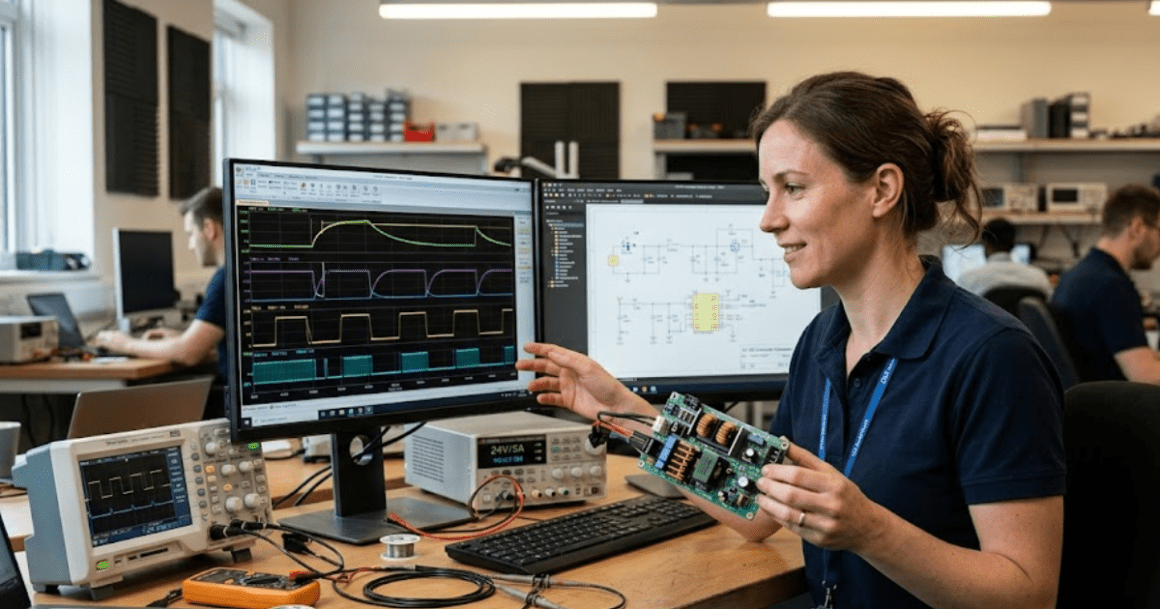
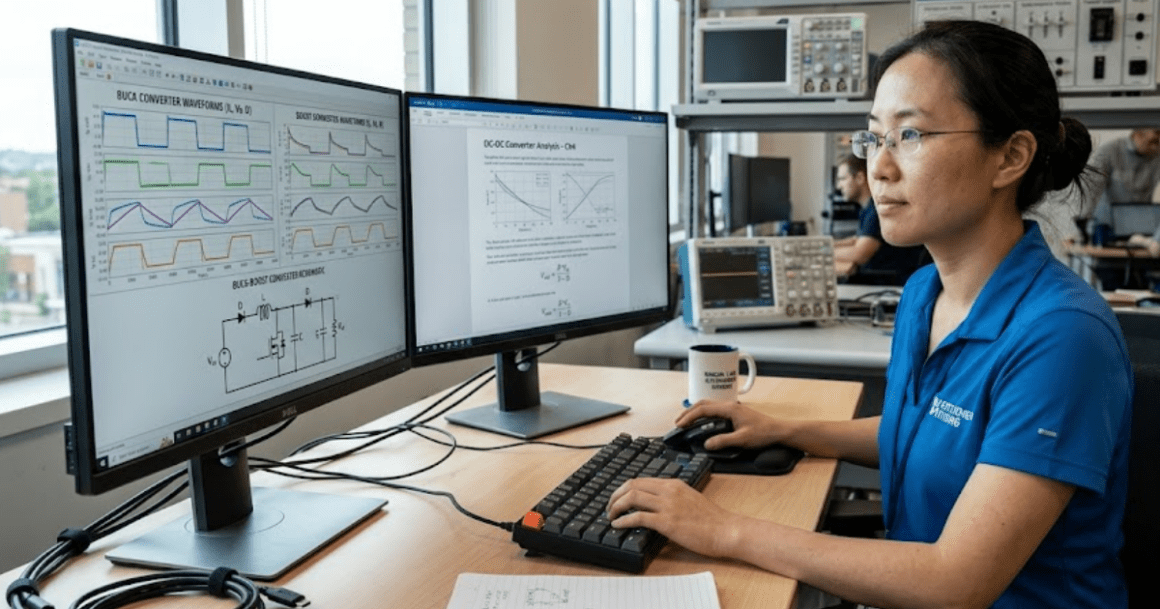
SPS Software helps students learn electrical power systems and electronics through clear, hands-on simulation. It’s perfect for undergrads and grad students working on coursework, design projects, or thesis research. With a full library of models for machines, converters, and controls, students can build and test systems that behave like real electrical networks.

It’s designed to make simulation accessible—no add-ons or extra setup required. Students can move from simple circuit models to complete converter systems, exploring how changes in parameters affect performance. SPS Software supports learning through experimentation and helps build skills that transfer directly into professional practice.

Who SPS Software is for?

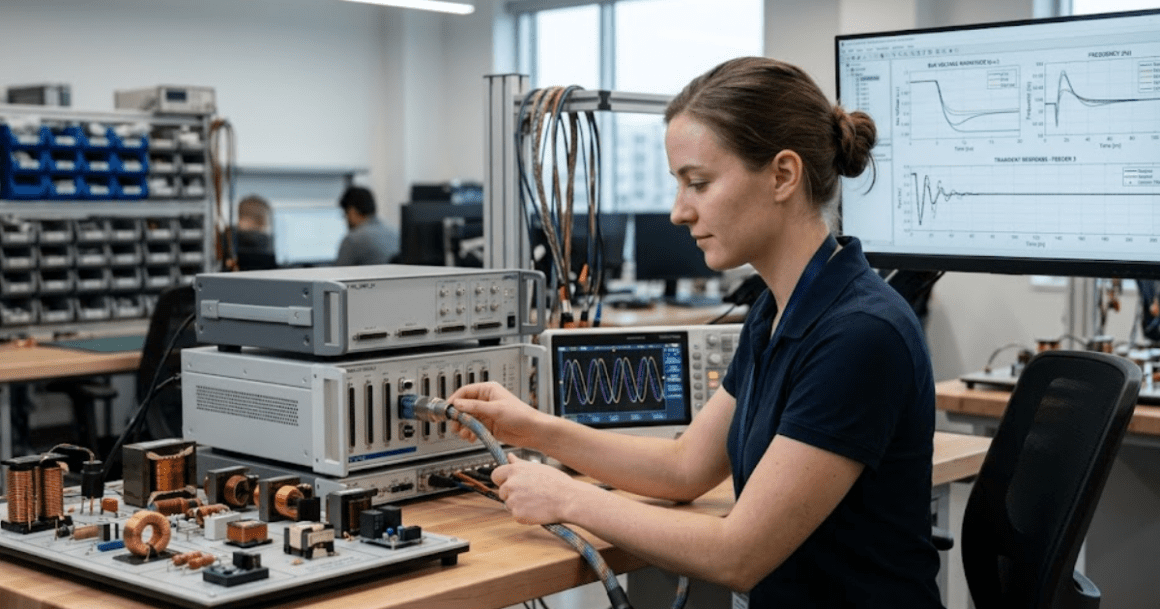
SPS Software supports educators and researchers advancing power systems and electronics simulation. It’s built for classrooms, labs, and university research teams that need accurate results, easy-to-share models, and reliable updates throughout the academic cycle.

Faculty and teaching assistants can use SPS Software to create course materials and live demonstrations that simplify complex electrical concepts. Researchers benefit from validated models that shorten time between idea, simulation, and publication. With full library access and reproducible workflows, SPS Software helps academic users bridge theory and experimentation within one consistent environment.

Who SPS Software is for?

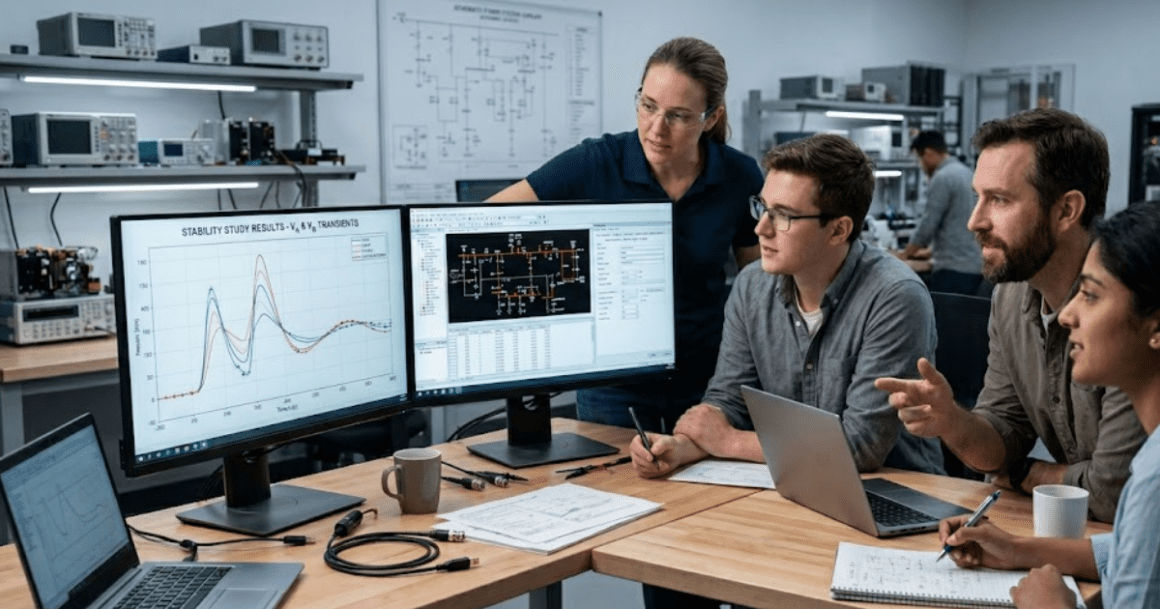
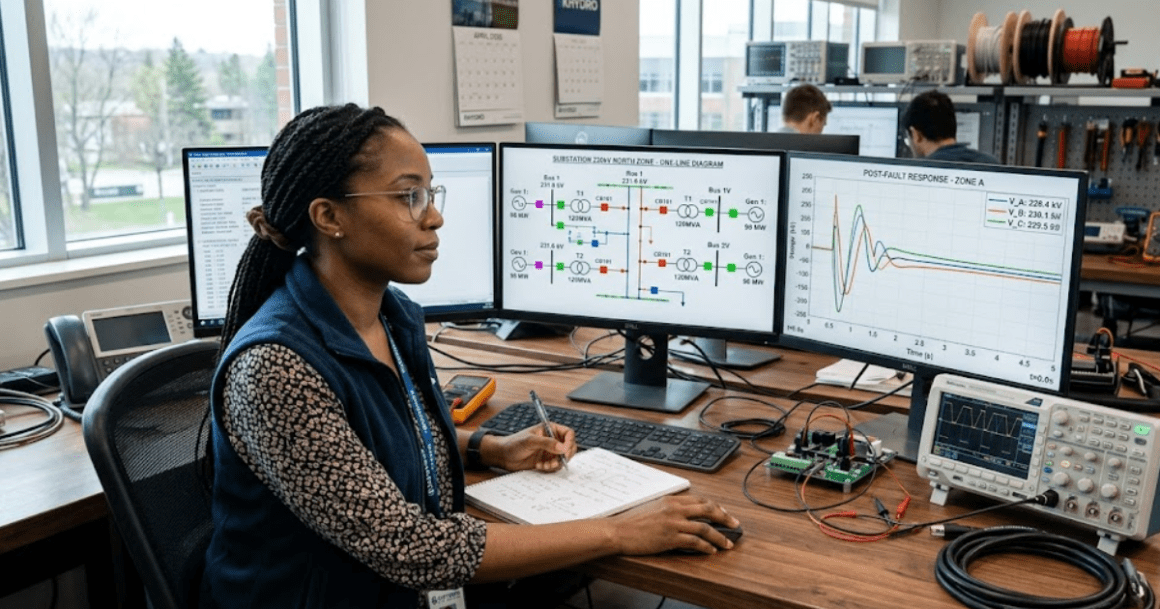
SPS Software is built for engineers studying renewable integration, grid protection, and transmission systems. It provides the precision required for transient, fault, and protection analysis while keeping model setup simple.

Use SPS Software to test grid behaviour under changing load, fault, and renewable conditions. Analyse protective relaying schemes, HVDC links, and distributed energy resources (DERs) using trusted simulation workflows. For teams handling renewable integration, stability assessments, or protection tuning, SPS Software helps identify issues early and verify system behaviour before implementation.

Who SPS Software is for?

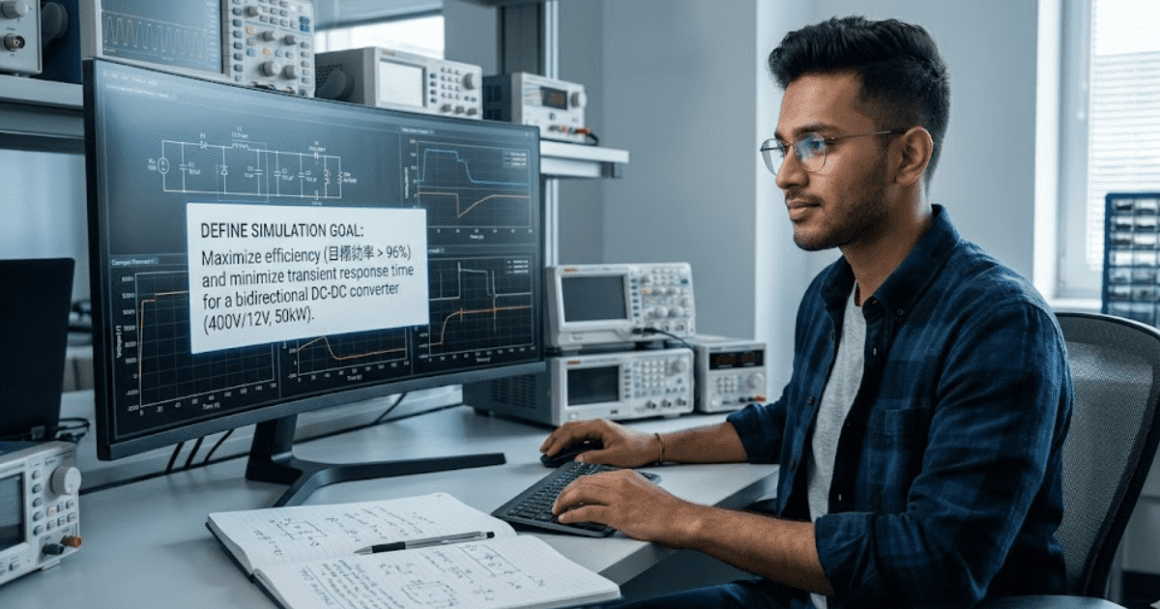
SPS Software helps engineers design, analyse, and validate power-electronic converters and control systems before hardware builds. It offers detailed switching models, flexible control implementation, and accurate time-domain behaviour that mirrors physical test results.

Manufacturers use SPS Software to shorten design cycles, verify firmware and controller logic, and evaluate topologies under real operating conditions. From two-level converters to advanced multi-level architectures, engineers can study dynamic performance, efficiency, and fault response—all within a unified modelling environment that scales from early design to validation.

Who SPS Software is for?

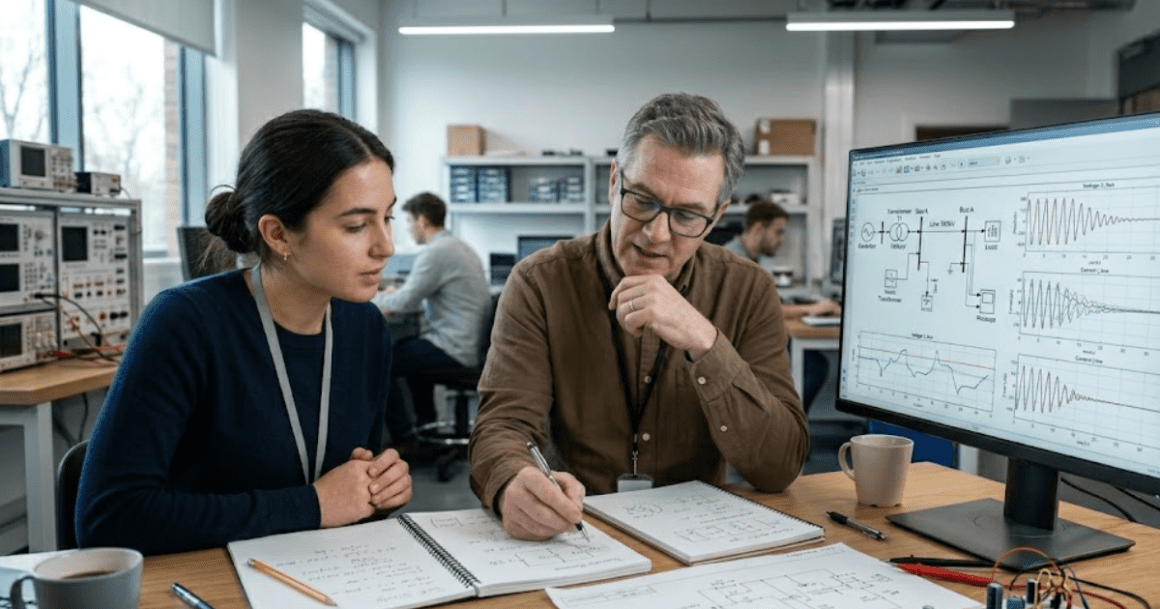
SPS Software supports integrators and original equipment manufacturers (OEMs) building complex electrical systems that combine multiple subsystems and controllers. It helps teams validate performance, control strategies, and interactions between power electronics, machines, and embedded software before any hardware is commissioned.

Engineering groups use SPS Software to model plant behaviour, evaluate controller logic, and perform risk-free integration testing at scale. With a single, shared environment, mechanical, electrical, and control engineers can align early in the design process—reducing errors, costs, and rework across large projects.

Contact us to try
SimPowerSystems graphic

Why SPS Software?

SPS Software is used by engineers, researchers, and educators designing and testing electrical power systems and power electronics. It provides accurate, open component libraries for machines, converters, grids, and control systems within one modelling environment. From academic labs to industrial testbeds, SPS Software helps you explore concepts, verify control logic, and prepare for hardware validation.

Academic users rely on it to create practical teaching material and publish reproducible research. Industry teams use it to study renewables integration, optimize converter designs, and evaluate protection schemes. SPS Software is suited to anyone who needs precision, clarity, and flexibility when simulating electrical and control systems.

Contact us to try

Features & Capabilities

Built for simulation. Trusted for innovation. Explore how engineers worldwide use SPS to solve today’s most complex power system & power electronic challenges.

Interactive modelling environment Build circuits and systems visually using ready-to-run blocks. Learn by adjusting parameters and watching results.
Full-featured modelling environment Access every SPS library for machines, converters, grids, protections, and controls—ideal for research and teaching.
Advanced control & digital command validation Design, tune, and test control algorithms, including phase-locked loops, current loops, and voltage regulation.
Foundational study examples Access guided models that cover machines, converters, and grid basics to accelerate coursework.
Course and lab-ready templates Use structured examples aligned with core curriculum topics to design experiments or assignments.
HVDC and FACTS studies Simulate high-voltage direct current systems and flexible AC transmission devices with adjustable control and protection parameters.
Control development and validation Design, tune, and validate current, voltage, and modulation controls using accurate electrical and dynamic models.
Controller validation and I/O mapping Test logic and communication interfaces virtually to confirm timing and performance before lab testing.
Built-in measurements and scopes Visualize voltage, current, and control behaviours instantly without external tools.
Reproducible results Create standardized test setups so students and co-authors can verify data and replicate outcomes.
HVDC and FACTS studies Simulate high-voltage direct current systems and flexible AC transmission devices with adjustable control and protection parameters.
Control development and validation Design, tune, and validate current, voltage, and modulation controls using accurate electrical and dynamic models.
Powertrain and system-level studies. Analyse steady-state, transient, and protection behaviour across interconnected subsystems.
Preconfigured lab templates.Use prepared simulation files designed for common undergraduate experiments.
Scalable project design.Move from simplified teaching models to full-scale research simulations without changing environments.
Grid stability assessment. Examine voltage, frequency, and transient stability to ensure safe operating margins under varied scenarios.
Fault and protection analysis.Simulate open- and short-circuit faults to verify control robustness and protection logic.
Configurable model hierarchy.Use modular components to manage large, multi-engineer projects with clear system boundaries.
Accessible performance. Works efficiently on personal computers and student laptops.
Integrated reporting tools. Generate plots, scopes, and data exports ready for inclusion in publications or lab reports.
Automation and reporting. Generate repeatable test cases, plots, and reports to support study documentation and regulatory review.
Scalable model architecture. Start with simplified averaged models, then refine into detailed switching or component-level representations as the project progresses.
Enterprise scalability.Support for network or floating licences that suit distributed teams and enterprise integration workflows.
Guided learning tools. Built-in tutorials and example walkthroughs help you learn core power and control concepts step by step.
Curriculum alignment support.Easily map simulations to course objectives and create assignments with consistent learning outcomes.
Scenario comparison tools.Run multiple operating cases and compare results side by side to evaluate network responses.
Efficiency benchmarking.Generate comparison charts for different converter designs to guide hardware selection and tuning.
System compliance testing.Verify system performance against internal or customer specifications using repeatable simulation templates.

Trusted By

Features & Capabilities

Built for simulation. Trusted for innovation. Explore how engineers worldwide use SPS to solve today’s most complex power system & power electronic challenges.

Advanced control & digital command validation Design, tune, and test control algorithms, including phase-locked loops, current loops, and voltage regulation.
Microgrids & distributed energy resources (DERs).Model microgrid behaviour, DER integration, and control logic across load and fault cases.
Rapid control prototyping.Run and validate your simulations in real time with OPAL-RT. SPS leverages ARTEMiS and eHS to accelerate performance and speed up design cycles.
Dynamic stability & transient analysis. Run switching events, start-ups, and fault studies to examine system stability under varying conditions.
Protection systems & special relaying schemes,Build and test protection logic, coordination, and relay settings with precise time-domain response.
Advanced control & digital command validation Design, tune, and test control algorithms, including phase-locked loops, current loops, and voltage regulation.
Microgrids & distributed energy resources (DERs).Model microgrid behaviour, DER integration, and control logic across load and fault cases.
Rapid control prototyping.Run and validate your simulations in real time with OPAL-RT. SPS leverages ARTEMiS and eHS to accelerate performance and speed up design cycles.
Dynamic stability & transient analysis. Run switching events, start-ups, and fault studies to examine system stability under varying conditions.
Protection systems & special relaying schemes,Build and test protection logic, coordination, and relay settings with precise time-domain response.
Power electronics & converter design Design and simulate converter topologies from two-level to multilevel with switching precision when required.
Advanced control & digital command validation Design, tune, and test control algorithms, including phase-locked loops, current loops, and voltage regulation.
Microgrids & distributed energy resources (DERs) Model microgrid behaviour, DER integration, and control logic across load and fault cases.
Rapid control prototyping-Run and validate your simulations in real time with OPAL-RT. SPS leverages ARTEMiS and eHS to accelerate performance and speed up design cycles.
Dynamic stability & transient analysis.Run switching events, start-ups, and fault studies to examine system stability under varying conditions.
Protection systems & special relaying schemes.Build and test protection logic, coordination, and relay settings with precise time-domain response.

Features & Capabilities

Built for simulation. Trusted for innovation. Explore how engineers worldwide use SPS to solve today’s most complex power system & power electronic challenges.

Interactive modelling environment Build circuits and systems visually using ready-to-run blocks. Learn by adjusting parameters and watching results.
Full-featured modelling environment Access every SPS library for machines, converters, grids, protections, and controls—ideal for research and teaching.
Advanced control & digital command validation Design, tune, and test control algorithms, including phase-locked loops, current loops, and voltage regulation.
Foundational study examples Access guided models that cover machines, converters, and grid basics to accelerate coursework.
Course and lab-ready templates Use structured examples aligned with core curriculum topics to design experiments or assignments.
HVDC and FACTS studies Simulate high-voltage direct current systems and flexible AC transmission devices with adjustable control and protection parameters.
Control development and validation Design, tune, and validate current, voltage, and modulation controls using accurate electrical and dynamic models.
Controller validation and I/O mapping Test logic and communication interfaces virtually to confirm timing and performance before lab testing.
Built-in measurements and scopes Visualize voltage, current, and control behaviours instantly without external tools.
Reproducible results Create standardized test setups so students and co-authors can verify data and replicate outcomes.
HVDC and FACTS studies Simulate high-voltage direct current systems and flexible AC transmission devices with adjustable control and protection parameters.
Control development and validation Design, tune, and validate current, voltage, and modulation controls using accurate electrical and dynamic models.
Powertrain and system-level studies. Analyse steady-state, transient, and protection behaviour across interconnected subsystems.
Preconfigured lab templates.Use prepared simulation files designed for common undergraduate experiments.
Scalable project design.Move from simplified teaching models to full-scale research simulations without changing environments.
Grid stability assessment. Examine voltage, frequency, and transient stability to ensure safe operating margins under varied scenarios.
Fault and protection analysis.Simulate open- and short-circuit faults to verify control robustness and protection logic.
Configurable model hierarchy.Use modular components to manage large, multi-engineer projects with clear system boundaries.
Accessible performance. Works efficiently on personal computers and student laptops.
Integrated reporting tools. Generate plots, scopes, and data exports ready for inclusion in publications or lab reports.
Automation and reporting. Generate repeatable test cases, plots, and reports to support study documentation and regulatory review.
Scalable model architecture. Start with simplified averaged models, then refine into detailed switching or component-level representations as the project progresses.
Enterprise scalability.Support for network or floating licences that suit distributed teams and enterprise integration workflows.
Guided learning tools. Built-in tutorials and example walkthroughs help you learn core power and control concepts step by step.
Curriculum alignment support.Easily map simulations to course objectives and create assignments with consistent learning outcomes.
Scenario comparison tools.Run multiple operating cases and compare results side by side to evaluate network responses.
Efficiency benchmarking.Generate comparison charts for different converter designs to guide hardware selection and tuning.
System compliance testing.Verify system performance against internal or customer specifications using repeatable simulation templates.

Features & Capabilities

Built for simulation. Trusted for innovation. Explore how engineers worldwide use SPS to solve today’s most complex power system & power electronic challenges.

Interactive modelling environment Build circuits and systems visually using ready-to-run blocks. Learn by adjusting parameters and watching results.
Full-featured modelling environment Access every SPS library for machines, converters, grids, protections, and controls—ideal for research and teaching.
Renewable and DER analysis Model renewable sources, converters, and storage systems to study their interaction with existing grids.
Converter and inverter modelling Build and analyse DC-DC, DC-AC, and AC-AC converter topologies, including two-level and multi-level configurations.
Multi-domain system integration Model complete electrical architectures, including converters, drives, and control systems, in one simulation.
HVDC and FACTS studies Simulate high-voltage direct current systems and flexible AC transmission devices with adjustable control and protection parameters.
Control development and validation Design, tune, and validate current, voltage, and modulation controls using accurate electrical and dynamic models.
Controller validation and I/O mapping Test logic and communication interfaces virtually to confirm timing and performance before lab testing.
Built-in measurements and scopes Visualize voltage, current, and control behaviours instantly without external tools.
Reproducible results Create standardized test setups so students and co-authors can verify data and replicate outcomes.
Protection coordination and fault analysis Evaluate relay coordination, breaker timing, and voltage recovery during different fault conditions.
Thermal and loss estimation Incorporate switching loss and device efficiency data to evaluate performance under varying load and temperature conditions.
Powertrain and system-level studies Analyse steady-state, transient, and protection behaviour across interconnected subsystems.
Preconfigured lab templates.Use prepared simulation files designed for common undergraduate experiments.
Scalable project design.Move from simplified teaching models to full-scale research simulations without changing environments.
Grid stability assessment.Examine voltage, frequency, and transient stability to ensure safe operating margins under varied scenarios.
Fault and protection analysis.Simulate open- and short-circuit faults to verify control robustness and protection logic.
Configurable model hierarchy.Use modular components to manage large, multi-engineer projects with clear system boundaries.
Accessible performance. Works efficiently on personal computers and student laptops.
Integrated reporting tools. Generate plots, scopes, and data exports ready for inclusion in publications or lab reports.
Automation and reporting. Generate repeatable test cases, plots, and reports to support study documentation and regulatory review.
Scalable model architecture. Start with simplified averaged models, then refine into detailed switching or component-level representations as the project progresses.
Enterprise scalability. Support for network or floating licences that suit distributed teams and enterprise integration workflows.
Guided learning tools. Built-in tutorials and example walkthroughs help you learn core power and control concepts step by step.
Curriculum alignment support. Easily map simulations to course objectives and create assignments with consistent learning outcomes.
Scenario comparison tools .Run multiple operating cases and compare results side by side to evaluate network responses.
Efficiency benchmarking.Generate comparison charts for different converter designs to guide hardware selection and tuning.
System compliance testing.Verify system performance against internal or customer specifications using repeatable simulation templates.

Fully compatible. Always up-to-date.

SPS Software maintains seamless integration with the latest releases of MATLAB and Simulink, while offering full compatibility with OPAL-RT’s real-time simulation platforms – including ARTEMiS – ensuring a reliable and future-proof modeling environment.

Solver Flexibility

SPS Software leverages Simulink’s full range of solvers—discrete, continuous, fixed-step, and variable-step—allowing users to model both control systems and electrical power systems with precision and efficiency.

Real-Time Simulation Ready

Designed for high-performance applications, SPS Software integrates effortlessly with OPAL-RT’s real-time simulation platforms, including ARTEMiS, enabling hardware-in-the-loop (HIL) and rapid control prototyping workflows.

Ecosystem Synergy

Users benefit from the extensive suite of tools available in the MATLAB and Simulink ecosystem, including advanced data analysis, visualization, scripting, and model-based design capabilities.

Seamless Integration with Simulink – A Key Advantage of SPS Software

SPS Software (formerly SimPowerSystems) continues to offer full compatibility with MathWorks Simulink, ensuring a smooth and intuitive modeling experience for engineers and researchers. 

Accelerated Development

The familiar Simulink environment reduces the learning curve, accelerates development cycles, and facilitates collaboration across multidisciplinary teams.

Robust Validation and Testing

With built-in support for model verification, parameter tuning, and automated testing, SPS Software ensures reliable and repeatable results throughout the development lifecycle.

Scalable and Modular

SPS Software supports scalable modeling—from component-level to system-level simulations—making it ideal for applications ranging from renewable energy integration to complex grid studies.

Fully compatible. Always up-to-date.

SPS Software maintains seamless integration with the latest releases of MATLAB and Simulink, while offering full compatibility with OPAL-RT’s real-time simulation platforms – including ARTEMiS – ensuring a reliable and future-proof modeling environment.

Seamless Integration with Simulink – A Key Advantage of SPS Software

SPS Software (formerly SimPowerSystems) continues to offer full compatibility with MathWorks Simulink, ensuring a smooth and intuitive modeling experience for engineers and researchers. 

Solver Flexibility

SPS Software leverages Simulink’s full range of solvers—discrete, continuous, fixed-step, and variable-step—allowing users to model both control systems and electrical power systems with precision and efficiency.

Real-Time Simulation Ready

Designed for high-performance applications, SPS Software integrates effortlessly with OPAL-RT’s real-time simulation platforms, including ARTEMiS, enabling hardware-in-the-loop (HIL) and rapid control prototyping workflows.

Ecosystem Synergy

Users benefit from the extensive suite of tools available in the MATLAB and Simulink ecosystem, including advanced data analysis, visualization, scripting, and model-based design capabilities.

Accelerated Development

The familiar Simulink environment reduces the learning curve, accelerates development cycles, and facilitates collaboration across multidisciplinary teams.

Robust Validation and Testing

With built-in support for model verification, parameter tuning, and automated testing, SPS Software ensures reliable and repeatable results throughout the development lifecycle.

Scalable and Modular

SPS Software supports scalable modeling—from component-level to system-level simulations—making it ideal for applications ranging from renewable energy integration to complex grid studies.

Fully compatible. Always up-to-date.

SPS Software maintains seamless integration with the latest releases of MATLAB and Simulink, while offering full compatibility with OPAL-RT’s real-time simulation platforms – including ARTEMiS – ensuring a reliable and future-proof modeling environment.

Seamless Integration with Simulink – A Key Advantage of SPS Software

SPS Software (formerly SimPowerSystems) continues to offer full compatibility with MathWorks Simulink, ensuring a smooth and intuitive modeling experience for engineers and researchers. 

Solver flexibility

SPS Software leverages Simulink’s full range of solvers—discrete, continuous, fixed-step, and variable-step—allowing users to model both control systems and electrical power systems with precision and efficiency.

Real-time simulation ready

Designed for high-performance applications, SPS Software integrates effortlessly with OPAL-RT’s real-time simulation platforms, including ARTEMiS, enabling hardware-in-the-loop (HIL) and rapid control prototyping workflows.

Ecosystem synergy

Users benefit from the extensive suite of tools available in the MATLAB and Simulink ecosystem, including advanced data analysis, visualization, scripting, and model-based design capabilities.

Accelerated development

The familiar Simulink environment reduces the learning curve, accelerates development cycles, and facilitates collaboration across multidisciplinary teams.

Robust validation and testing

With built-in support for model verification, parameter tuning, and automated testing, SPS Software ensures reliable and repeatable results throughout the development lifecycle.

Scalable and modular

SPS Software supports scalable modeling—from component-level to system-level simulations—making it ideal for applications ranging from renewable energy integration to complex grid studies.

Case Studies

SPS is offered as a yearly subscription, with options tailored to students, academic institutions, and professional teams. Whether you’re equipping a classroom, validating a grid, or prototyping new power electronics, you’ll find a plan designed for your needs—with the flexibility to scale as your projects grow.

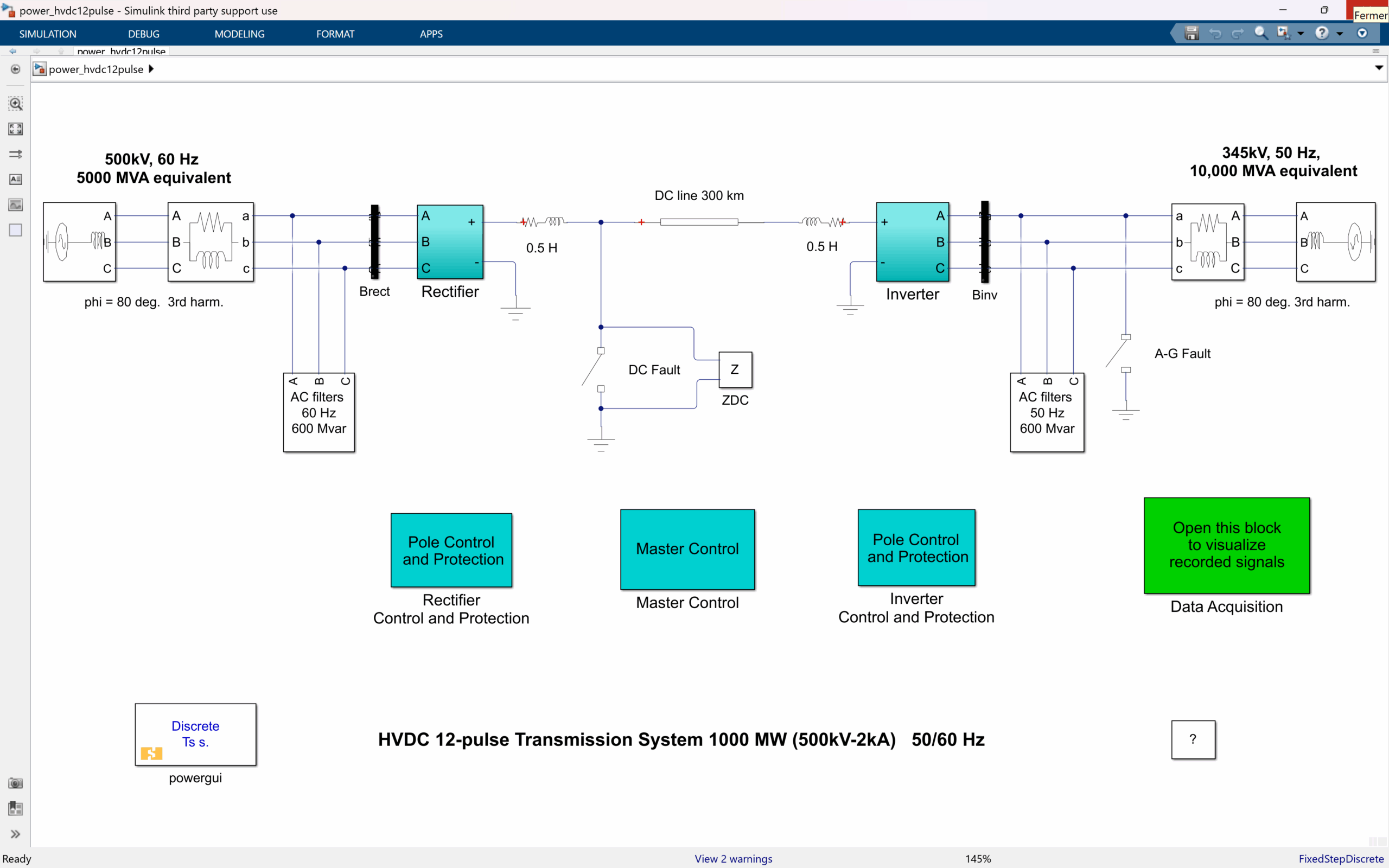
SimPowerSystems 12-pulse HVDC transmission model with rectifier, inverter, and measured DC link variables.
12-Pulse HVDC Transmission System

Simulates a 1000 MW HVDC link using dual 12-pulse converters. Includes smoothing reactors, harmonic filters, and DC protection for reliable long-distance power transfer.

Learn more →

SimPowerSystems AC-DC-AC converter model with rectifier, two-level inverter, filter, and scope measurements.
AC/DC/AC Converter

Models 60 Hz–50 Hz power conversion using a diode rectifier and PWM inverter. Ideal for studying inverter switching and frequency conversion in medium-power systems.

Learn more →

SimPowerSystems microturbine two-level PWM converter model with THD and modulation index measurements.
Microturbine Inverter

Represents the inverter stage of a 50 kW microturbine system with SPWM control and LC filtering. Analyze harmonics and voltage regulation in distributed energy setups.

Learn more →

SimPowerSystems microturbine two-level PWM converter model with THD and modulation index measurements.
Single-Phase PV Array

Demonstrates a 3.5 kW grid-connected PV system with MPPT control and LCL filtering. Evaluate solar irradiance, temperature, and power-quality performance dynamically.

 Learn more →

SimPowerSystems five-cell multi-level converter model with scope showing source, load, and output waveforms.
Five-Cell Multilevel Converter

Highlights a modular five-cell converter delivering low-distortion AC power. Explore harmonic suppression and waveform stacking for high-performance designs.
 Learn more →

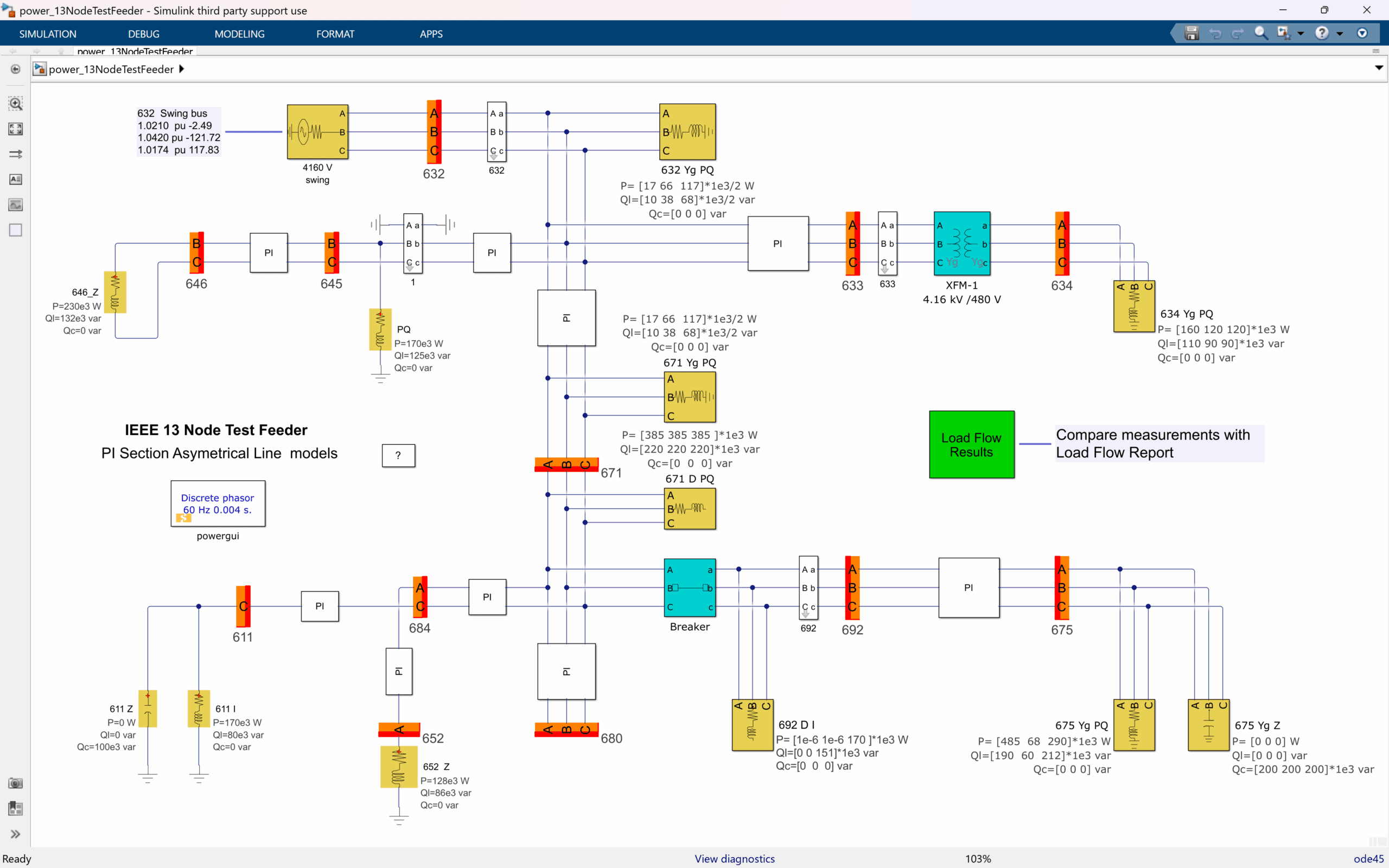
SimPowerSystems IEEE 13-node distribution feeder model with PI line sections and load-flow results.
IEEE 13-Node Test Feeder

Performs unbalanced load-flow analysis across 13 buses. Observe phase voltages and steady-state initialization for accurate distribution grid modeling.

Learn more →

SimPowerSystems 29-bus transmission network diagram with measured bus voltages and PSS settings.
29-Bus Transmission Network

Models a 735 kV network with hydro and wind generation. Study renewable integration, compensation, and transient response under large-scale faults.
Learn more →

SimPowerSystems 29-bus power network schematic using load-flow initialization and stabilizer blocks.
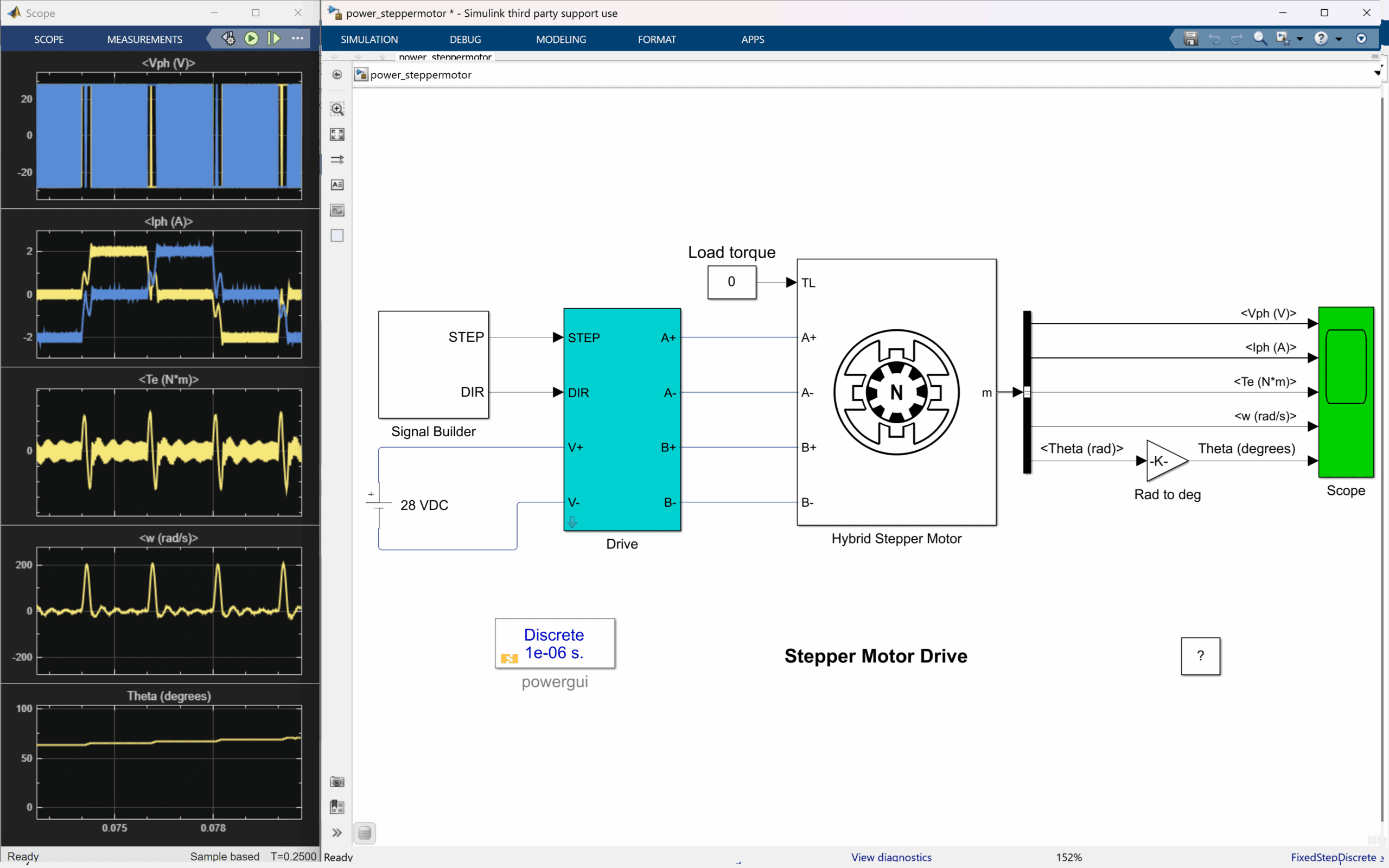
Stepper Motor Drive

Simulates a hybrid two-phase stepper motor using MOSFET H-bridges. Analyze current control, ripple, and motion precision for automation systems.
Learn more →

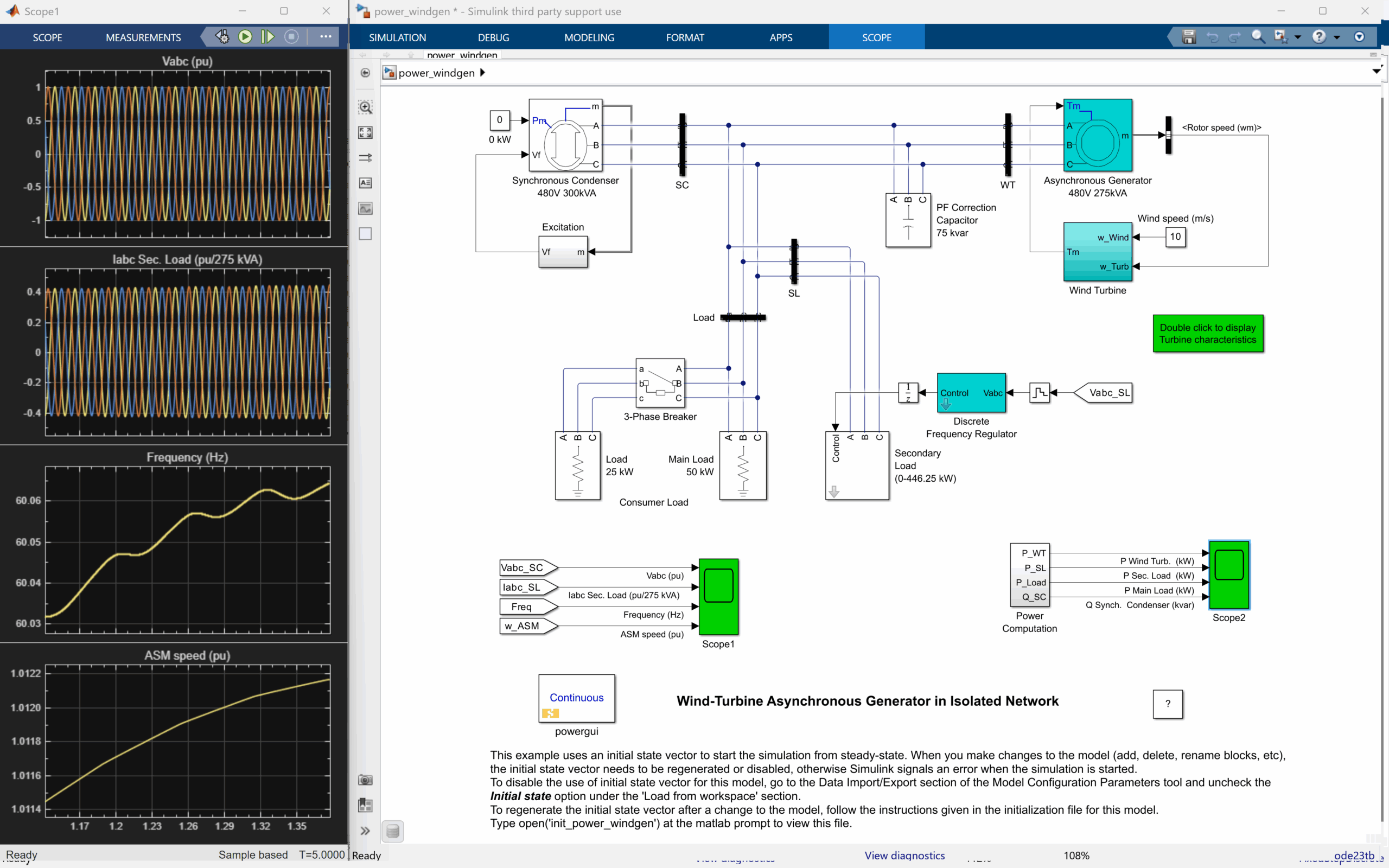
SimPowerSystems stepper motor drive model with scope traces for phase voltage, current, torque, and speed.
Wind-Diesel Hybrid System

Models a high-penetration wind-diesel network for remote grids. Study load balancing, voltage regulation, and seamless transitions between sources.
Learn more →

Resources

Discover technical insights, research highlights, and expert perspectives designed to help you get more out of SPS and stay ahead in electrical and systems engineering.

See more

Gallery

SPS is offered as a yearly subscription, with options tailored to students, academic institutions, and professional teams. Whether you’re equipping a classroom, validating a grid, or prototyping new power electronics, you’ll find a plan designed for your needs—with the flexibility to scale as your projects grow.

Find the Right Plan

SPS is offered as a yearly subscription, with options tailored to students, academic institutions, and professional teams. Whether you’re equipping a classroom, validating a grid, or prototyping new power electronics, you’ll find a plan designed for your needs—with the flexibility to scale as your projects grow.

Lorem Ipsum is simply dummy text of the printing and typesetting industry. 

Contact us
 Student License
$99/ month

Lorem Ipsum

Lorem Ipsum

Lorem Ipsum

Lorem Ipsum

Lorem Ipsum

Purchase
Academic License
$99/ month

Lorem Ipsum

Lorem Ipsum

Lorem Ipsum

Lorem Ipsum

Lorem Ipsum

Purchase
 Professional License
$99/ month

Lorem Ipsum

Lorem Ipsum

Lorem Ipsum

Lorem Ipsum

Lorem Ipsum

Purchase
Enterprise License
$99/ month

Lorem Ipsum

Lorem Ipsum

Lorem Ipsum

Lorem Ipsum

Lorem Ipsum

Purchase
 Student License
$99/ month

Lorem Ipsum is simply dummy text of the printing and typesetting industry. Lorem Ipsum has been the industrys standard dummy text ever since the 1500s, when an unknown printer took a galley of type and scrambled it to make a type specimen book.Lorem Ipsum has been the industrys standard dummy text ever since the 1500s, when an unknown printer took a galley of type and scrambled it to make a type specimen book.

Lorem Ipsum

Lorem Ipsum

Lorem Ipsum

Lorem Ipsum

Lorem Ipsum

Purchase
Entreprise License
$99/ month

Lorem Ipsum

Lorem Ipsum

Lorem Ipsum

Lorem Ipsum

Lorem Ipsum

Contact Us
 Student License
$99/ month

Lorem Ipsum is simply dummy text of the printing and typesetting industry. Lorem Ipsum has been the industrys standard dummy text ever since the 1500s, when an unknown printer took a galley of type and scrambled it to make a type specimen book.Lorem Ipsum has been the industrys standard dummy text ever since the 1500s, when an unknown printer took a galley of type and scrambled it to make a type specimen book.

Lorem Ipsum

Lorem Ipsum

Lorem Ipsum

Lorem Ipsum

Lorem Ipsum

Purchase
Entreprise License
$99/ month

Lorem Ipsum

Lorem Ipsum

Lorem Ipsum

Lorem Ipsum

Lorem Ipsum

Contact Us
 Student License
$99/ month

Lorem Ipsum is simply dummy text of the printing and typesetting industry. Lorem Ipsum has been the industrys standard dummy text ever since the 1500s, when an unknown printer took a galley of type and scrambled it to make a type specimen book.Lorem Ipsum has been the industrys standard dummy text ever since the 1500s, when an unknown printer took a galley of type and scrambled it to make a type specimen book.

Lorem Ipsum

Lorem Ipsum

Lorem Ipsum

Lorem Ipsum

Lorem Ipsum

Purchase
Entreprise License
$99/ month

Lorem Ipsum

Lorem Ipsum

Lorem Ipsum

Lorem Ipsum

Lorem Ipsum

Contact Us
 Student License
$99/ month

Lorem Ipsum is simply dummy text of the printing and typesetting industry. Lorem Ipsum has been the industrys standard dummy text ever since the 1500s, when an unknown printer took a galley of type and scrambled it to make a type specimen book.Lorem Ipsum has been the industrys standard dummy text ever since the 1500s, when an unknown printer took a galley of type and scrambled it to make a type specimen book.

Lorem Ipsum

Lorem Ipsum

Lorem Ipsum

Lorem Ipsum

Lorem Ipsum

Purchase
Entreprise License
$99/ month

Lorem Ipsum

Lorem Ipsum

Lorem Ipsum

Lorem Ipsum

Lorem Ipsum

Contact Us
 Student License
$99/ month

Lorem Ipsum is simply dummy text of the printing and typesetting industry. Lorem Ipsum has been the industrys standard dummy text ever since the 1500s, when an unknown printer took a galley of type and scrambled it to make a type specimen book.Lorem Ipsum has been the industrys standard dummy text ever since the 1500s, when an unknown printer took a galley of type and scrambled it to make a type specimen book.

Lorem Ipsum

Lorem Ipsum

Lorem Ipsum

Lorem Ipsum

Lorem Ipsum

Purchase
Entreprise License
$99/ month

Lorem Ipsum

Lorem Ipsum

Lorem Ipsum

Lorem Ipsum

Lorem Ipsum

Contact Us

Find the plan that fits your work

SPS Software offers flexible annual and monthly subscriptions for individuals, labs, and professional teams. Choose the licence that matches your goals, then add support or team bundles as needed.

Need help choosing a plan or requesting early access? Our team is preparing the first release of SPS Software and can notify you as soon as it is available.

Request access
Student License

Perfect for undergrads or grad students learning power systems and electronics through coursework or thesis projects.

Starting from
$99/ year

15 day free trial

Full SPS Software access to all student blocks and libraries

Node-locked licence options for personal student use

Compatible with academic software environments

Non-commercial use only

Requires valid university email for activation

Contact us
Academic License

Designed for faculty, teaching labs, and research teams conducting non-commercial academic work.

Starting from
$231/ year
15 day free trial
Full SPS Software access for teaching and research
Node-locked or shared-lab licence options for academic use
Compatible with institutional academic setups and environments
Non-commercial use only
Ideal for classrooms, lab instruction, and published research.
Contact us
Professional License

Best for engineers, companies, and teams using SPS Software for commercial design and validation projects.

Starting from
$330/ year
15 day free trial
Full SPS Software access with advanced component libraries
Node-locked, floating, or network licence options
Compatible with enterprise and professional environments
Commercial use permitted

Enterprise and team deployment options available.

Contact us

Get started with SPS Software

SPS Software will soon be available for trial and purchase. In the meantime, you can contact our OPAL-RT TECHNOLOGIES team to learn more, ask questions about pricing, or register for early access. We’ll help match your goals with the right plan when the product goes live.

Contact us

FAQ

What are the key differences between SimPowerSystems (MathWorks) and Smart PowerSimulation Software (OPAL-RT), and why does this transition matter?

SimPowerSystems was originally developed over 30 years ago by Hydro-Québec’s research institute(IREQ) and became a foundational MATLAB/Simulink toolbox for offline power system simulation. SmartPower Simulation Software (OPAL-RT) is the next evolution of this technology, preserving its legacywhile introducing the foundation for future enhancements. New demo models and blocks will beintroduced progressively as part of OPAL-RT’s roadmap for continuous innovation.

Will my existing SimPowerSystems models still work?

Yes! Previously created models will work with no to minimal effort as long as you install the SPS Software and have the appropriate license.

Do I need to redesign my models or learn new tools?

No. The same blocks you know and use will still exist; they are simply relocated to the SPS softwarelibrary. Your workflow remains unchanged.

If I have an existing MathWorks license for SimPowerSystems, can I transfer it to OPAL-RT? DoI need to pay extra?

Clients with an active MathWorks maintenance contract may submit a copy to OPAL-RT for review. Subject to verification, OPAL-RT may honor existing commitments related to SPS license maintenance. OPAL-RT reserves the right to validate all submitted documentation. For assistance with licensing anddownloading the software, you can use our AI-powered chatbot Lisa, who will guide you through theprocess and connect you with an OPAL-RT team member if needed.

MATLAB shows a warning that Simscape Electrical Specialized Power Systems blocks will be removed in a future release. What happens when I upgrade to MATLAB 2026?

OPAL-RT SPS Software will ensure compatibility with your existing models. You simply need to install the SPS Software and obtain the required license. For assistance with licensing and downloading the software, you can use our AI-powered chatbot Lisa, who will guide you through the process andconnect you with an OPAL-RT team member if needed.

Will support for SimPowerSystems stop?

No. OPAL-RT guarantees uninterrupted support and continuity for all existing users. You can continue using your models without disruption, provided you install the SPS Software and have the appropriate license.

How do I access updates and support?

OPAL-RT’s support and services are highly recognized worldwide, ensuring you receive expert assistance and resources whenever needed. Users will have access to OPAL-RT’s new support portal, AI-powered chatbots for quick answers, dedicated support engineers for complex issues, comprehensive documentation, example models, and learning materials.

Where can I find the official SPS software documentation?

The official SPS Software documentation is available on OPAL-RT’s online wiki. It includes comprehensive guides, example models, and learning resources to help you get started and master the platform. You can access it here:

If I still use blocks from SimPowerSystems (MathWorks), who should I contact for support?

If you have an active MathWorks license or plan to renew it, OPAL-RT recommends contacting us first to discuss transfer or renewal options. This ensures you receive full access to our advanced tools and dedicated support. If you choose to remain exclusively under your MathWorks license, you must contact MathWorks directly for assistance. Please note that OPAL-RT support applies only to SPS Software starting with MATLAB R2025b.

Are there new blocks or demo models in the SPS software?

For the initial SPS Software release on MATLAB version R2025b, the primary focus has been to ensure a smooth transition for users. This means preserving the existing blocks library and workflows while introducing the foundation for future enhancements. New demo models and blocks will be introduced progressively as part of OPAL-RT’s roadmap for continuous innovation.

How do I know if my organization has SPS Software? Will it be installed with my MATLAB installation?

To verify if SPS is installed, open MATLAB and navigate to: Home → Add-Ons → Manage Add-Ons. If installed, OPAL-RT SPS Software will appear in the list of add-ons. If you do not see it or are unsure about your organization’s license status, you can ask our AI-powered chatbot Lisa to connect you with an OPAL-RT team member.

How can I start with SPS Software? How do I download it? How do I get a license?

Currently, you need to contact OPAL-RT to obtain your license and download link. For a quick and convenient process, ask our AI-powered chatbot Lisa to connect you with an OPAL-RT team member.

Privacy Settings
We use cookies to enhance your experience while using our website. If you are using our Services via a browser you can restrict, block or remove cookies through your web browser settings. We also use content and scripts from third parties that may use tracking technologies. You can selectively provide your consent below to allow such third party embeds. For complete information about the cookies we use, data we collect and how we process them, please check our Privacy Policy
Youtube
Consent to display content from - Youtube
Vimeo
Consent to display content from - Vimeo
Google Maps
Consent to display content from - Google
Spotify
Consent to display content from - Spotify
Sound Cloud
Consent to display content from - Sound
Cart Overview