
Contact us
Contact us
Electrical Engineering, Modelling, Simulation

Why EMT Precision Matters For Recreating Electrical Events With Confidence

Key Takeaways

  • EMT precision is a timing problem first, so waveform checks must focus on early cycles and fast transients.
  • High detail modelling earns its cost only when it reproduces limits, logic states, and device interactions seen in recordings.
  • A small set of repeatable waveform checks will keep event recreation honest and reviewable.

Accurate event recreation lets you replay a disturbance and trust the cause you identify. Published estimates place the annual U.S. cost of power outages between $28 billion and $169 billion, so wrong findings cost real time and money. You can’t fix what you can’t explain. EMT precision turns waveforms into evidence.

EMT precision matters because disturbances live in timing, not averages. A replay that matches RMS values but misses the first cycles will point you at the wrong device or setting. High detail modelling adds effort, so it needs checks you can run and repeat. The goal stays simple: match the waveform parts your study will use.

EMT accuracy defines how closely simulations reproduce electrical events

EMT accuracy means your simulated voltage and current traces match measured waveforms on the same timeline. The match has to hold before the disturbance, during the first cycles, and through recovery. Phase, polarity, and sequence must line up, not just magnitude. If those checks fail, event recreation becomes unreliable.

A common case is replaying a feeder fault captured at a substation. You align pre fault loading, apply the fault at the recorded time, and compare the voltage dip depth against the recorder. You also check current peaks and their decay, since DC offset and saturation shape early cycles. The recovery shape matters too, such as a slow return linked to stalled motors.

Accuracy is a set of pass/fail checks tied to what you need to decide next. Protection studies care about the first cycles because pickup and trip logic live there. Control studies care about the next few hundred milliseconds where limiters and synchronizing logic settle. Treat accuracy as a checklist, and your disturbance reproduction stays repeatable. It also keeps debates focused on measurable gaps.

“EMT precision turns waveforms into evidence.”

Precise event recreation depends on capturing fast switching and transients

Precise event recreation depends on capturing the fast physics that shape the first milliseconds. EMT precision comes from modelling switching, conduction states, saturation, and line effects at a time step that can resolve them. Some inverter connected generator models run with time steps as low as 1–2 µs, which shows how quickly key dynamics move. Coarser steps will blur peaks and shift event timing.

Capacitor bank switching is a clear illustration. The recorder often shows a voltage spike and bus ringing, not a clean step. Matching that ringing needs correct capacitor and reactor values, realistic upstream impedance, and a switch model that represents the closing instant. Small timing error will move the peak enough to break the match.

Transformer energization, breaker pole timing, and cable energization also create short bursts that set initial conditions. A replay can look close after 200 ms, yet internal controller states will already be wrong. Treat the first milliseconds as a gate check. That habit prevents long, late-night tuning sessions.

High detail modelling reveals disturbance behavior hidden by averaged models

High detail modelling reveals behavior that averaged models hide when limits and nonlinearities dominate. EMT will show current clipping, phase jumps, harmonic injection, and brief control mode switches that are smoothed out in averaged representations. Those details decide if equipment rides through, trips, or recovers cleanly. If the disturbance reproduction needs that decision, you need EMT detail.

An inverter ride through event during a close in fault shows the difference fast. An averaged model can hold current proportional to voltage and recover smoothly once voltage returns. A detailed EMT model will show current limiting, mode switching, and a short oscillation as synchronizing logic re locks. That short window can explain either a second protection pickup or a negative-sequence current spike.

Detail also exposes interaction between devices. Two converters can look stable in isolation and still fight through a weak network, producing repeated limiter hits after clearing. With EMT detail, you can test fixes you can actually implement, such as adjusting a current limit ramp. Without it, you’ll tune a model to match a story, not the event.

Accurate EMT results improve fault analysis and protection coordination studies

Accurate EMT results improve fault analysis because protection responds to waveform features rather than just RMS values. Relays react to peaks, DC offset, harmonic content, and phase angle shifts. If the replay captures those features, you can test settings changes with confidence. If it does not, you will tune protection to a waveform that never occurred.

A feeder relay that mis operated during a temporary fault and reclose is a practical example. The recorder shows fault current, then transformer inrush after reclose, plus a voltage sag that lasted long enough to trip an undervoltage element. An EMT recreation can separate those contributors at the same bus, including converter current limits that deepen the sag for a few cycles. Once timing is clear, you can adjust delays, pickups, or blocking logic in line with the record.

Coordination also depends on consistency across cases. If the model matches one fault record but fails on a second event elsewhere, topology or equivalents are wrong. EMT makes that gap obvious because it won’t hide timing errors behind averages. That clarity speeds up root cause work. It also reduces risky “trial and error” tuning.

Event replay quality shapes confidence in post incident engineering findings

Replay quality shapes what you will believe after an incident, because familiar looking waveforms feel convincing. A plausible but wrong replay will steer you toward the wrong cause and corrective action. A disciplined replay forces hard questions early, such as breaker status, event time stamps, and controller revision. That discipline turns event recreation into a reliable engineering tool.

A plant trip during a voltage dip shows why. Measured voltage returns, yet the plant stays offline and the operator log shows a latch. A low detail model can’t latch because internal state logic is missing, so the replay suggests the plant should have stayed online. A precise EMT replay that includes latch and reset conditions will reproduce the lockout and show the threshold crossing that triggered it.

The confidence bar should match the consequence of the finding. If the outcome warrants a retrofit, a settings change, or a compliance filing, the replay must stand up to review. Clear assumptions and repeatable waveform checks make that possible. Strong replay quality shortens debate and keeps focus on fixes.

“EMT makes that gap obvious because it won’t hide timing errors behind averages.”

Engineers should prioritize EMT detail based on disturbance study objectives

Better results come from prioritizing EMT detail around the disturbance you need to explain. Start with the signals that must match, then keep explicit models for the devices that shape those signals. Reduce everything else only when the reduction preserves transient response at your observation points. This focus controls model size and keeps run time under control.

A breaker operation at one bus needs detailed switching and nearby network impedance, not full detail everywhere. A corridor interaction between two converter plants needs detailed controls at both ends and enough network detail to preserve coupling. Teams using SPS SOFTWARE often formalize this workflow: define waveform checks, add detail until checks pass, then stop. That habit keeps modelling effort traceable, and it makes peer review simpler.

Study objectiveWaveform checks to passDetail that usually matters
Relay pickup timingEarly cycles current and voltageSaturation and DC offset
Converter ride throughCurrent limit and recoveryControl mode switching
Switching surgePeak voltage and ringingSwitch and line detail
Fault locationDip depth and phase shiftTopology and impedance
Lockout replayThreshold crossingsLogic and timers

Common modelling shortcuts that reduce event recreation fidelity

Event recreation fails most often because small shortcuts stack up until timing no longer matches the record. The plots can still look smooth, so the error hides until pickup or latch behavior shows up in the field and not in the simulation. You avoid most failures by treating each shortcut as a hypothesis with a check. If the check fails, the shortcut goes.

Five shortcuts cause repeat problems in disturbance reproduction:

  • Using a time step too large for switching or saturation
  • Replacing controls with fixed current sources or gains
  • Omitting transformer saturation, inrush, or frequency effects
  • Ignoring event timing details such as pole scatter and delays
  • Forcing initial conditions that don’t match pre fault flows

Each shortcut breaks a different part of the replay, and the fix is clear once you see the mismatch. A too large time step will shift peaks and pickup times. Missing logic will erase latches and resets that operators see in logs. Teams that keep non negotiable waveform checks will stay honest over time. SPS SOFTWARE fits naturally when you need transparent, editable models you can inspect as carefully as you inspect the recordings.

Modelling, Simulation

5 Practices Integration Teams Use To Keep Models Consistent

Key Takeaways

  • Model consistency improves when shared parameters, data, and assumptions are explicitly documented.
  • Parameter alignment stays stable when ownership, naming, units, and shared reference data are enforced early.
  • A clean model handoff remains repeatable when assumptions and parameter changes are validated and recorded at every boundary.

Model consistency will improve when integration work treats models like interfaces, not just files. A single mismatch in units, defaults, or assumptions will turn into hours of rework. Defects follow. Clean handoffs will feel boring, and that’s the point.

Parameter alignment and data clarity come from making intent explicit before anyone starts “fixing” numbers. Integration teams sit between experts and owners. Your job is to standardize what gets owned, what gets checked, and what must be traceable. That discipline prevents surprises during model handoff.

Why model consistency breaks down during integration work

Model consistency breaks when teams exchange models without a shared contract for parameters, data, and assumptions. People patch mismatches locally, and those patches become silent forks. The model still runs, but outputs drift. Nobody knows which value is authoritative. Confusion spreads fast.

A model handoff from a controls group to a network group exposes this. One side assumes per-unit base values, the other uses absolute units, and the same conversion is applied twice. Plots look stable. Current limits and protection thresholds are now wrong, so debugging starts in the wrong place.

Fixing this takes more than asking for cleaner files. You need a set of practices that catch mismatches before they become local workarounds. We’ll get better results by policing interfaces and traceability, not by polishing every block. Rework drops when the contract is clear.

“The model still runs, but outputs drift.”

5 practices integration teams use to keep models consistent

Model consistency comes from repeatable constraints that make mismatches visible early. Each practice targets a different failure mode: ownership gaps, unit drift, copied data, hidden assumptions, and unreviewed edits. When you apply all five parameters, parameter alignment becomes routine rather than late-stage firefighting.

Start with the practices that touch the most shared surfaces: ownership, naming, and units. Add central reference data and handoff validation next. Leave review checkpoints for last so they stay short.

1. Define shared parameter ownership before models move between teams

Shared parameters need an owner, a scope, and an edit rule, or they will drift the moment two teams touch them. Ownership is not about control; it sets who approves changes and who gets notified. One simple ownership map will prevent conflicting defaults and duplicate “master” copies. The owner also maintains default values and a short public change log.

A handoff often involves repeating settings such as base frequency, nominal voltage, or controller gains. One team tweaks a gain to pass a test, another team later “fixes” a different copy, and results split. Assigning a single owner ensures a single source and a clear review path for shared parameters. Keep ownership limited to values that cross boundaries or affect acceptance checks.

2. Lock naming conventions and units before integration begins

Naming and units are the quickest ways to lose data clarity, because small inconsistencies can hide in almost-the-same variables. A locked convention makes mismatches obvious and stops translation work that wastes expert time. Unit rules also prevent errors that look like physics problems when they’re really bookkeeping.

A common integration bug occurs when a parameter called Vbase in one model and V_nom in another has different units, like kV versus V. Someone connects the models, sees values that look reasonable, and moves on. A required unit tag and a naming pattern will flag the mismatch before you trust plots. Keep the convention small: name, unit, reference frame, and sign. If a value is unitless, it must be stated as such in writing.

3. Centralize reference data instead of copying parameters downstream

Copied reference data creates silent forks, because teams adjust copies to fit local tests. Centralizing shared data keeps parameter alignment stable and lets you track changes without chasing spreadsheets. Data clarity improves when every model points to the same dataset and the same version.

Store network base values, device ratings, and test profiles in a single editable reference that models read at build time. If a feeder impedance gets updated after a field review, the change lands once and dependent models update on the next run. Teams working in SPS SOFTWARE often keep that reference versioned and inspectable, so edits stay visible and reproducible. Keep engineering truth separate from temporary tuning, using a local override layer that never writes back.

4. Validate assumptions at every model handoff point

Assumptions will leak across teams unless you check them during the handoff itself. A handoff validation step confirms initial conditions, solver settings, saturation limits, and signal scaling before deeper tests begin. That keeps model consistency tied to intent, not just identical numbers.

One group might start from steady initial states, another starts from zero and ramps up. Both are valid, but mixing them creates false failures that burn days. A short checklist that includes start-up mode, sampling rate, and limiters will catch this early. Pair it with a small acceptance run that produces a known signature, like expected RMS values and expected protection triggers. Record these assumptions in a handoff note attached to the model package every time.

“A required unit tag and a naming pattern will flag the mismatch before you trust plots.”

5. Track parameter changes with lightweight review checkpoints

Parameter alignment is not a one-time task; it is a stream of edits across weeks of work. Lightweight review checkpoints stop silent drift without adding heavy gates. The goal is visible intent, so future handoffs don’t depend on someone’s memory. Shared means anything that affects interface signals, scaling, ratings, or acceptance plots.

Set a checkpoint any time shared parameters change: what changed, why it changed, and what tests were rerun. A short sign-off from the owning team prevents quick fixes that break later integration. The change note also answers “when did this start?” in minutes instead of hours. If you can’t explain the change in one sentence, the checkpoint blocks it until you can. Keep checkpoints asynchronous and focused solely on shared interfaces.

Define shared parameter ownership before models move between teamsAssigning clear ownership prevents multiple teams from silently changing the same parameter in different ways.
Lock naming conventions and units before integration beginsConsistent names and units make mismatches visible early, rather than hiding errors within valid-looking values.
Centralize reference data instead of copying parameters downstreamUsing a single shared source for reference data prevents forked values from drifting as teams tune models locally.
Validate assumptions at every model handoff pointExplicitly checking startup conditions, limits, and scaling ensures results reflect intent rather than setup differences.
Track parameter changes with lightweight review checkpointsSimple change reviews keep shared parameters traceable so fixes do not introduce new integration problems later.

Applying these practices across handoffs and integration stages

Clean model handoff is a workflow, not a template. Start with ownership and units, then central reference data, then handoff validation and reviews. You’ll know it’s working when discussions shift from “which number is right” to “which assumption is intended.” Results become predictable.

Roll this out one boundary at a time. Pick a shared interface, define shared parameters, and run the same acceptance check after every handoff for two weeks. Add the change checkpoint only after the basics stick, or reviews turn into arguments. The sequence matters because clarity has to come first.

Long-term consistency comes from keeping shared models teachable and inspectable. SPS SOFTWARE works best when the team treats parameters and assumptions as part of the model, rather than as hidden notes. That discipline makes the next integration calmer and easier to debug. New people join and ask hard questions.

Modelling, Simulation, Student

How Students Assess and Evaluate Model Quality

Key Takeaways

  • Model quality stays high when purpose, evidence, and repeatability stay aligned.
  • An evaluation scorecard turns review criteria into consistent scoring and clearer feedback.
  • Shared criteria between students and educators will make grading fairer and habits stronger.

You will judge model quality faster and more fairly when you score it against clear criteria, not a gut feel. Formative feedback cycles show measurable gains; one synthesis reported a mean effect size of 0.32. The same pattern shows up in engineering labs, since repeated checks beat one big grade. Consistent evaluation will turn modelling from guesswork into a habit you can defend.

Model quality is not about packing the most blocks into a diagram. Quality means your model will answer the question it claims to answer, with results you can explain and repeat. Students improve faster when evaluation looks like a small test plan with logged evidence. Educators grade with less noise when the same evidence is visible to everyone.

What students mean when they evaluate model quality

Students evaluate model quality when deciding whether a model is fit for its stated purpose. The check includes correctness, clarity, and repeatability, not just a clean plot. A model is high-quality when another person can run it and get the same result. A model is considered low-quality when its results depend on hidden tweaks or missing context.

A microgrid lab model exposes this fast. One student tunes a voltage sag response until the waveform looks right, then forgets to state the source impedance used. A lab partner runs the same file and sees a different sag depth, but cannot reconcile the mismatch. Quality drops because the model’s story is not repeatable.

Good evaluation starts with a plain question: what will this model support, and what will it not support. “Runs without errors” is a low bar for engineering work. A model that runs can still violate units, sign conventions, or energy balance. Evaluation shifts the focus from “did it run” to “did it prove anything.”

The core criteria students use to judge model quality

Most student reviews map to a small set of review criteria that work across courses. Accuracy matters, but it must tie to a reference you can defend. Consistency checks matter because they catch mistakes without extra data. Transparency matters because a hidden assumption will break peer review and grading.

An RLC step response assignment makes the criteria concrete. A strong model matches the expected damping ratio, maintains unit consistency, and shows the source of initial conditions. A weak model matches the plot only after random parameter edits, then hides those edits inside subsystems. The same criteria still apply to feeders, converters, and protection logic models.

We trust a model when we can trace each result back to evidence. Accuracy without traceability will not earn trust, since no one can see why the match occurred. Traceability without accuracy also fails, since the model will not answer the task. Quality stays strong when you balance criteria and match the grader’s focus.

“Evaluation shifts the focus from “did it run” to “did it prove anything.”

How students build an evaluation scorecard that stays consistent

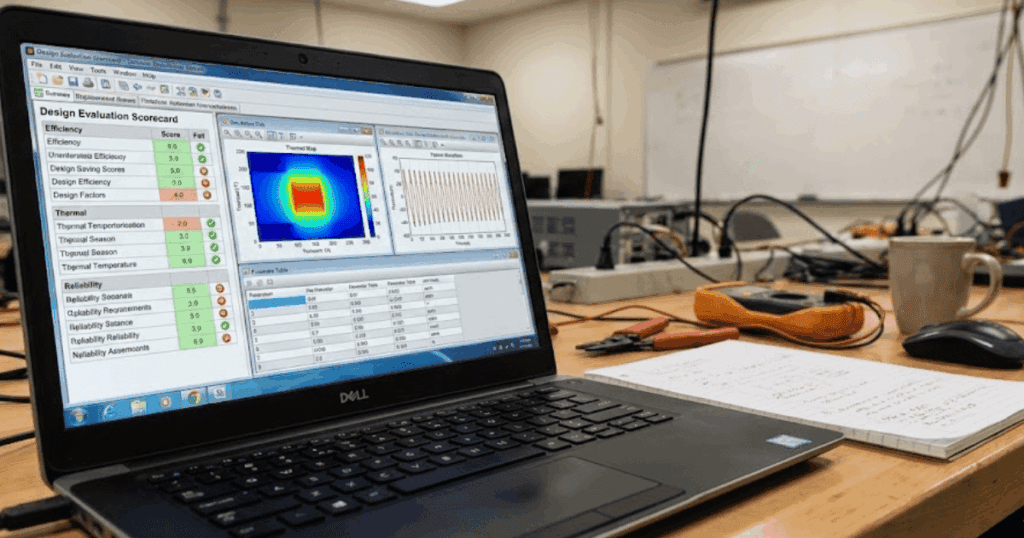
An evaluation scorecard turns model review into repeatable scoring. You define criteria, tie each to evidence, and score the same way each time. Consistency beats clever weighting, since graders trust repeatable checks. Self checks speed up when evidence is clear.

Disagreement drops when the scorecard requires evidence. One published study reported an overall inter rater reliability ICC of 0.7 when evaluators scored the same work with a shared rubric. Students can mirror this by anchoring each score level to an artifact, not a feeling.

Aspect being checkedWhat strong model quality looks likeWhat weak model quality looks like
Purpose alignmentThe model answers a clearly stated question and stays focused on that task from start to finish.The model includes extra behavior that does not support the stated task or distracts from it.
Assumptions visibilityAll simplifying assumptions are written down and their impact on results is explained.Assumptions are implied or hidden, making results hard to interpret or trust.
Evidence for correctnessResults are supported by reference checks, sanity tests, or expected physical behavior.Results rely only on visual agreement or tuning without justification.
Repeatability of resultsAnother person can run the model and reproduce the same outputs using the same inputs.Results change when someone else runs the model or when files are reopened.
Transparency of parametersKey parameters, units, and initial conditions are easy to locate and understand.Important values are buried in subsystems or lack units and context.
Review readinessThe model includes notes or artifacts that support grading and peer review.The model requires verbal explanation because supporting evidence is missing.

Transparent models make scorecards easier to apply, since you can point to equations and parameters. SPS SOFTWARE supports this style when labs need inspectable models for review. Clarity cuts debate and regrading. Feedback gets sharper because each gap maps to one row.

The sequence students follow when reviewing a technical model

A good review order saves time because early checks catch the biggest errors. Start with purpose and scope, then check the structure and run simple sanity tests, then judge the results. The order stops you from tuning a broken model. Notes become easier to follow for peers and educators.

  • Confirm the purpose, inputs, and expected outputs
  • Check topology and signs against the reference schematic
  • Run sanity checks on units, limits, and initial states
  • Compare key results to an analytic check or baseline run
  • Record tests run and evidence collected

A lab partner reviewing a converter model can apply these steps in minutes. The reviewer confirms the switching frequency and control targets, then checks the power-stage wiring. A no load run should keep current near zero and voltages in range. Only then should the reviewer judge efficiency or waveform shape.

Later tests assume earlier checks are correct. Controller tuning before sensor scaling checks will waste hours and still result in a failing grade. The sequence reduces bias in peer assessment, since everyone follows the same path. Educators grade faster when the student assessment steps align with the grader’s workflow.

How assumptions and scope shape student quality assessments

Assumptions and scope define what “correct” will mean for your model. A model can be excellent inside its scope and useless outside it. Students who write scope clearly avoid unfair criticism, since reviewers know what was intentionally left out. Educators reward clear scope because it shows engineering judgment.

A power electronics task that targets control-loop stability illustrates the trade-off. An averaged converter model will cleanly answer the stability question, while a switching model will bury it under ripple and step-size noise. The averaging assumption is valid when you state frequency separation and explain why ripple is not the metric. Quality rises because the model matches the task.

Scope also changes what tests you should run. An EMT level network study will need checks on time step, solver limits, and numerical stability, while a steady state RMS study will need checks on balance and phasor assumptions. Students lose points when they test the wrong thing, then claim the model is “validated.” Clear scope keeps tests aligned with what the model claims to represent.

Common errors students make when scoring model quality

Students often score models based on output shape rather than evidence. That habit rewards tuned models and punishes models that document their work. Another error is mixing critique of the idea with critique of the implementation. Quality scoring should focus on what the model proves, not what you wish it proved.

A classic failure occurs when a single nominal waveform match ends the review. The model passes the nominal case but fails under a small change, such as a load step or a shift in fault impedance. Another failure shows up when time steps are chosen for speed, which distorts dynamics and hides instabilities. Review criteria that include repeatability and sensitivity checks will catch both issues.

Self assessment also fails when documentation gets skipped because the model is “obvious.” Missing units, initial states, or parameter sources will block grading and peer review. Students also lose points when a value changes without a note, so the final model has no audit trail. A scorecard forces discipline, since each row needs a specific artifact.

“The closing judgment is simple: disciplined evaluation is part of engineering, not extra paperwork.”

How educators align feedback with student assessment criteria

Educators grade student models best when feedback points to the same evidence students used for scoring. Clear criteria reduce arguments about style and focus attention on what the model will support. Alignment also means educators will show what “good” looks like in the same format used for grading. Students learn faster when feedback turns into the next test you should run.

Calibration before grading keeps scores consistent across sections. Two graders score the same sample model, compare notes, and adjust scorecard wording until scores match. Students can mirror this during peer review by swapping models and scoring them independently, then discussing one mismatch at a time. The result is fairer grading and stronger habits.

The closing judgment is simple: disciplined evaluation is part of engineering, not extra paperwork. Students who treat review criteria as a test plan will build models that teach as they run. Educators who align comments with the scorecard will spend less time defending grades and more time coaching. SPS SOFTWARE supports this approach when labs want transparent, inspectable models that make evidence easy to show.

Electrical Engineering, Modelling, Simulation

5 Steps To Build Inverter Control Models

Key Takeaways

  • Timing, limits, and signal definitions will decide if tuning results carry to hardware.
  • PWM modelling depth should match loop bandwidth, with delays treated as first-class dynamics.
  • Inner and outer loop separation plus worst-case stability checks will prevent late-stage surprises.

A good inverter control model will predict stability before hardware runs. You will tune faster because control stability margins stay visible. You will catch phase loss and windup early. That matters more than matching switching ripple.

Most problems start when the model is too ideal. PWM modelling that ignores update delay will overstate phase margin. Inner loop control that skips sensor filtering will overstate bandwidth. Outer loop control that assumes a fixed grid or load will break as conditions shift.

What engineers need from an inverter control model before tuning begins

Lock down what the controller sees and when it sees it before you touch a gain. Put sample time, carrier rate, delay, and measurement filtering into the model. Define every signal with units, scaling, and sign. Add limits and saturations that will exist in hardware.

A three-phase inverter switching at 10 kHz with a 50 µs step is a good test bed. Duty updates once per step, so model a one-step delay from compute to PWM output. Add the same 2 kHz current filter and sensor scaling you plan to ship. Sweep DC link from 700 V to 900 V and vary grid inductance from 0.5 mH to 2 mH.

Timing and limits decide where crossover can sit without ringing. Hidden delay steals phase and turns a safe gain into oscillation. Missing saturation hides integrator windup and makes transients look gentle. A lean model with visible assumptions will beat a detailed model with hidden ones.

“Hidden delay steals phase and turns a safe gain into oscillation.”

5 steps to build inverter control models

Follow the build order you will implement. Lock targets and limits first, then choose a PWM abstraction, then close inner and outer loops. Check stability across operating points at the end. This order stops us from tuning around modeling errors.

Define control objectives and operating limits earlyClear numeric targets and hard limits prevent tuning gains that look stable in simulation but fail once saturation, faults, or range changes appear.
Select a PWM representation that matches control bandwidthThe PWM model must preserve timing and gain effects that shape phase margin, or control stability results will be misleading even if waveforms look clean.
Build the inner current loop with clear plant assumptionsA current loop stays predictable only when the electrical plant, sensing delay, and filtering are explicit and consistent throughout the model.
Add the outer voltage or power loop with proper separationOuter loops remain stable when their bandwidth is intentionally slower than the current loop, reducing interaction and hidden instability.
Check control stability across operating points and delaysStability must be verified at worst-case voltage, impedance, and delay conditions, not only at nominal operating points.

1. Define control objectives and operating limits early

Write objectives as numbers you can test, not as intentions. Pick the regulated variable, settling time, peak deviation limit, and steady-state error. Define the operating range for DC voltage, grid or load impedance, and any derating rules. Put current, voltage, and duty limits into the model as saturations and clamps. A 5 kW inverter might target 2 ms current settling while capping phase current at 12 A peak and clamping duty if DC drops under 720 V. Add what the controller does at the limit, such as freezing the integrator, back-calculating, or rate-limiting the reference. Write one pass-fail check per objective so tests stay consistent. Clear targets stop you from tuning a waveform that looks clean but violates limits on hardware.

2. Select a PWM representation that matches control bandwidth

Choose a PWM representation that preserves the delay and gain your controller will see. An averaged modulator fits loop design when crossover stays well below the carrier, but it still needs a duty update delay. A sampled-data modulator matters when bandwidth approaches one tenth of switching, since sample-and-hold lag steals phase. A switching model is for ripple, harmonics, deadtime effects, and filter resonance checks. A 1 kHz current loop with a 10 kHz carrier will tune reliably on an averaged model that includes one control-step delay and the correct modulator gain. Keep a second, switching-level model in SPS SOFTWARE if you want to verify ripple without rewriting the controller. Choose the simplest model that preserves stability margins, then add detail only where results disagree.

3. Build the inner current loop with clear plant assumptions

Inner loop control starts with a plant you can explain in one line. Model the filter you have, then keep the same sign convention and reference frame everywhere. Put sensing delay and filtering inside the feedback path, not as a plotting detail. With an L filter of 2 mH and 0.15 Ω resistance, the plant is close to 1/(Ls + R) before discretization. Discretize at a 50 µs step, then tune PI gains for a crossover near 1 kHz with margin left for delay. If you use an LCL filter, keep crossover well below the resonance peak. Treat any extra filter pole as lost phase you must budget. Add anti-windup early so a current clamp does not turn recovery into a slow drift.

4. Add the outer voltage or power loop with proper separation

Outer loop control will stay stable only when it is slower than the current loop. Pick the outer objective up front, because DC-link voltage control and AC voltage control see different plants. Treat the outer plant as uncertain, since grid strength and load type will vary. Keep the outer bandwidth at least 5x to 10x lower than the current loop so interactions stay small. A DC-link loop at 20 Hz to 50 Hz feeding a 1 kHz current loop will handle load steps cleanly. A grid-forming voltage loop around 100 Hz will still sit below the current loop, but it will require clean voltage sensing. Add rate limits and windup protection so the outer loop does not keep pushing when the inner loop is saturated.

“Choose the simplest model that preserves stability margins, then add detail only where results disagree.”

5. Check control stability across operating points and delays

Check control stability with the full loop, not an ideal diagram. Keep sampling, PWM delay, sensing filters, and saturations inside the loop model when you assess margins. Evaluate worst cases, including minimum DC voltage, maximum power, and a weak-grid impedance point. One stress test doubles grid inductance so an LCL resonance shifts toward crossover. Another test steps current reference into the limit so you see windup and limit cycling. Use loop gain plots to catch phase loss, then confirm with a time-domain step that includes clamps. Aim for margins you can live with after discretization, such as 45° phase margin and 6 dB gain margin. Keep a short regression set so small edits do not silently shrink margins across cases.

Applying these steps to avoid unstable or misleading control results

Unstable results usually trace back to hidden timing or hidden limits. A controller tuned with zero delay will look stable and then ring once a one-step update appears. A controller tuned without saturations will look linear and then stick during faults. Tight models keep these traps visible.

Picture a loop tuned on an averaged plant at 1 kHz crossover. Add a 2 kHz sensor filter and a 50 µs compute delay and phase margin drops. Fix the timing mismatch first, then adjust gains with the same tests each time. Keep three repeatable checks, a current step, a DC sag, and an impedance sweep.

Write assumptions where everyone can see them, then keep them under version control with the model. That habit makes tuning transferable across students, researchers, and product teams. SPS SOFTWARE helps when you need component equations and controller timing exposed so reviews stay concrete. Consistent execution will keep loops calm across operating points.

Modelling, Simulation, Student, University

6 Ways To Bring Modern Modelling Into The Classroom

Key Takeaways

  • Digital labs work best when each run has a fixed check and a required explanation.
  • Inspectable models and scaled exercises build consistent habits for testing and debugging.
  • Templates and validation test cases keep modelling activities teachable across class sizes.

Modern modelling will make your labs teach understanding, not button clicks. Digital labs let students change parameters and explain waveforms. You’ll grade exercises with checks, not guesswork. Lab reports will improve.

Engineering teaching uses models on paper, so simulation models fit. The update treats a model like an instrument to verify and stress. Teaching support needs an update because students learn faster with one workflow. That shift modernizes modelling labs without turning class time into tool training.

Why modern modelling belongs in engineering teaching today

Modern modelling belongs in engineering teaching because it links theory to visible behaviour. Students will see how parameters, controls, and disturbances alter voltages and currents. That clarity will reduce copying and raise the quality of explanations. Labs get easier to repeat across semesters.

A useful lab pattern starts with a claim, then asks students to prove it with the model. A fault study can require a predicted first-cycle current, a simulated result, and a short explanation of the gap. Students can pinpoint the cause by checking source impedance and measurement points. That habit builds skepticism and engineering judgment.

6 ways to bring modern modelling into the classroom

These six changes modernize modelling activities without adding weekly hours. Each item ties an exercise to visible response and a check. Pick two items next lab cycle, then expand once grading feels stable. Stronger explanations will show up fast.

“A useful lab pattern starts with a claim, then asks students to prove it with the model.”

Replace static lab manuals with interactive digital lab workflowsStudents learn more when labs require them to test changes, capture results, and explain outcomes instead of following fixed instructions.
Use open, inspectable models to teach system behavior step by stepAllowing students to see inside models helps them trace cause and effect and build debugging skills rather than guessing.
Design modelling activities that connect equations to system responseLinking calculations to simulated waveforms teaches students to validate theory and question mismatches instead of accepting plots at face value.
Scale student exercises from simple blocks to full system studiesGradually expanding a single model across labs builds confidence and reinforces how small subsystems combine into larger systems.
Blend offline simulation with controller and system validation tasksTreating models as test benches trains students to think in test cases and limits, not just nominal operation.
Support instructors with reusable templates and assessment-ready modelsStandardized templates reduce grading effort and keep modelling labs consistent across sections and semesters.

1. Replace static lab manuals with interactive digital lab workflows

Static manuals push copy steps, while a digital lab workflow forces evidence at each stage. A simple structure works well: run a baseline, change one variable, then explain the delta using plots and values. A workflow can live as a versioned model folder with a checklist and a results file. Students will submit the model plus labeled plots with units and captions, not screenshots.

A motor start lab can ask three runs: rated voltage, 90% voltage, and higher inertia. The checklist can require the same axes, the same time window, and one metric such as peak current. Setup time is the tradeoff because file naming and storage must be consistent. That effort pays back when grading speeds up and disputes drop.

2. Use open, inspectable models to teach system behavior step by step

Students learn faster when they can open a model, see assumptions, and trace cause to effect. Inspectable models teach debugging because students can follow signals and states instead of guessing during lab time. A good lab starts with a small readable model and adds one feature per step. Each step should include one check that proves nothing else changed.

A converter lab can begin with an averaged switch, then add a switching bridge, then add a filter, and finally add control. Each step can require a power balance check or a ripple measurement. SPS SOFTWARE works well when students inspect structure and parameters instead of treating blocks as magic. Cognitive load is the constraint, so optional detail should stay hidden.

3. Design modelling activities that connect equations to system response

Modelling works best when students carry one equation from paper to plot, then explain the gap. The model becomes a test bench for assumptions about linearity, saturation, and time constants. Students will stop treating plots as truth and start asking what the model implies. That practice shows up later in design and fault finding.

An RL step response is a clean example: students compute the time constant, predict the 63% rise time, then measure it from the simulated waveform. A second run can add a sensor filter and ask for a revised calculation and plot. Scope control matters, so keep the math short and the measurement method explicit. Grading gets easier because the explanation matters more than a perfect value.

4. Scale student exercises from simple blocks to full system studies

Students build confidence when exercises scale in a planned sequence instead of big jumps. A scalable sequence reuses the same base model and grows it in layers, so students practice refactoring. Each lab should add one new concept and one new failure mode to diagnose. That structure also helps you pinpoint where a cohort gets stuck.

A protection sequence can start with a source and load, then add a line, then add a fault, and finally add relay logic. Measurements can stay constant, while each week adds one plot such as trip time or negative-sequence current. Planning is the tradeoff, because you’ll need the end state defined early. Students still struggle, but the struggle stays focused and teachable.

5. Blend offline simulation with controller and system validation tasks

A modern lab treats the model as a place to validate control logic and system limits, not just to get waveforms. Students will think in test cases: nominal operation, disturbance, fault, and recovery. The controller can be simple, but timing and saturation need to be modeled. Students learn to ask what breaks first and why.

A grid-tied inverter exercise can ask students to tune a current controller, then test a voltage sag and a phase jump. A second pass can add measurement noise and a slower sampling rate, then require a justified retune. More variables are the tradeoff, so defaults must be fixed and changes must be limited. That discipline produces cleaner comparisons and better reasoning during grading week.

6. Support instructors with reusable templates and assessment-ready models

Teaching support keeps modelling labs teachable at scale. Templates make grading consistent, protect lab time, and help new instructors run the same lab with fewer surprises. Assessment-ready models also support integrity because student edits are visible and checkable. You’ll spend less time hunting files and more time reading explanations.

A template can include standard measurements, a plot generator, and a results page that pulls key metrics. A check script can flag missing labels, unit errors, and unsaved runs on submission. A starter model can keep the test bench fixed while students edit parameters and logic blocks in marked areas. Maintenance is the tradeoff, since templates need updates when objectives shift.

“Students will think in test cases: nominal operation, disturbance, fault, and recovery.”

Choosing the right mix of modelling activities for your course goals

The right mix depends on what you want students to do without you nearby. Start with one outcome you can grade cleanly, such as explaining a waveform change using model evidence. Then pick the lab pattern that fits that outcome and keep everything else fixed for the first run. Students trust labs when the rules stay stable.

Class size and lab access matter. Large groups need templates and checks, while small groups can spend more time debugging. A one-page lab contract helps: allowed edits, required plots, one pass or fail check. A modelling platform only helps if your course rewards clarity and verification, and SPS SOFTWARE works best as the shared workspace that keeps labs consistent.

1 2

Get started with SPS Software

Contact us
Privacy Settings
We use cookies to enhance your experience while using our website. If you are using our Services via a browser you can restrict, block or remove cookies through your web browser settings. We also use content and scripts from third parties that may use tracking technologies. You can selectively provide your consent below to allow such third party embeds. For complete information about the cookies we use, data we collect and how we process them, please check our Privacy Policy
Youtube
Consent to display content from - Youtube
Vimeo
Consent to display content from - Vimeo
Google Maps
Consent to display content from - Google
Spotify
Consent to display content from - Spotify
Sound Cloud
Consent to display content from - Sound
Cart Overview