
Key Takeaways
- Advanced simulation software provides a controlled, cost-efficient way to test electrical systems under complex conditions long before hardware is built.
- Real-time and hardware-in-the-loop testing connect digital models directly with controllers, revealing timing and stability issues that static analysis cannot expose.
- Selecting the right power system simulation software depends on study goals, fidelity requirements, and integration with existing toolchains.
- OPAL-RT provides real-time precision, flexible integration, and trusted technical support that help researchers validate and scale electrical projects with accuracy.
You should not have to guess if your model will hold up in the lab. Electrical projects move on tight schedules, and every test needs repeatable, defensible results. Simulation is where ideas meet measurable behavior, long before hardware budgets are committed. When your models are trusted, you move faster, reduce risk, and deliver with confidence.
Teams ask a lot of their tools, from high‑fidelity solvers to real-time execution under tight hardware‑in‑the‑loop (HIL) constraints. That pressure only grows as grids become more distributed, converters switch faster, and controllers get more complex. The right setup gives you clarity on performance limits, corner cases, and interoperability, without wasting lab time. Clear, trusted results come from tools that fit how you test, share, and scale.
Why electrical researchers rely on advanced simulation software
Complex power and control systems cannot be validated on intuition alone. Field trials cost money, disrupt schedules, and rarely cover every relevant fault path. High‑fidelity electrical simulation software lets you observe the consequences of parameter changes, topology decisions, and control updates before you commit. You can sweep operating points, probe edge cases, and compare solver options, all while capturing evidence that stands up to review.
A good toolchain also supports collaboration, traceability, and reuse. Teams can store models in version control, review diffs, and align on a common set of assumptions. Test engineers can reproduce controller bugs with shared seeds and inputs, then hand verified fixes back to design. That workflow tightens feedback loops and keeps your effort focused where it delivers the most value.
How simulation supports real-time power system testing and validation
Offline studies guide architecture and component sizing, but closed‑loop confidence comes from real-time testing. With hardware‑in‑the‑loop (HIL), your physical controller runs against a digital twin that reproduces the plant response on a deterministic schedule. That setup exposes timing sensitivities, interrupt-handling issues, and interface errors that static analysis misses. You learn how the controller behaves under noise, transients, and fault events, with logs you can replay frame by frame.
Real-time platforms give you the speed to hit sub‑millisecond time steps, the I/O to connect safely, and the tooling to script repeatable test sequences. You can perform protection studies, power electronics validation, and grid‑connected converter tests without putting equipment at risk. When a case reveals a weakness, you iterate on the model and re‑run the test without waiting for scarce lab slots. The result is stronger designs and cleaner compliance evidence.
“Simulation is where ideas meet measurable behavior, long before hardware budgets are committed.”
6 simulation tools every electrical researcher should know
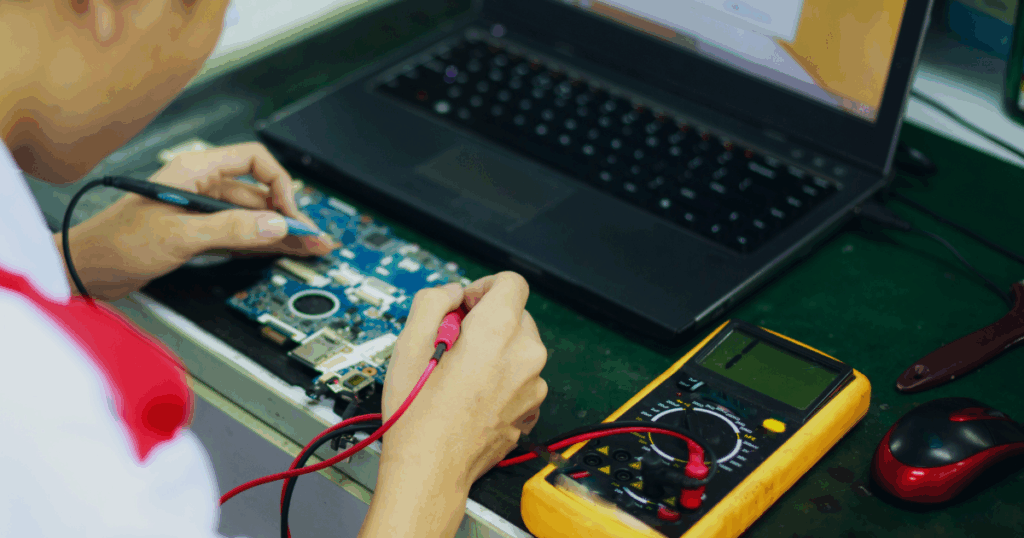
Choosing a platform shapes how you model, the solvers you trust, and the test coverage you achieve. Your selection also affects how easily you share work across research groups, labs, and suppliers. Many teams standardize on a few tools to balance depth with interoperability. A careful pick today saves rework when projects scale.
1) SPS Software (formerly SimPowerSystems)
SPS Software is a dedicated library for building, simulating, and analyzing electrical power systems and power electronics. It provides ready‑made blocks for machines, converters, transformers, transmission lines, and measurement devices, which speeds up model assembly without custom code. The powergui block controls solver settings so you can switch between phasor‑domain studies for long duration dynamics and discrete electromagnetic transient simulation for waveform‑level detail. That flexibility lets you move from topology choices to controller validation using one model and a consistent interface. As electrical simulation software, it fits researchers who want tight alignment with workflows and a short path to scripting and automation.
Researchers use SPS when they need a mix of network‑scale studies and device‑level detail without leaving Simulink. Phasor simulation scales well for large feeders and long time windows, while discrete electromagnetic transient (EMT) captures switching behavior, commutation, and protection timing with higher fidelity. For hardware‑in‑the‑loop (HIL) or real-time targets, setting the network to discrete mode with a fixed sample time is important, and trimming stiff parasitics keeps simulations stable. When switching‑level fidelity is required in HIL, many teams pair SPS circuit models with OPAL‑RT RT‑LAB using ARTEMiS or eHS so computation runs predictably on central processing unit (CPU) or field‑programmable gate array (FPGA) targets. It remains a practical power system simulation software for feeder studies and converter validation across many project stages.
2) MATLAB and Simulink
Many researchers begin with MATLAB simulations and build full systems in Simulink using block diagrams that align with control thinking. This toolset supports time‑domain studies, frequency‑response analysis, and code generation when you need to move to embedded targets. Model libraries speed up common tasks such as pulse‑width modulation (PWM) generation, sensor modeling, and filter design. You also gain tight scripting for test automation, parameter sweeps, and results management.
For power systems, Simscape Electrical and related libraries provide sources, machines, power electronics, measurements, and network elements. You can prototype converters, drives, and grids with detailed switching or averaged models, then switch solver modes to match your time‑step constraints. Co‑simulation with other tools helps when you need EMT detail in one domain and faster dynamics elsewhere. The ecosystem supports a wide range of toolboxes, so you can extend capabilities without rebuilding your workflow.
“A balanced toolkit lets you combine offline speed, EMT detail, and real-time HIL.”
3) OPAL‑RT RT‑LAB
OPAL‑RT RT‑LAB focuses on real-time execution for HIL and controller prototyping. You build models in familiar tools, then partition and deploy them to central processing unit (CPU) and field‑programmable gate array (FPGA) targets with deterministic scheduling. That approach lets you run sub‑microsecond switching models, interface with physical input/output (I/O), and script repeatable test scenarios. Engineers use it to exercise protections, verify control stability, and stress power converters without risking hardware.
RT‑LAB integrates with Functional Mock‑up Interface (FMI) and Functional Mock‑up Unit (FMU), Python, and Simulink for flexible model import and automation. Teams benefit from low‑latency I/O, rich signal capture, and utilities for scenario playback, fault insertion, and data export. You can map compute budgets to the right hardware, starting small and scaling as complexity grows. The emphasis on real time accuracy gives you confidence when moving from offline studies to closed‑loop tests.
4) PSCAD
PSCAD is widely used for electromagnetic transient (EMT) studies where switching detail, waveforms, and fast events matter. The interface centers on schematics, playback, and time‑series instrumentation, which supports careful validation of converters, machines, and protection. It shines when you need to study steep front transients, insulation stress, and detailed network interactions. Many utility and research teams rely on it for point‑on‑wave studies and high‑fidelity replication of fault events.
You can construct detailed models of power electronic interfaces, high‑voltage direct current (HVDC) links, and complex grids, then capture the effects of control interactions and non‑linear devices. Parameter sweeps and scripted studies help quantify sensitivities and margins. Import and export options support broader workflows with planning software, controller models, and custom scripts. The focus on EMT fidelity makes it a strong choice for projects where waveform detail drives decisions.
5) DIgSILENT PowerFactory
DIgSILENT PowerFactory serves planning, operations studies, and detailed analysis across transmission and distribution. It offers load flow, short‑circuit, protection, small‑signal, and time‑domain simulations under a single model representation. You can maintain study cases for multiple scenarios and seasons, then compare results with consistent data sets. Engineers value the rich library of elements and the ability to customize models for advanced tasks.
The platform supports scripting, data exchange, and co‑simulation when you need to link to external solvers or controller models. Time‑series analysis helps quantify hosting capacity, voltage regulation strategies, and distributed energy resources (DER) integration. Protection coordination studies benefit from device models, selectivity checks, and automated reports. That breadth allows a single model to answer many study questions across a project lifecycle.
6) OpenDSS
OpenDSS is an open-source power system simulation engine maintained for distribution studies. Researchers use it for feeder analysis, hosting capacity, voltage control, and time‑series scenarios with large sets of distributed energy resources. The scripting interface, Component Object Model (COM) automation, and Python bindings support repeatable workflows and batch studies. You can build validation pipelines that import feeder models, apply profiles, and export results for dashboards.
Because OpenDSS is open, you can inspect algorithms, modify source code, and create extensions that match your study needs. That transparency helps with peer review, reproducibility, and long‑term maintenance. Many teams pair OpenDSS with data science tools to process advanced metering infrastructure (AMI) data, weather inputs, and inverter schedules. It is a practical way to stand up scalable studies without costly licenses when budgets are tight.
A balanced toolkit lets you combine offline speed, EMT detail, and real-time HIL. Some projects rely on one platform from start to finish, while others split tasks across solvers and platforms. Interoperability reduces friction as models pass from concept to lab and back again. Your selection should reflect the studies you run most often, not just the features that look impressive at first glance.
How to choose the right power system simulation software for your project
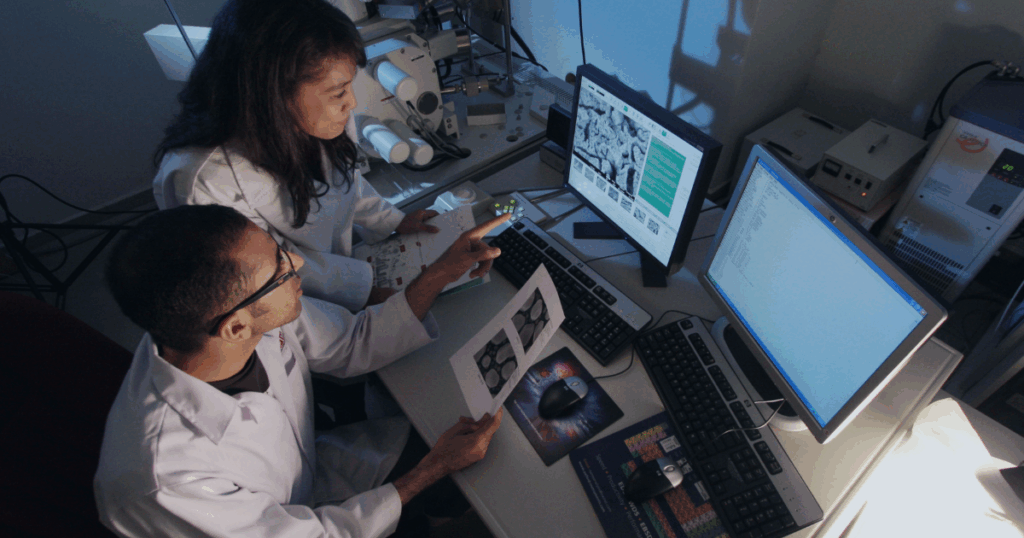
Picking power system simulation software feels easier when you anchor on study goals, constraints, and team skills. Start with the physics that must be captured, then match solvers to the time scales involved. Map the path from offline analysis to real-time validation if HIL is on your roadmap. Treat integration effort as a first‑order requirement, not an afterthought.
- Study type and fidelity requirements: Decide if you need phasor‑domain speed, EMT waveform detail, or both. The required time scales drive solver choice, time step targets, and model complexity.
- Real-time and HIL readiness: Confirm that models can be partitioned and executed deterministically with your controller and I/O. Verify that the tool supports your latency limits, scheduling, and safety interlocks.
- Toolchain compatibility and standards: Check Functional Mock‑up Interface (FMI) or Functional Mock‑up Unit (FMU) support, Python or MATLAB APIs, and co‑simulation hooks. Interoperability protects prior work, helps with peer review, and reduces rewrite risk.
- Licensing model and total cost: Account for licenses, support, hardware, and training. Include the opportunity cost of slow iteration, long debug cycles, and blocked lab time.
- Model management and reproducibility: Look for scripting, headless runs, and clean integration with version control. Reproducible studies save time, improve trust, and simplify collaboration across teams.
- Performance and scalability: Assess multi‑core, graphics processing unit (GPU), or FPGA acceleration options, along with profiling tools. Growth headroom matters when models expand or real-time targets tighten.
- Support, learning, and community resources: Evaluate documentation quality, example libraries, and responsiveness of support teams. Strong resources shorten onboarding and reduce mistakes.
A clear decision framework prevents tool sprawl and duplicated effort. Your choice should shorten the path from study idea to verified result, not add friction. Keep a small set of primary tools, and define when to hand a case to a specialized solver. Revisit the decision annually to confirm your needs are still being met.
“Best” depends on what you need to study, the fidelity required, and how far you plan to go into real time testing. Many teams start with MATLAB and Simulink for control design, add switching‑level detail with an electromagnetic transient platform, and move into HIL as controllers mature. Planning and protection groups often favor tools that keep one network model across load flow, short‑circuit, and time‑series studies. Distribution researchers may add OpenDSS for feeder‑scale analysis with flexible scripting. The strongest setup is the one that reduces rework, preserves traceability, and gets you to defensible results faster.
Real time targets require deterministic execution, low‑latency I/O, and tooling that partitions models across CPU and FPGA. Platforms such as OPAL‑RT RT‑LAB are designed for this use case and integrate with controller hardware, test automation, and signal capture. The key is matching solver selection, time steps, and I/O timing to your controller limits. Offline tools can still contribute by preparing models that convert cleanly into real time subsystems. A good decision keeps the modeling effort portable, so you do not rebuild when you move into HIL.
Hardware‑in‑the‑loop connects your controller to a digital twin that runs on a fixed schedule, then measures how the controller behaves under stress. You can inject faults, vary operating points, and test protections without risking equipment. Latency, jitter, and communication behavior become visible, which often reveals issues hidden in offline runs. Because scenarios are repeatable, teams can reproduce bugs and confirm fixes with confidence. The process turns lab time into structured evidence rather than one‑off experiments.
The main difference between EMT and phasor‑domain simulation is waveform detail versus averaged behavior. EMT solvers compute instantaneous voltages and currents at small time steps, which capture switching, high‑frequency dynamics, and steep transients. Phasor‑domain studies represent signals as magnitudes and angles, which run faster and suit planning, load flow, and many time‑series tasks. Projects often use both, reserving EMT for cases where waveform detail drives design choices. The right pick depends on the physics you must see and the time you can spend per case.
Open source tools can handle feeder models, time‑series profiles, and batch studies while keeping costs contained. Many researchers use OpenDSS for distribution analysis, then link results to data science notebooks for scenario generation and plotting. The transparency helps with peer review and long‑term maintenance, especially in academic and public‑sector projects. When real time testing is required, models can be exported or recreated in platforms designed for HIL. The mix keeps budgets under control while still meeting study needs.